
Page Help topic missing after compiling WebHelp using RH 2019
Last week, I upgraded two RH 10 projects to RH2019 Classic and then to RH 2019. I then created WebHelp output using RH 2019. Doing this resolved a problem we were having with the Index, Contents, and Search function not working on the Mac. However, we’ve encountered the major problem described below.
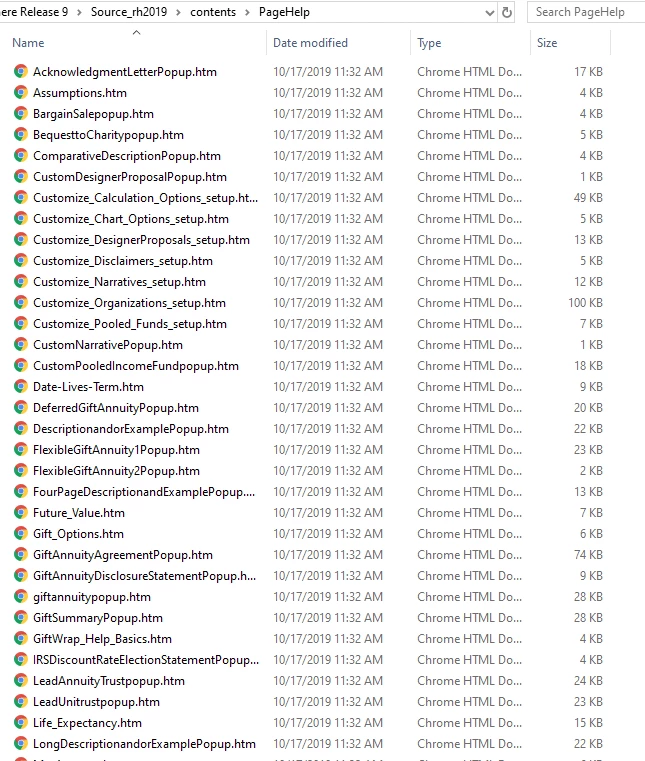
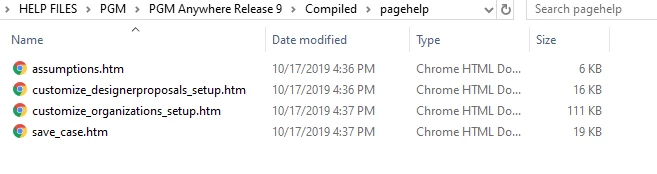
Both of our projects include a folder called PageHelp. This folder contains context-sensitive help topics for each page in the application. There are dozens of pages and, hence, dozens of topics. The .htm files for all these topics appear to be converted successfully, as they are present in a PageHelp subfolder of the Contents folder for the converted project. However, when I generate WebHelp output for one of my projects in RH 2019, the PageHelp folder for the compiled Help project contains just four of the expected files. When I generatate output for the other one, just one of the expected files is found in the PageHelp folder for the compiled project. See screenshots below. I have searched the Compiled folder and all its sub-folders and the PageHelp .htm files are nowhere to be found.
I assume that .htm source files are modified in some way during the output process, in which case simply copying the .htm files from the source PageHelp folder to the compiled PageHelp folder will not fix the problem. If I'm wrong about that, that would be an easy temporary fix, but I stiil would want to resolve the underlying issue, whatever it is, so that generating WebHelp output works properly.
Thanks in advance for any help you can offer.
PageHelp files in project source (55 files)
PageHelp files in compiled project (4 files)


 AdChoices