
rizaldy000999
Participant
May 15, 2017
Question

Cancel button missing for cancellation my individual creative cloud subscription

  • May 15, 2017
  • 2 replies
  • 6717 views

Hallo everyone,

I have one-year prepaid individual creative cloud membership, and it will auto renew soon. But, i want to cancel my subscription.

I tried to go to 'plan page' and find no 'cancel button', I click the 'manage' plan and still couldn't find the 'cancel button'.

How do i cancel my subscription????
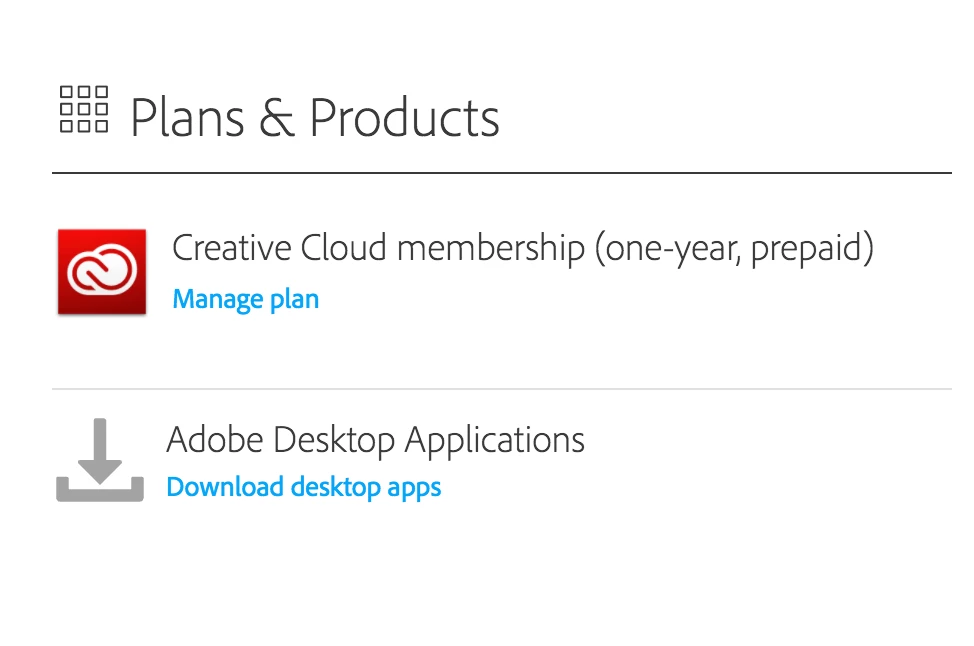
[moderator: removed screenshot of annual subscription membership]

This topic has been closed for replies.

2 replies

Participant
October 22, 2024

And they are still doing it. This should be again the law to hide the cancel button, and then keep trying someone's account muliple times a week trying to get payment for an out dated product. And when you call all their sales tactics comes out and they are using Indian speaking call centre. Just goes to show what a rip off Adobe has become!

Participant
October 22, 2024

And to top it off most of the replies here are not even from company, it's from none paid individuals. Money grabbers dont seem to invest in people, just their own pockets. It would be better if you held me up at gun point. That is more straight forward than trying to cancel / use your products

kglad
Community Expert
Community Expert
October 22, 2024

these are user forums.  you wouldn't expect adobe employees here (though occassionly they will post in the forums).


make sure you're aware of the cancellation terms by selecting your plan type (at the top of the page here), https://helpx.adobe.com/manage-account/using/creative-cloud-subscription-terms.html

for info on how to cancel your subscription, this page describes the few steps involved, https://helpx.adobe.com/manage-account/using/cancel-subscription.html

if you want to cancel but are unable to follow the steps described in the "how to cancel page", contact adobe support.

there are 2 ways to contact adobe; chat and twitter (now x):

chat:
use a browser that allows popups and cookies, and click here, https://helpx.adobe.com/contact.html?rghtup=autoOpen
in the chat field (lower right), type AGENT
be patient, it can take quite a while to reach a human.

twitter/x:
tweet @AdobeCare

p.s. if you're contacted by anyone (via email or private message), it's much more likely to be a scammer than an adobe representative.

Legend
May 15, 2017

Sorry to hear you want to cancel your membership.

You'll need to click on Manage plan, IF there is no cancel button you'll need to contact Adobe directly.

To contact Adobe:

Keep in mind that you will not receive a full rebate on the outstanding membership fee if you signed up for an annual membership. E.g. you'll have to partially pay for the remaining months still. An annual membership is based on a lower per month cost, and when you cancel before the end of membership date, you'll still incur a partial charge for the remaining months, that is based on the monthly membership fee as far as I'm aware.

rizaldy000999
Participant
May 15, 2017

It doesn't matter if I still in charge for the remaining months, my subscription will end by the end of this month anyway.

Hi Cari Jansen, are you an adobe employee? I need to cancel my subscription now. Can you help me?

There's no cancel button! How could it be? Such a bad user interface!

I already contact to adobe support but no response yet? Bad customer service!

danielm7342214
Participant
August 6, 2018

Adobe is doing all they can to prevent us from leaving. Even removing the cancel subscription button during the period in which they can do this free of charge. This is the biggest reason I'm giving up on Adobe. Money grabbers.


Having exactly the same problem. Ridiculous.