
yuningc38341197
Participant
October 21, 2019
Question

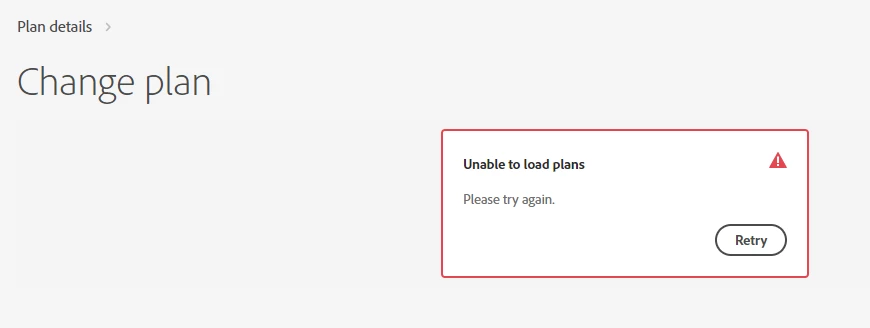
Click "change plan" but it keeps showing me "unable to load plans, please try again." Please help me
  • October 21, 2019
  • 1 reply
  • 5340 views

Here are what I've tried:

1. Log in again.

2. Refreshing the page.

3. Contact online assistance but no real person is there to help. 


Please help me. Thanks!

This topic has been closed for replies.

1 reply

Nancy OShea
Community Expert
Community Expert
October 21, 2019

You must cancel your current plan before you can get another one.  Read your terms of service agreement first.

https://www.adobe.com/legal/subscription-terms.html


  1. To contact customer care, log-in with your Adobe ID and password using a good browser like Chrome or firefox that accepts cookies and does not have script blockers.
    https://helpx.adobe.com/contact.html
  2. Click the chat bot icon (lower right).
  3. Type AGENT followed by Enter key.
  4. Wait for a human.  It usually takes no more than 5 minutes.  Failing that, try another browser.


Nancy O'Shea— Product User & Community Expert
Participant
July 8, 2022

it's been nearly 3 years now since this was poasted and its still an issue.  how about fixing the problem?!  I replace computers for people often and that means having to reinstall their programs on the new computer... I'm seriously tired of running in to this every time one of them has adobe!

kglad
Community Expert
Community Expert
August 28, 2024

use a different browser.