Participant
September 25, 2022
Question

Display name on Adobe account

  • September 25, 2022
  • 2 replies
  • 293 views

Hi,


I have checked my account profile and I have no idea how to change to [Firsr Name] [Last name] on my display name. Please see the below photo.
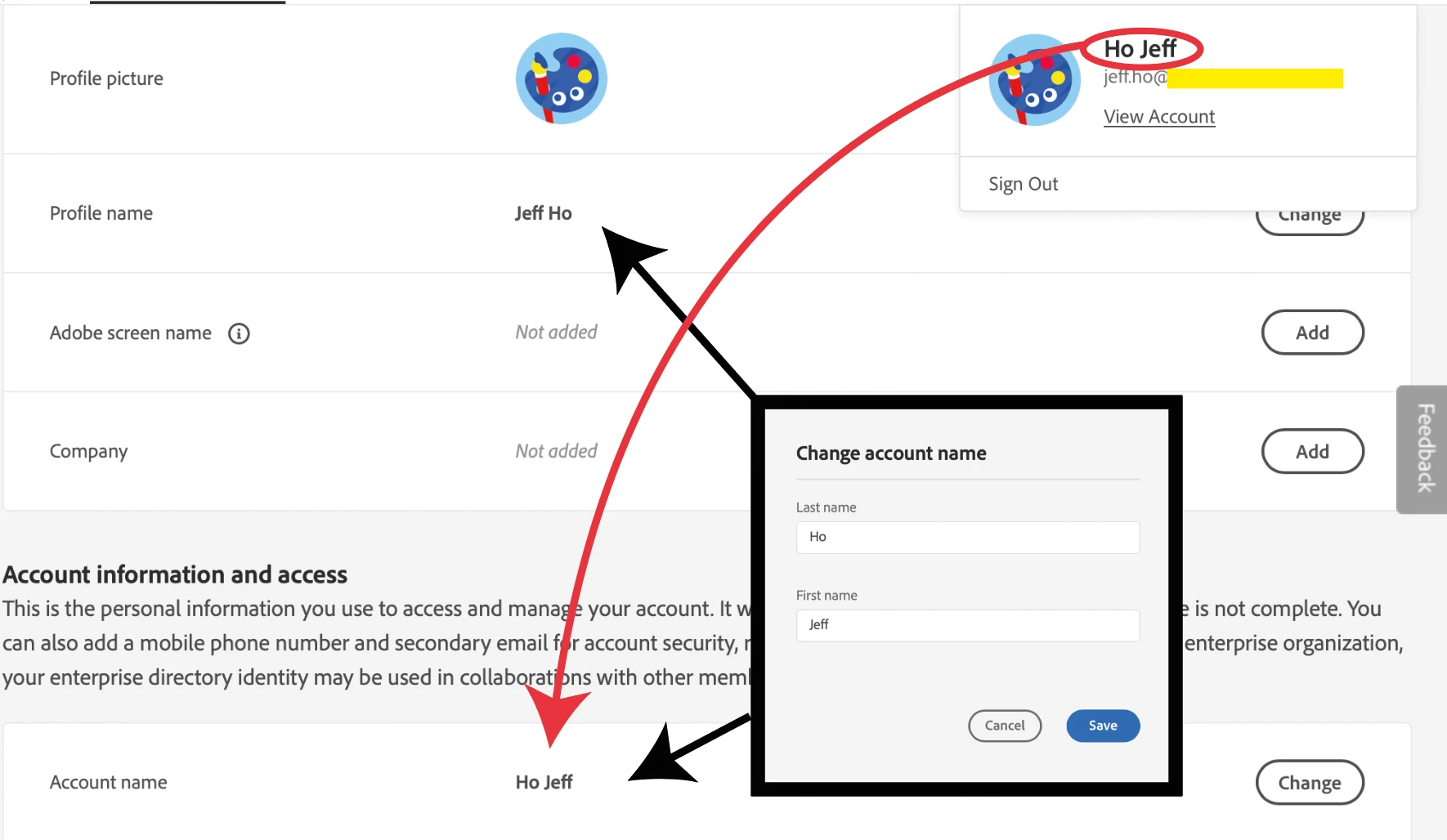


Please help with many thanks!

This topic has been closed for replies.

2 replies

Nancy OShea
Community Expert
Community Expert
September 25, 2022

@Jeff Ho,

Account name is your actual name.  Screen Name can be anything.

You have not added a Screen Name thus there is nothing to change.


Why does it matter?

Nancy O'Shea— Product User & Community Expert
Jeff HoAuthor
Participant
September 26, 2022

I tried, but it won't work. 

Thanks for your message.


kglad
Community Expert
Community Expert
September 26, 2022

click the add button for your screen name:


kglad
Community Expert
Community Expert
September 25, 2022

edit your adobe screen name

Jeff HoAuthor
Participant
September 25, 2022

Sorry! Not working.

kglad
Community Expert
Community Expert
September 25, 2022

using a browser that allows popups and cookies, contact adobe support by clicking here, https://helpx.adobe.com/contact.html?rghtup=autoOpen
in the chat field (lower right), type AGENT
be patient, it can take quite a while to reach a human

p.s. if you're contacted by anyone (via email or private message), it's much more likely to be a scammer than an adobe representative. ie, double check for an employee badge if contacted in the forums and look for an adobe.com domain in the email address if you click reply to an email. then check again and be very suspicious. any other method of contacting (or offering to contact you) is almost certainly a scam, https://community.adobe.com/t5/using-the-community-discussions/staying-safe-in-the-adobe-support-community/td-p/12919684/redirect_from_archived_page/true.

p.p.s you can also use phone (but chat is usually quicker), https://helpx.adobe.com/contact/phone.html

p.p.p.s. you can also use twitter to tweet @AdobeCare.