Participant
July 1, 2024
Answered

Free trial issue

  • July 1, 2024
  • 3 replies
  • 412 views

I had opted for free trial for 1 month. But then why was 349 deducted ?

    Correct answer jane-e

    @swati38356747nvfo 


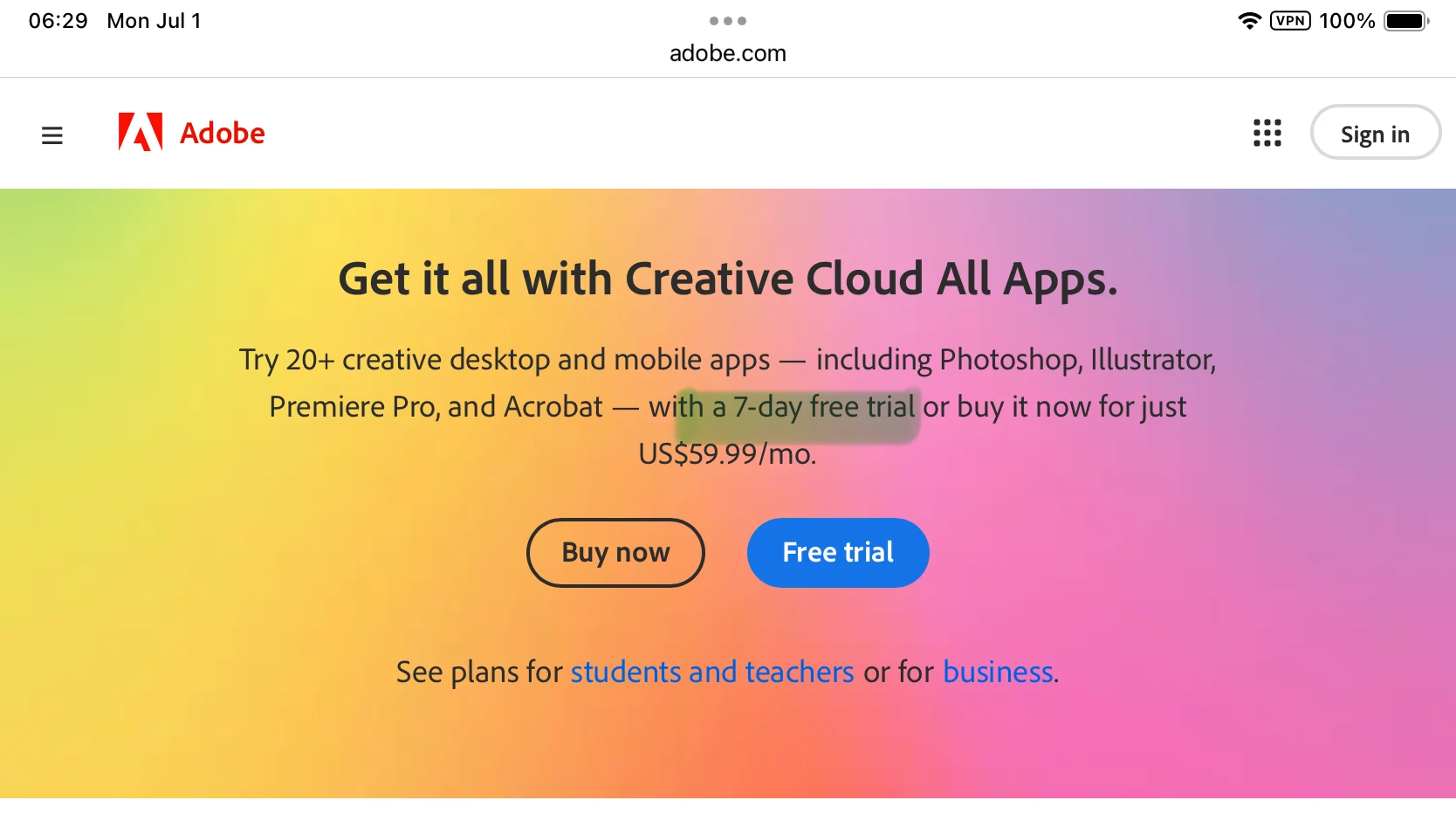
    The free trials are for 7 days, not one month. They convert to a paid subscription if you don't cancel within the 7 days. You can get a refund if you cancel your plan within 14 days. We can't see account information; you'll need to contact Adobe Customer Care.


    I've moved your post from Using the Community to Account, Payment & Plan.


    To contact Adobe Customer Care,  try the link to auto-open the Chat:
    https://helpx.adobe.com/contact.html?rghtup=autoOpen  
    Type "agent"

    If your browser blocks the Chat window, try the troubleshooting tips here:
    https://community.adobe.com/t5/creative-cloud-services/how-to-contact-adobe-support/td-p/11875703  

    You can also send a post through X (formerly Twitter) to @AdobeCare.

    Do not reply to PMs, which are likely to be scammers.


    Jane


    3 replies

    Participant
    August 8, 2024

    I OPTED FOR A FREE TRIAL AND MONEY WAS DEDUCTED AND AND I STILL HAVE 6 DAYS ON MY FREE TRIAL. I AM EXTREMELY DISSAPOINTED THAT THERE IS NO WHERE ON THE SITE THAT I CAN DISPUTE THIS. I WANT A REFUND IMMEDIATELY 


    kglad
    Community Expert
    Community Expert
    August 8, 2024

    @Erica39065537ay6j 


    make sure you're aware of the cancellation terms by selecting your plan type (at the top of the page here), https://helpx.adobe.com/manage-account/using/creative-cloud-subscription-terms.html

    for info on how to cancel your subscription, this page describes the few steps involved, https://helpx.adobe.com/manage-account/using/cancel-subscription.html

    if you want to cancel but are unable to follow the steps described in the "how to cancel page", contact adobe support.

    there are 2 ways to contact adobe; chat and twitter (now x):

    chat:
    use a browser that allows popups and cookies, and click here, https://helpx.adobe.com/contact.html?rghtup=autoOpen
    in the chat field (lower right), type AGENT
    be patient, it can take quite a while to reach a human.

    twitter/x:
    tweet @AdobeCare

    p.s. if you're contacted by anyone (via email or private message), it's much more likely to be a scammer than an adobe representative.

    Participant
    July 21, 2024

    Why would you put a trial on a annual plan and not a monthly knowing most people would forget to cancel the trials . I know delete my comment and say I should have read better. You got me. Tricks on me but I will sleep better at night knowing I said my peace. This is not good business! Amen and peace be with you. 

    jane-e
    Community Expert
    Community Expert
    July 22, 2024
    quote

    Why would you put a trial on a annual plan

    By @Wolfgang38731374sh12


    Those of us tagged as Community Experts are volunteers who do not work for Adobe. (Staff are tagged with "Adobe Employee".) All we can do is answer questions, as I did in the post marked "correct" in this thread. We are not privy to the "why". 


    Only Adobe Customer Care can assist with billing issues, so if you are having a billing issue please contact them with the instructions earlier in this thread.


    Jane


    jane-e
    Community Expert
    jane-eCommunity ExpertCorrect answer
    Community Expert
    July 1, 2024

    @swati38356747nvfo 


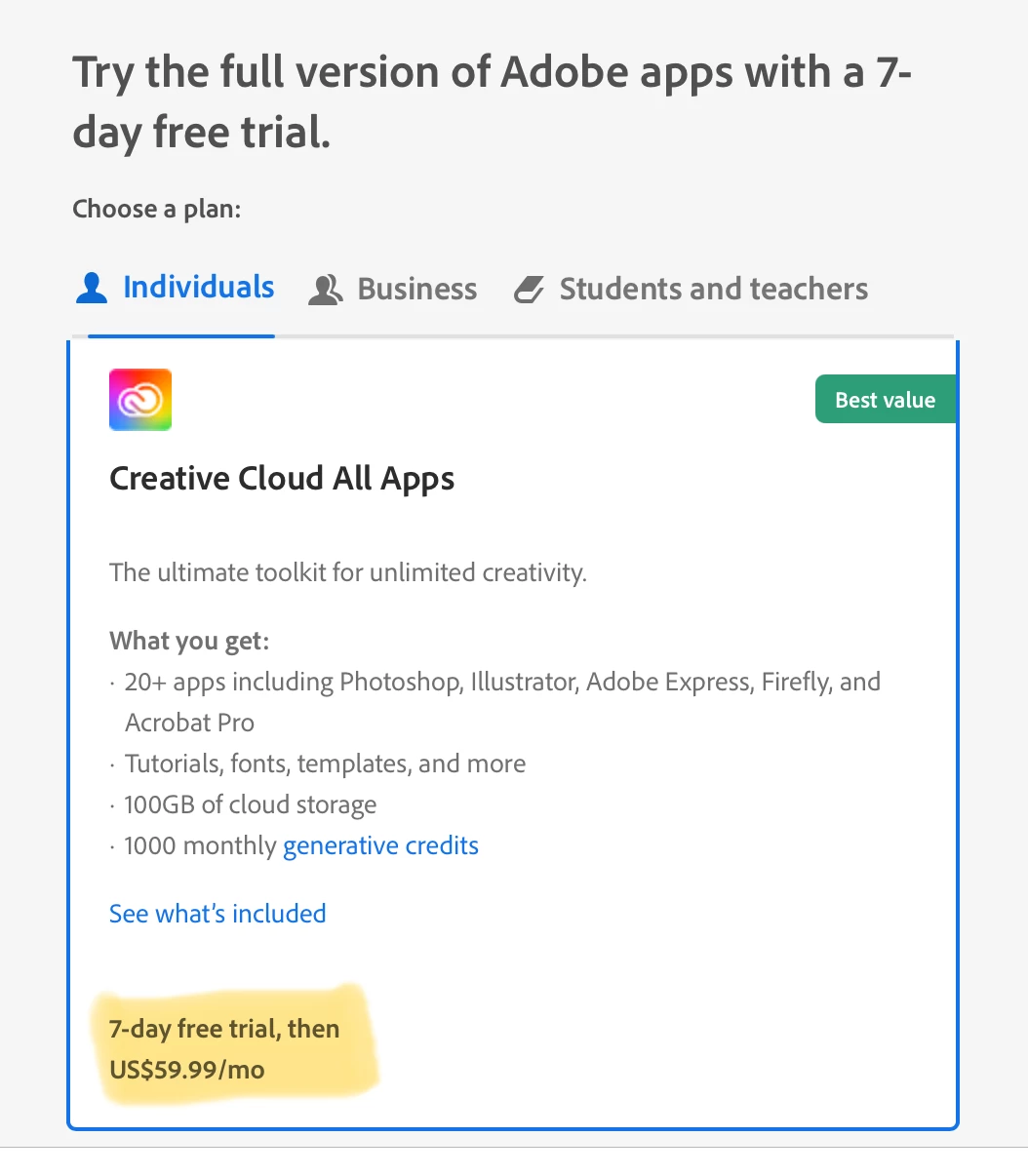
    The free trials are for 7 days, not one month. They convert to a paid subscription if you don't cancel within the 7 days. You can get a refund if you cancel your plan within 14 days. We can't see account information; you'll need to contact Adobe Customer Care.


    I've moved your post from Using the Community to Account, Payment & Plan.


    To contact Adobe Customer Care,  try the link to auto-open the Chat:
    https://helpx.adobe.com/contact.html?rghtup=autoOpen  
    Type "agent"

    If your browser blocks the Chat window, try the troubleshooting tips here:
    https://community.adobe.com/t5/creative-cloud-services/how-to-contact-adobe-support/td-p/11875703  

    You can also send a post through X (formerly Twitter) to @AdobeCare.

    Do not reply to PMs, which are likely to be scammers.


    Jane