Inspiring
April 9, 2023
Answered

No funcionan las apps, mensaje "Error de pago" y "Suscripcion terminada" pero pagos correctos.

  • April 9, 2023
  • 4 replies
  • 1027 views

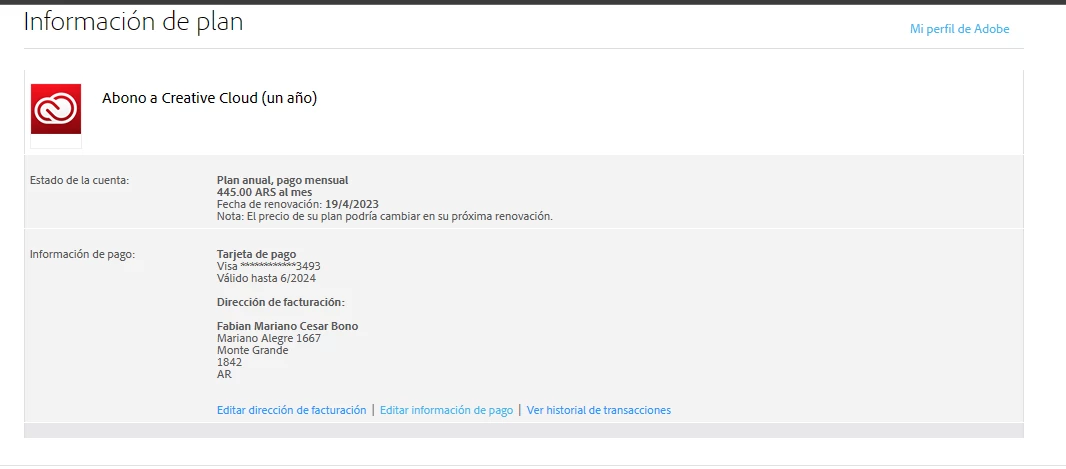
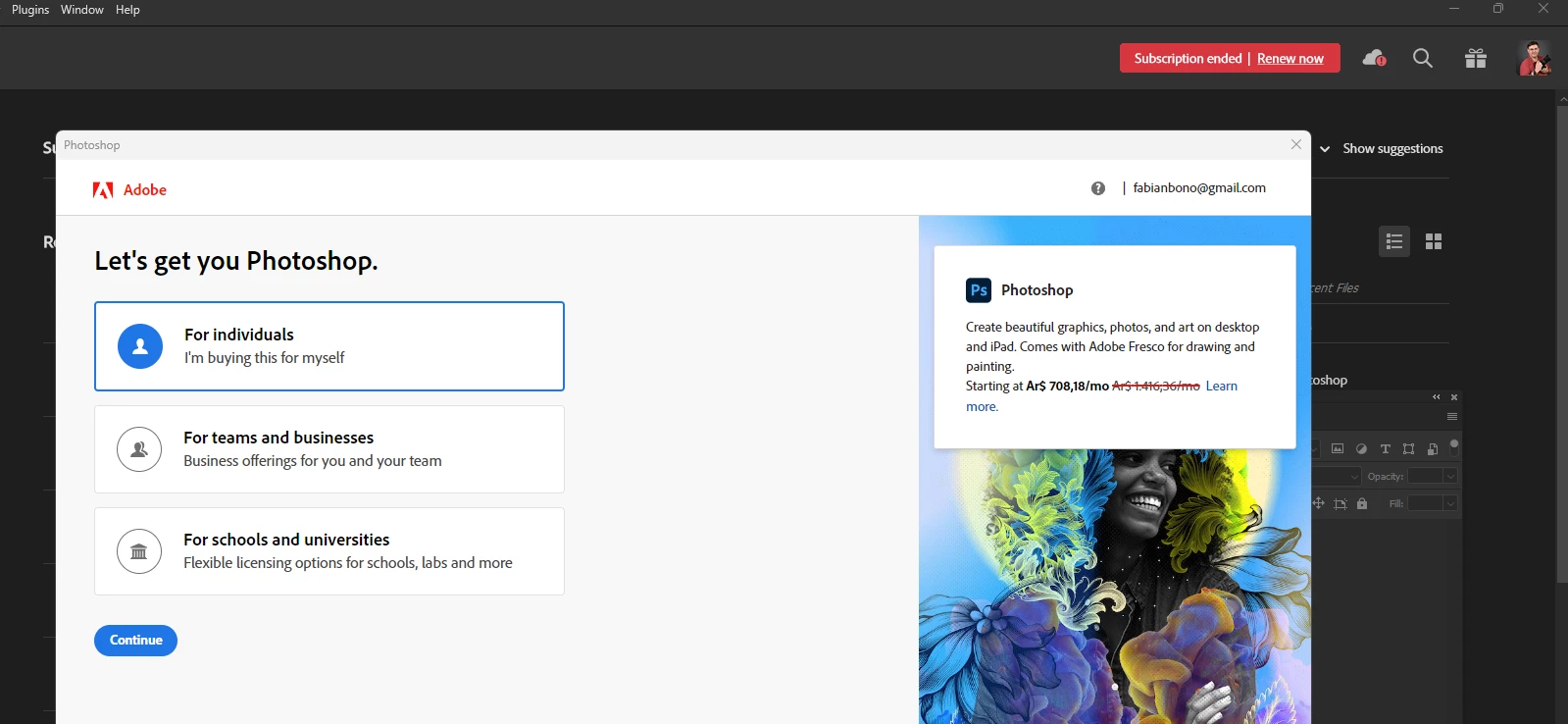
Desde hace unos dias se abria el cuadro de dialogo al abrir Photoshop, como para contratar un plan de servicios, cuando tengo el mismo en pago automatico desde hace años, por toda la suite completa.

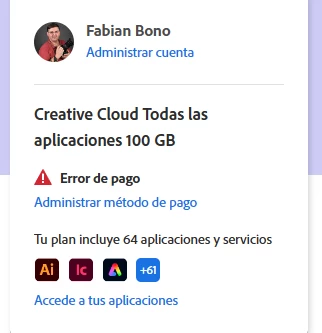
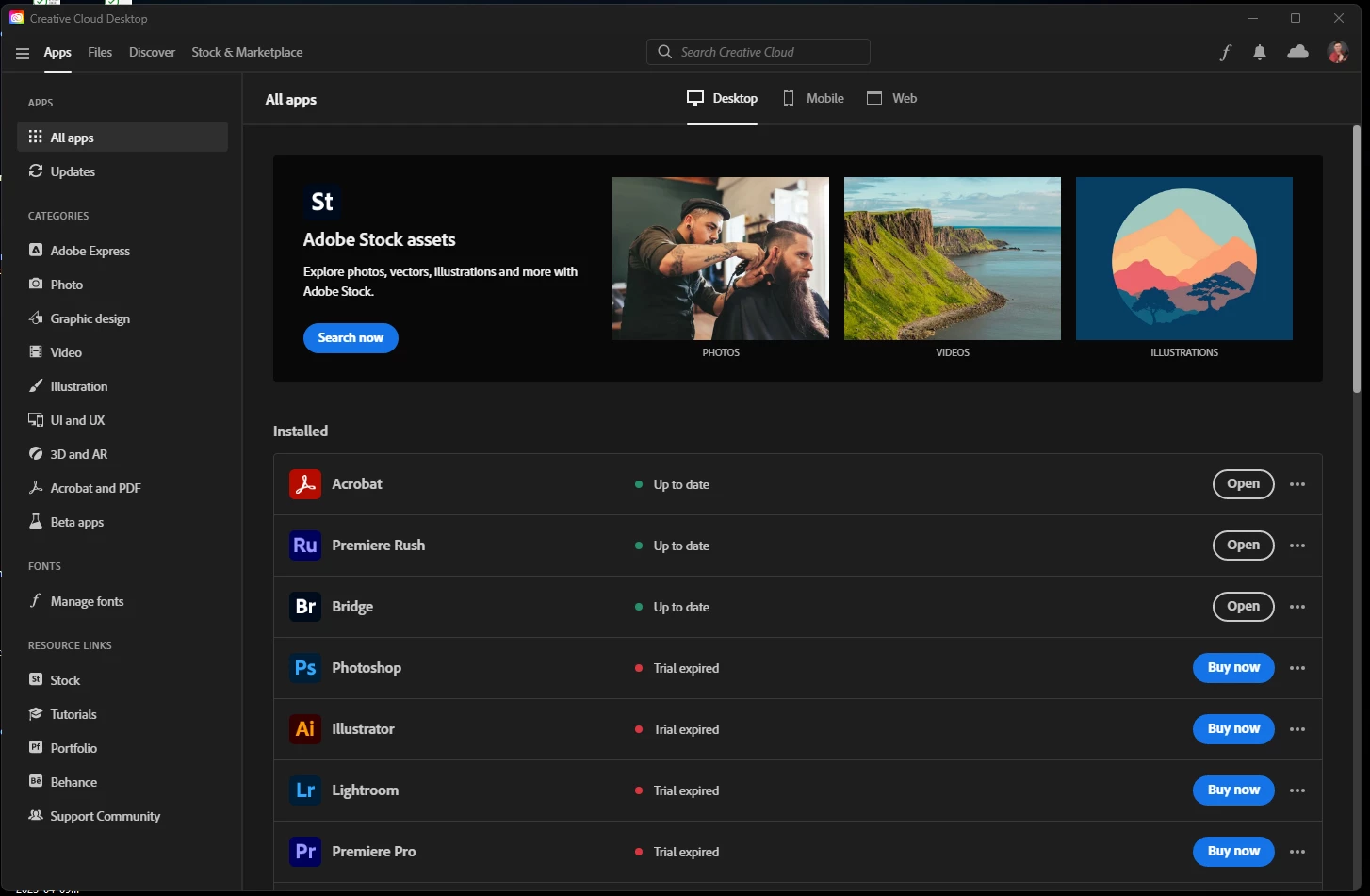
Ahora en la cuenta se ve el mensaje "Error de pago", y las apliaciones no abren ya que figuran como "Trial ended" y "Subscription ended" solicitando renovar.

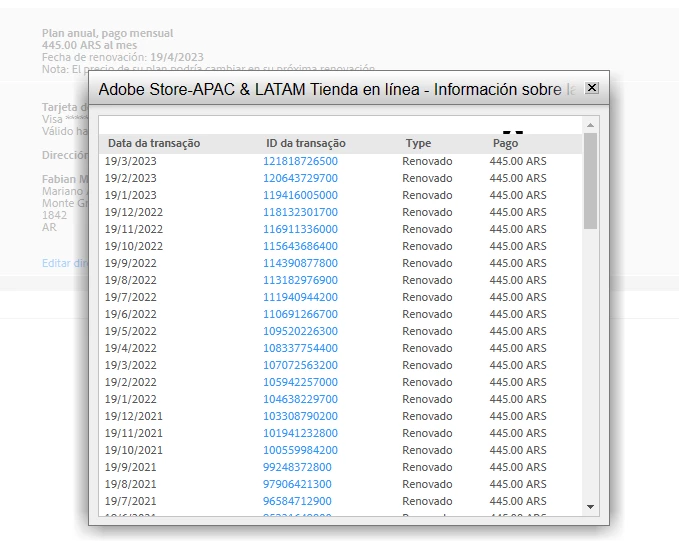
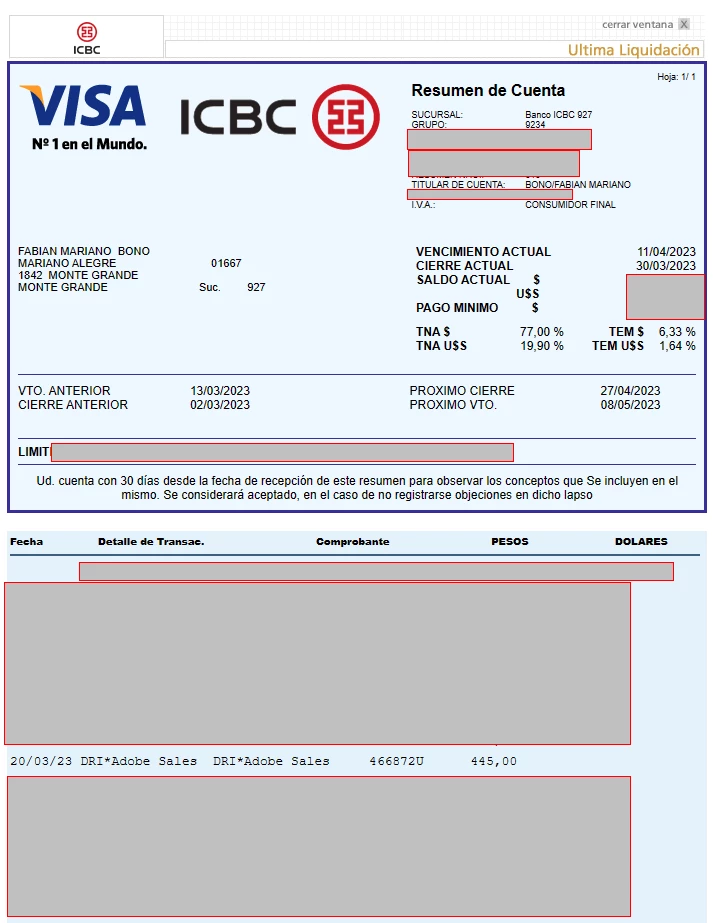
En el Adobe Store, se ve el historial de pagos correcto, asi como en la tarjeta de credito.

Esto me impide realizar cualquier trabajo con la aplicacion.

Necesito revisen la cuenta para reactivar mi plan y las aplicaciones.

Ya intente salir de la cuenta y volver a ingresar sin exito.

Gracias
 

This topic has been closed for replies.
Correct answer fabianbono

None of the previus solutions works, I´va already try them before by reading other post.

The final solution was made by Adobe Help Chat, the assistant told me that the account have some issue and I need to submit a new suscription with a new value. It is not the solution I wish, but I can´t lose more time to continue working with the apps.

4 replies

Participant
May 20, 2024

Acltuamente me esta pasando algo parecido como lo solucionaste?

kglad
Community Expert
Community Expert
May 20, 2024

by contacting adobe support.  there are 2 ways to contact adobe support; chat and twitter (now x):

chat:
if you have or want to purchase a subscription, use a browser that allows popups and cookies
and click here, https://helpx.adobe.com/contact.html?rghtup=autoOpen
in the chat field (lower right), type AGENT
be patient, it can take quite a while to reach a human.

twitter/x:
tweet @AdobeCare

p.s. if you're contacted by anyone (via email or private message), it's much more likely to be a scammer than an adobe representative.

Participant
May 20, 2024

thanks you, muy amable

fabianbonoAuthorCorrect answer
Inspiring
April 10, 2023

None of the previus solutions works, I´va already try them before by reading other post.

The final solution was made by Adobe Help Chat, the assistant told me that the account have some issue and I need to submit a new suscription with a new value. It is not the solution I wish, but I can´t lose more time to continue working with the apps.

kglad
Community Expert
Community Expert
April 10, 2023

@fabianbono 


glad it's resolved.

Community Expert
April 9, 2023

Try the steps mentioned in the following link
https://helpx.adobe.com/hk_en/manage-account/kb/stop-creative-cloud-trial-mode-after-purchase.html

If the steps given in the link does not work then check the following as well

resolve trial and license expired errors for teams & enterprise users

If none helps then its time to contact Adobe support. If you have a Teams/Enterprise subscription then contact via the Admin Console. If you have an individual subscription then follow the steps given below

1. Go to https://helpx.adobe.com/contact.html?rghtup=autoOpen
2. Wait a bit on the page that opens up, it should automatically open a chat popup. If that does not happen then look for a call out/chat icon at the bottom right, click over it and the chat popup should open
3. In order to talk to a human type "AGENT" in the chat box
4. If you are not able to get to the chat window, then disable your adblockers, firewall, enable cookies/scripts on your browser. If it still fails then change your browser/machine/network.

P.S. Be mindful of answering anyone who sends you a private message. See the following for more information about scammers
https://tinyurl.com/y7cfrr7y
-Manan

-Manan