
Exit
  • Global community
    • Language:
      • Deutsch
      • English
      • Español
      • Français
      • Português
  • 日本語コミュニティ
  • 한국 커뮤니티
0

Photoshop monthly subscription payment fail

Community Beginner ,
Oct 09, 2024 Oct 09, 2024

Hello everyone,


I'm currently facing an issue updating my Photoshop subscription...no matter how hard I try I'm still getting an error...and I'm totally lost since I've used the same credit card for 3 years to do this exact payment, and I currently have more than the required fund to perform it...


Any timely help is welcome as my subscription is ending tomorrow and that's what I actually use for my daily work process...


Here are some pictures showing the actual amount I added to my card for the transaction which is currently 590GHC making around $36, and the bills I'm supposed to cover ($23):
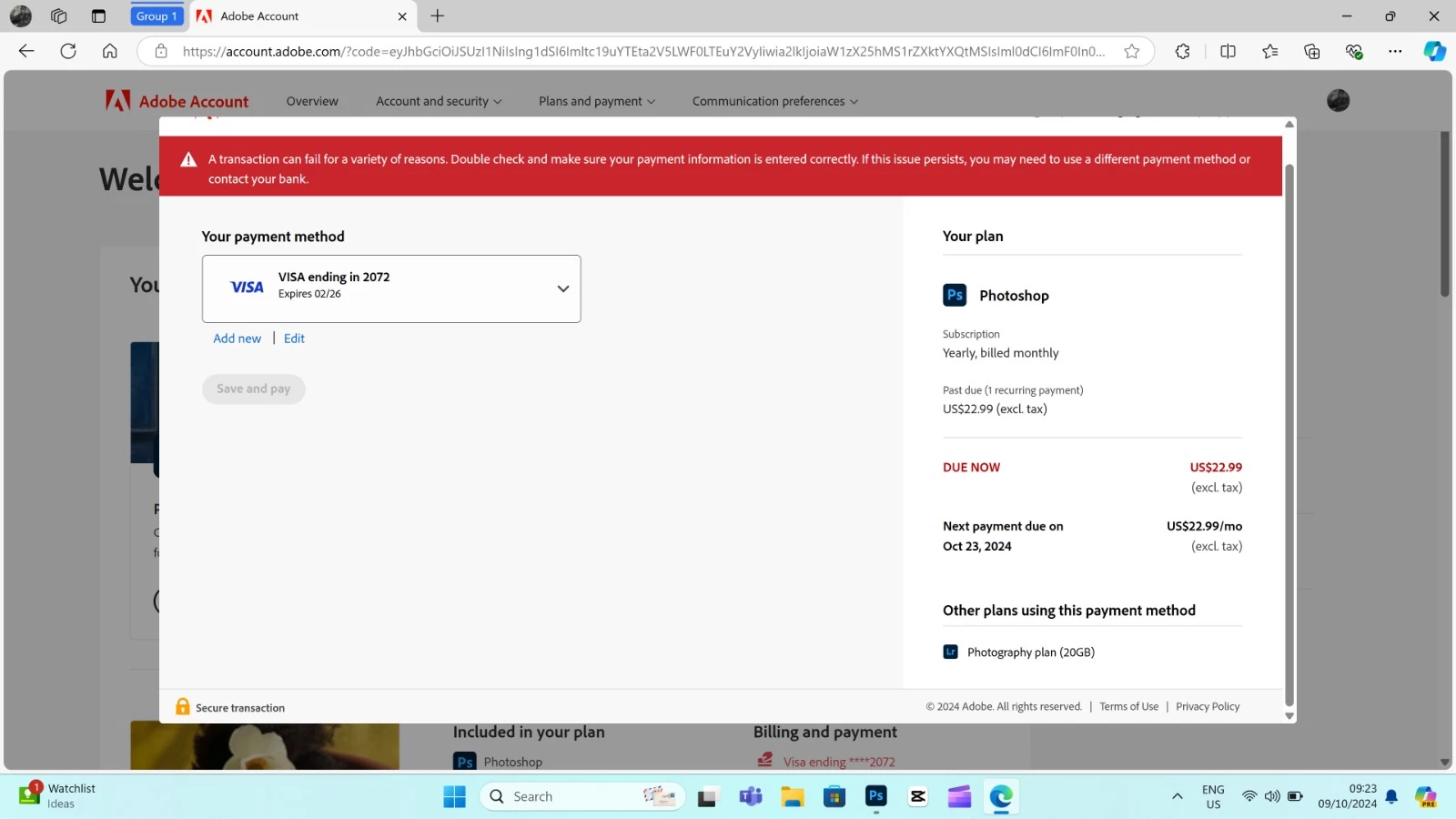
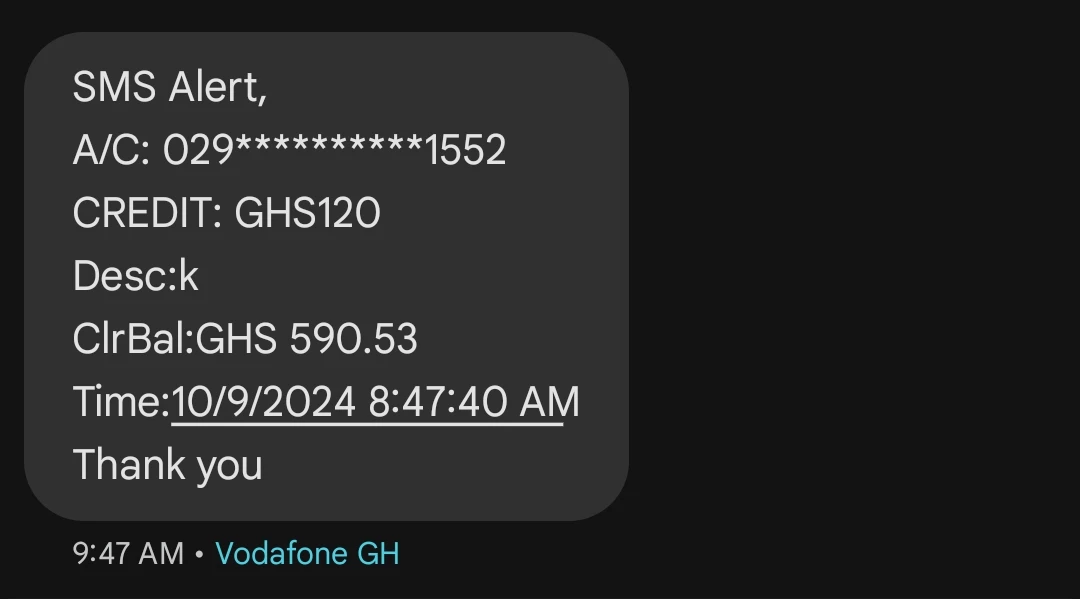
 

IMG-20241009-WA0022.jpg

Screenshot_20241009-123649.jpg

Screenshot_20241009-092510.jpg

800
Translate
Report
Community guidelines
Be kind and respectful, give credit to the original source of content, and search for duplicates before posting. Learn more
community guidelines

correct answers 1 Correct answer

Community Beginner , Oct 09, 2024 Oct 09, 2024

Sure,


Thank you very much, I could finally fix it, I had Adobe but there was no issue from their end, so I contacted my bank and they were the ones actually declining my transaction for unknown reasons...but it's fixed now I could update my subscription!


Thank you again!

Translate
Community Expert ,
Oct 09, 2024 Oct 09, 2024

contact adobe support. there are 2 ways to contact adobe support; chat and twitter (now x):

chat:
if you have or want to purchase a subscription, use a browser that allows popups and cookies
and click here, https://helpx.adobe.com/contact.html?rghtup=autoOpen
in the chat field (lower right), type AGENT
be patient, it can take quite a while to reach a human.

twitter/x:
tweet @AdobeCare

p.s. if you're contacted by anyone (via email or private message), it's much more likely to be a scammer than an adobe representative.

Translate
Report
Community guidelines
Be kind and respectful, give credit to the original source of content, and search for duplicates before posting. Learn more
community guidelines
Community Beginner ,
Oct 09, 2024 Oct 09, 2024

Thank you very much for the response, I'll be trying your suggestions!

Translate
Report
Community guidelines
Be kind and respectful, give credit to the original source of content, and search for duplicates before posting. Learn more
community guidelines
Community Expert ,
Oct 09, 2024 Oct 09, 2024

you're not alone.   let us know the result.

Translate
Report
Community guidelines
Be kind and respectful, give credit to the original source of content, and search for duplicates before posting. Learn more
community guidelines
Community Expert ,
Oct 09, 2024 Oct 09, 2024

in the future, to find the best place to post your message, use the list here, https://community.adobe.com/

p.s. i don't think the adobe website, and forums in particular, are easy to navigate, so don't spend a lot of time searching that forum list. do your best and we'll move the post (like this one has already been moved) if it helps you get responses.


<"moved from using the community">
Translate
Report
Community guidelines
Be kind and respectful, give credit to the original source of content, and search for duplicates before posting. Learn more
community guidelines
Community Beginner ,
Oct 09, 2024 Oct 09, 2024

Hello everyone,


I'm currently facing an issue updating my Photoshop subscription...no matter how hard I try I'm still getting an error...and I'm totally lost since I've used the same credit card for 3 years to do this exact payment, and I currently have more than the required fund to perform it...


Any timely help is welcome as my subscription is ending tomorrow and that's what I actually use for my daily work process...


Here are some pictures showing the actual amount I added to my card for the transaction which is currently 590GHC making around $36, and the bills I'm supposed to cover ($23):
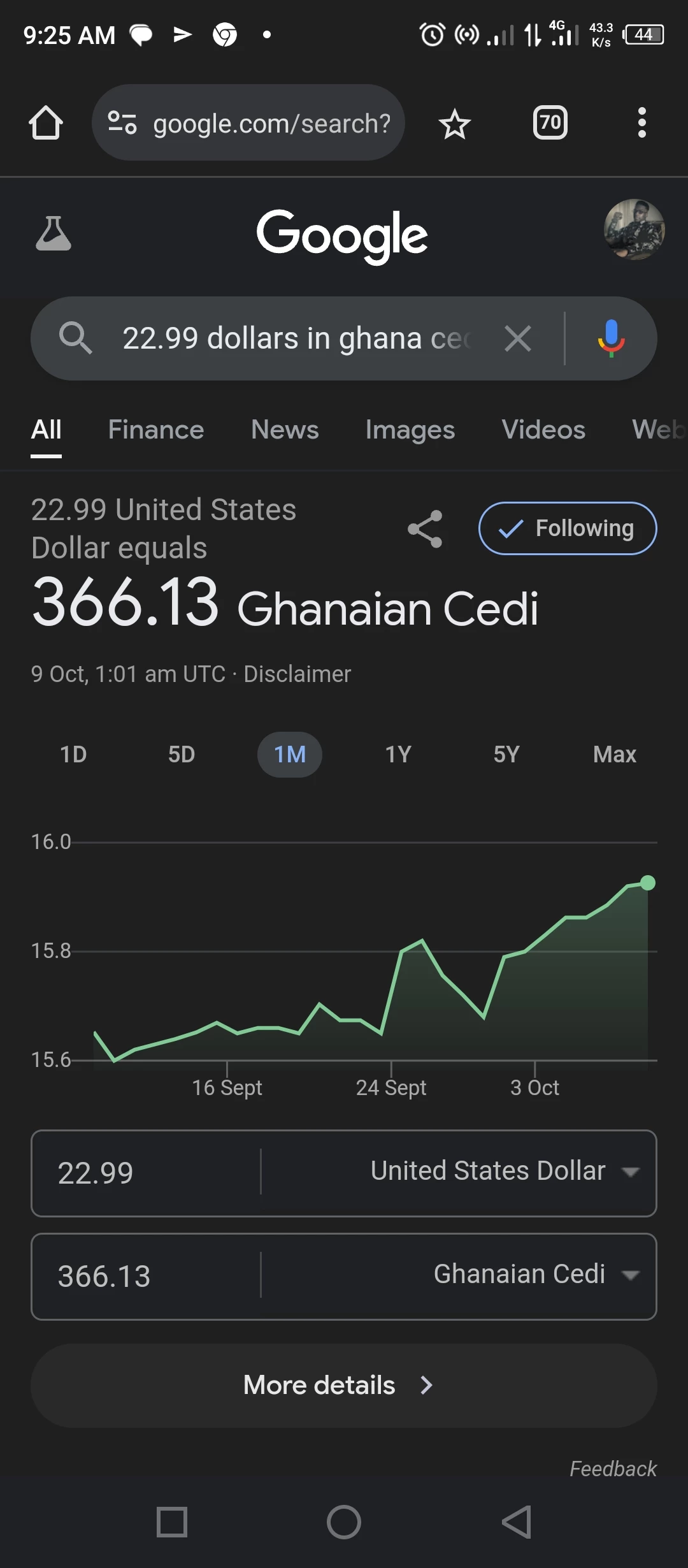
 

IMG-20241009-WA0022.jpg

Screenshot_20241009-123649.jpg

Screenshot_20241009-092510.jpg

Translate
Report
Community guidelines
Be kind and respectful, give credit to the original source of content, and search for duplicates before posting. Learn more
community guidelines
Community Expert ,
Oct 09, 2024 Oct 09, 2024

there seems to be a problem on adobe's end so contact adobe support. there are 2 ways to contact adobe support; chat and twitter (now x):

chat:
if you have or want to purchase a subscription, use a browser that allows popups and cookies
and click here, https://helpx.adobe.com/contact.html?rghtup=autoOpen
in the chat field (lower right), type AGENT
be patient, it can take quite a while to reach a human.

twitter/x:
tweet @AdobeCare

p.s. if you're contacted by anyone (via email or private message), it's much more likely to be a scammer than an adobe representative.

Translate
Report
Community guidelines
Be kind and respectful, give credit to the original source of content, and search for duplicates before posting. Learn more
community guidelines
Community Expert ,
Oct 09, 2024 Oct 09, 2024

in the future, to find the best place to post your message, use the list here, https://community.adobe.com/

p.s. i don't think the adobe website, and forums in particular, are easy to navigate, so don't spend a lot of time searching that forum list. do your best and we'll move the post (like this one has already been moved) if it helps you get responses.


<"moved from using the community bugs">
Translate
Report
Community guidelines
Be kind and respectful, give credit to the original source of content, and search for duplicates before posting. Learn more
community guidelines
Community Beginner ,
Oct 09, 2024 Oct 09, 2024

Sure,


Thank you very much, I could finally fix it, I had Adobe but there was no issue from their end, so I contacted my bank and they were the ones actually declining my transaction for unknown reasons...but it's fixed now I could update my subscription!


Thank you again!

Translate
Report
Community guidelines
Be kind and respectful, give credit to the original source of content, and search for duplicates before posting. Learn more
community guidelines
Community Expert ,
Oct 09, 2024 Oct 09, 2024

oh, good to hear.  and thank you for the info.

Translate
Report
Community guidelines
Be kind and respectful, give credit to the original source of content, and search for duplicates before posting. Learn more
community guidelines
Adobe Employee ,
Oct 10, 2024 Oct 10, 2024
LATEST

We're glad the issue is resolved. Feel free to update the thread for any questions. 


Thanks 

^KS

Translate
Report
Community guidelines
Be kind and respectful, give credit to the original source of content, and search for duplicates before posting. Learn more
community guidelines