
Participant
October 14, 2021
Answered

Subscription won’t link to App

  • October 14, 2021
  • 2 replies
  • 1690 views

I’ve purchased the annual subscription but it won’t link to my iPad app even if I select ‘subscribe’ as it then says I'm already subscribed but then the app fails (photos attached)

The same happens on my iPhone too and logging out and back in again doesn't work either ?


Any ideas please ?


Thank you 😊 
    This topic has been closed for replies.
    Correct answer kglad

    you need to contact adobe support to find the correct account id, and then check your account with that id and procede as above.


    first things first, using a browser that allows popups and cookies, contact adobe support during pst business hours by clicking here, https://helpx.adobe.com/contact.html

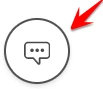
    click contact us (= cryptic icon in the lower right)

    in the chat field, type AGENT
    be patient, it can take quite a while to reach a human

    2 replies

    Nancy OShea
    Community Expert
    Community Expert
    October 14, 2021

    It looks like the Error is coming From One Drive, not Adobe.


    Nancy O'Shea— Product User & Community Expert
    Participant
    October 16, 2021

    I've tried restoring purchases too that's not connected to OneDrive but got this ?  Any more ideas please ?


    Nancy OShea
    Community Expert
    Community Expert
    October 16, 2021

    Check your Adobe account online to confirm your subscription is active and payment details are current.

    https://account.adobe.com/plans


    Nancy O'Shea— Product User & Community Expert
    kglad
    Community Expert
    Community Expert
    October 14, 2021

    check your account to verify your subscription is what you expect and to verify your adobe id, https://accounts.adobe.com


    then, if it looks as expected, sign out of your mobile cc app* and then sign back in using the same id used to confirm your subscription.


    * the one with this icon


    if you didn't install the mobile app on your iphone, do so.

    Participant
    October 16, 2021

    I've got two but can't see any pdf edit tools on cloud app?  Any clues please ?  My online account doesn't show subscription info either but funds definitely left my account and app error message confirms it's attached to the right email ...

    kglad
    Community Expert
    kgladCommunity ExpertCorrect answer
    Community Expert
    October 16, 2021

    you need to contact adobe support to find the correct account id, and then check your account with that id and procede as above.


    first things first, using a browser that allows popups and cookies, contact adobe support during pst business hours by clicking here, https://helpx.adobe.com/contact.html

    click contact us (= cryptic icon in the lower right)

    in the chat field, type AGENT
    be patient, it can take quite a while to reach a human