


Acrobat crashes few seconds after launch - no tools if I open a pdf
Hello,
I've gone through several topics about Acrobat crashing, but I really can't understand them.
If I launch the app via Creative Cloud or clicking the Acrobat icon from desktop this is what I see for 3 secs (then it goes away)

If I open a pdf this is what I see (after a longer wait then usual)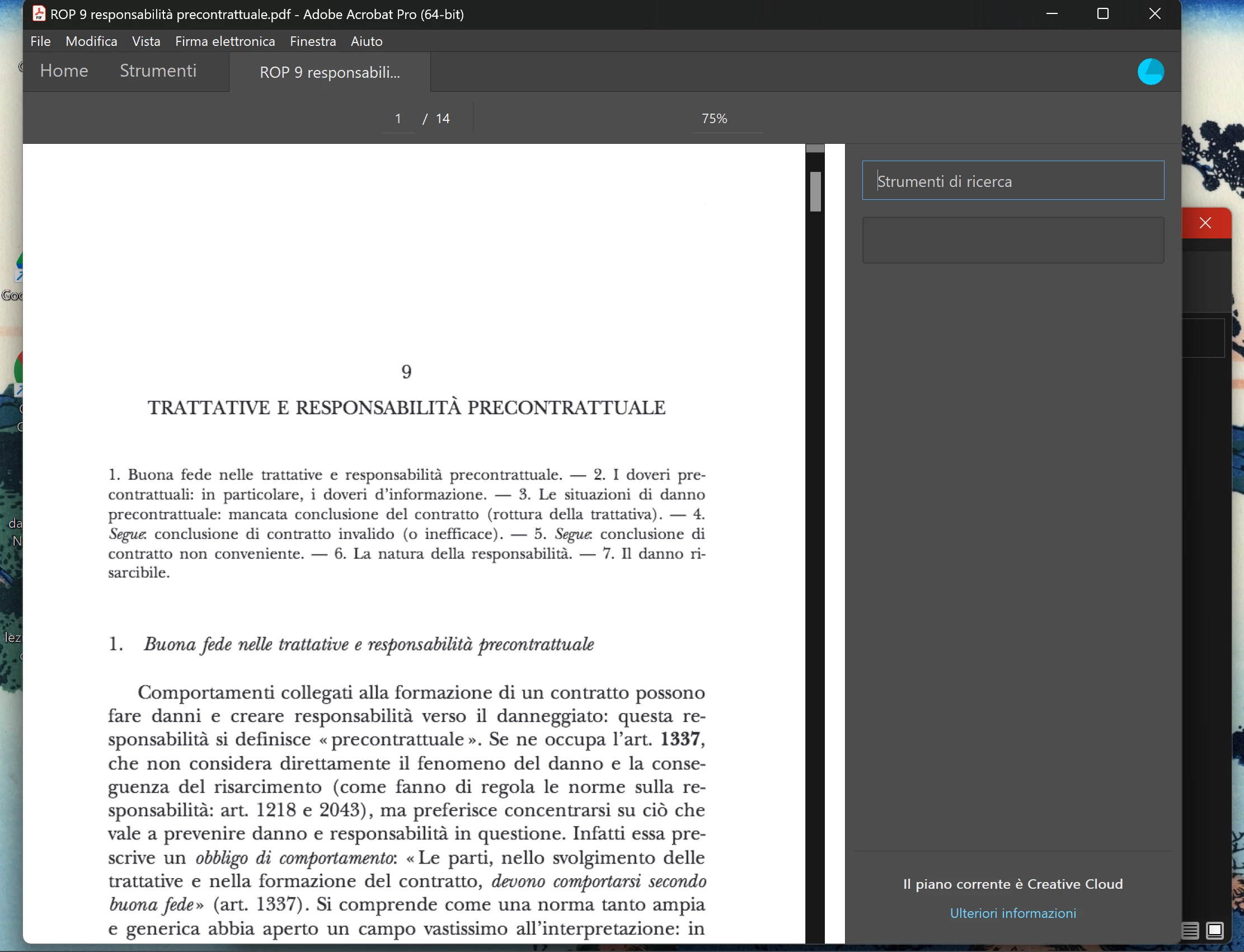
So just the pdf, no tools on right side nor on the top of the window.
Sometimes I can navigate the pdf.
Other times it just can't open the pdf, so I have a black page.
If I select "home" I can't see other documents (black page)
If I select "tools" I can't even see the icons and the names of the tools.
What I did already:
Uninstall Acrobat
Clicking very fast on "help" when I launch the app and then "updates" (it dowloaded an update, I rebooted the PC, then nothing, the same crashing)
Repair the app from Windows toolbar list of the apps
I really need the help of an expert,
many thanks,
Davide
 AdChoices