
Participant
December 5, 2022
Answered

adobe acrobat stuck in certified mode

  • December 5, 2022
  • 2 replies
  • 3097 views

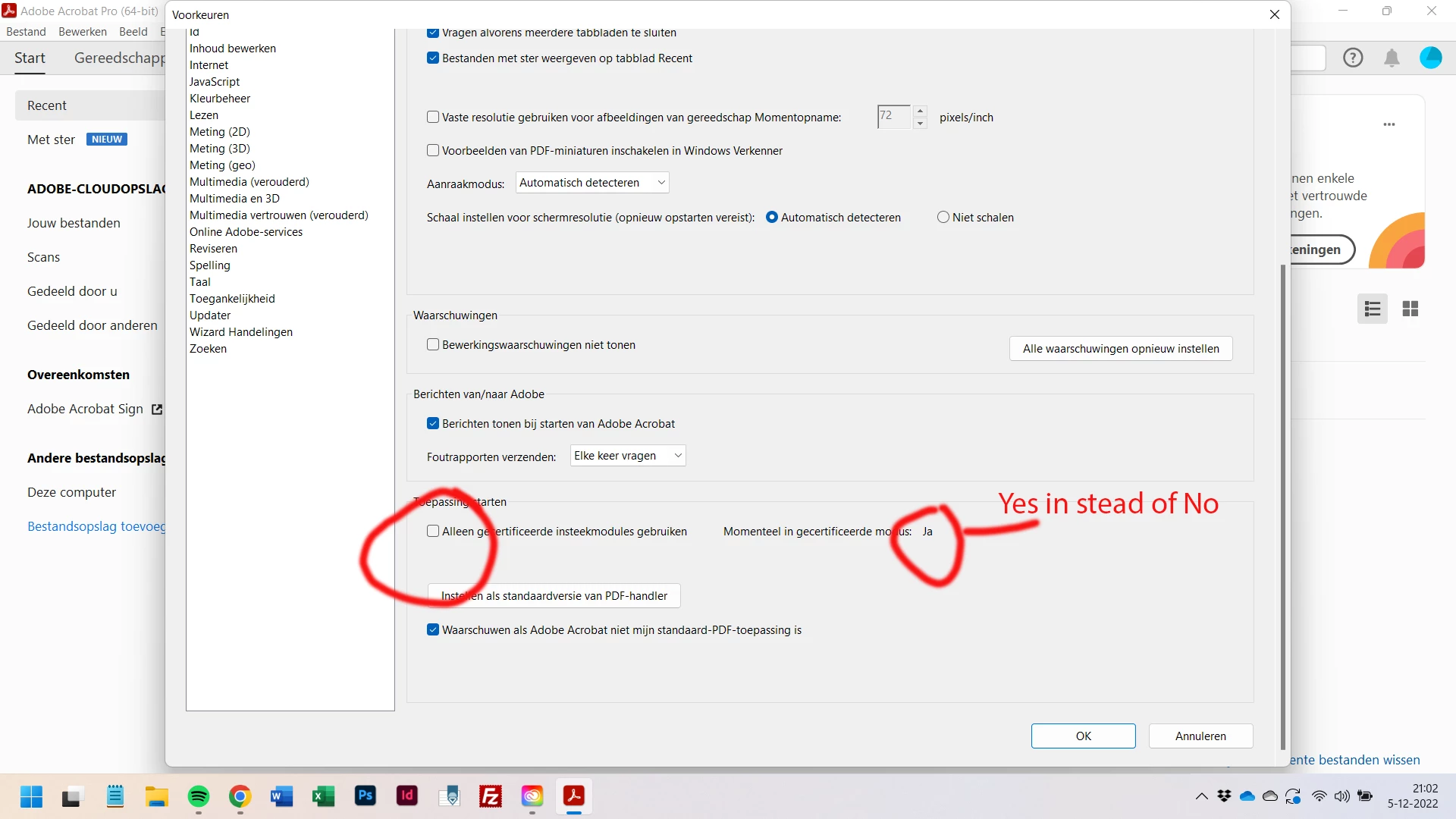
I installed Acrobat as a part of Creative Cloud on me new laptop (Windows 11).
Whatever I do, Acrobat stays in the certified mode. My not-certified plugins (working oké on my former laptop (Windows10)) don't show. How can this problem be resolved?
Correct answer Tony348576760vu7

I had the same issue with Tic Tie & Calculate, a 3rd party plugin for Acrobat. I found out that the .api file needed for TTC was not located in the Acrobat plug ins folder. This file needs to be in this folder for Acrobat to be able to find the plugin and this will change Certified Mode to No. Search your computer for the .api file for your plugin and once you find it, move it to the Acrobat plug ins folder.

2 replies

Tony348576760vu7Correct answer
Participant
January 23, 2024

I had the same issue with Tic Tie & Calculate, a 3rd party plugin for Acrobat. I found out that the .api file needed for TTC was not located in the Acrobat plug ins folder. This file needs to be in this folder for Acrobat to be able to find the plugin and this will change Certified Mode to No. Search your computer for the .api file for your plugin and once you find it, move it to the Acrobat plug ins folder.

Participant
January 23, 2025

I am having the same issue. Which TTC specifically file did you move?

Amal.
Community Manager
Community Manager
December 6, 2022

Hi @Marijke5FDB 


What is the version of the Acrobat DC you are using? To check the version go to Help > About Acrobat and make sure you have the recent version 22.3.20282 (Win) or 22.3.20281 (Mac) installed. Go to Help > Check for updates and reboot the computer once.

Also, try to repair the installation from the help menu (Win Only) and see if that works.

Please try to reset the Acrobat preferences as described here https://community.adobe.com/t5/acrobat-discussions/how-to-reset-acrobat-preference-settings-to-default/td-p/4792082

You may also try to create a new test user profile with full admin rights in Win or enable the root account in MAC and try using the application there and check.


Regards

Amal