
Participant
September 22, 2023
Question

Adobe Acrobat stuck on loading screen

  • September 22, 2023
  • 2 replies
  • 2670 views

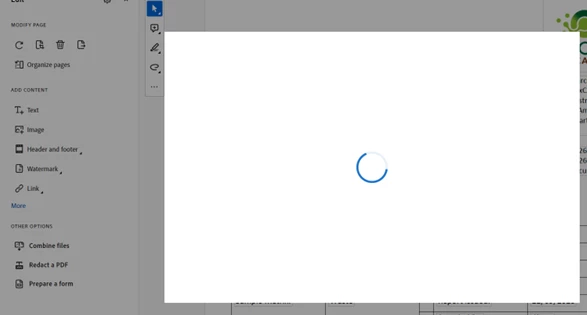
Anyone have a fix for this. Stuck on this loading screen when opening a PDF. re installed, repaired, no change. Really annoying and totally un-usable. Cannot click off this screen have to end task every time. 
This topic has been closed for replies.

2 replies

Participant
September 27, 2023

Yes. Will open one document but does this on the second.

Amal.
Community Manager
Community Manager
September 27, 2023

Hi @Tim32561535fu9k 


Would you mind collecting the Adobe CC logs https://helpx.adobe.com/creative-cloud/kb/cc-log-collector.html , Procmon logs (Win Only) https://www.adobe.com/devnet-docs/acrobatetk/tools/Labs/acromonitor.html  and Crash/freeze logs https://helpx.adobe.com/acrobat/kb/collect-logs-crash-freeze.html  share them via any cloud storage. Just upload the log file to the cloud and generate the link and share that link with us for further investigation.

Regards
Amal


Amal.
Community Manager
Community Manager
September 26, 2023

Hi @Adam32472819szch 


Hope you are doing well and thanks for reaching out.


Have you started experiencing this issue after the recent update? What is the version of the Acrobat DC you are using? To check the version go to Help > About Acrobat and make sure you have the recent version 23.06.20320 installed. Go to Help > Check for updates and reboot the computer once.

Also try to repair the installation from the help menu (Win Only) and see if that works.

Please try to reset the Acrobat preferences as described here https://community.adobe.com/t5/acrobat-discussions/how-to-reset-acrobat-preference-settings-to-defau...

You may also try to make the Acrobat/Reader application as the default PDF owner as described here How to set Acrobat Reader or Acrobat your default PDF program on Windows 10 and see if that helps.


Let us know how it goes.


~Amal

Participant
September 27, 2023

Hi Amal, 


Many thanks for the response. For me this issue lasted around 4 days on a new install for a new laptop, but has since sorted iteself out.

I believe it was the "first time tour" that was not loading. No issues with internet connectivity, but the program would not load that tour and thus made the program un-usable for a few days (longest time left to load was an hour but no success). Just stuck on that loading screen and only task manager would close it. 


About 4 days in, it randomly loaded quickly upon opening a document, and once I'd gone through the 3/4 tour pop ups, it now works fine and this message hasn't returned. 


Computer was re-started during those 4 days multiple times, so that wasn't the fix. Also tried to re-install, repair the app, make as default, checked update version and it was latest. Nothing I did fixed the issue until it sorted itself out. 


Potentially a bug to be aware of. 

Thanks and hope that helps, 

Adam