
Inspiring
October 19, 2020
Answered

can't sign or create signature. Acrobat freezes and the screen goes black?My adobe Acrobta Reader DC

  • October 19, 2020
  • 2 replies
  • 5501 views

Hi,


Recently upgraded computers and now on Catalin 10.15.7

My Adobe Acobat Reader DC 

Version 2020.012.20048

For the life of me, can not Sign any documents nor create one? When I try, the screen goes to black and I can only FORCE quite the applaication to get out of the frozen state.

Weird, and help please:)

Hélène

This topic has been closed for replies.
Correct answer 123941211

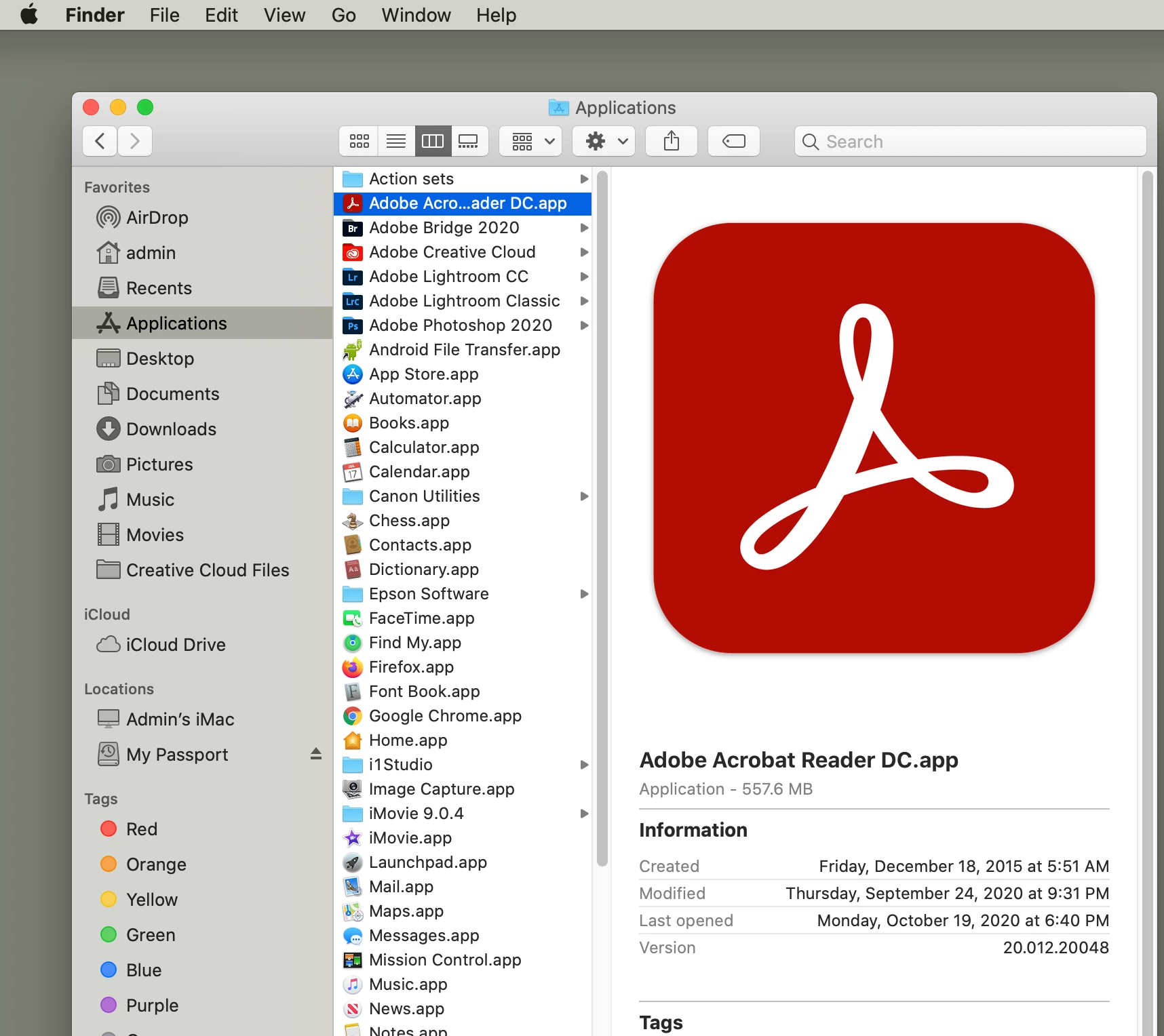
Thank you Amal for responding and your patience with me. I have attached a screen shot of applications folder. As you can see I do not have an Adobe folder. Just a straight full application. Suggestions? Perhaps simply delete the software and upload a new Acrobat?


Thank you!

Hélène

Thank you Amal for all your time on this.

I simply did delete my acrobat software (without the uninstaller) and re-uploaded another acrobat.

All good now.


Thank you!:)

Hélène

2 replies

Participating Frequently
April 2, 2021

Im having the same issue. Had Acrobat for decades, never had this problem. Now new mac, new ADC software, Adobe crashes 90% of the time I try to save a doc with a signature. Tried a total reinstall, same issue. Anyone have a fix? Its driving me bananas.  I used the uninstaller to uninstall, should I try by just deleting it, seems like a crude thing to do, but I am not an IT person

Amal.
Community Manager
Community Manager
October 20, 2020

Hi there,


Hope you are doing well. As described Acrobat Reader is not letting you sign or create signature as it keeps on freezing.


As you are using the latest version on Mac OS, please try to reboot the computer once and see if that makes any difference. 


If it still doesn't work, reset the preferences to default as described here https://community.adobe.com/t5/acrobat/how-to-reset-acrobat-preference-settings-to-default/td-p/4792082?page=1 and see if that works for you.


If it still doesn't work, please create a new test user profile with full admin rights or enable the root account in Mac and try using the application there and check.


You may also try the steps provided in the help page https://helpx.adobe.com/in/x-productkb/global/troubleshoot-system-errors-freezes-mac.html


Let us know how it goes.


Regards

Amal


123941211Author
Inspiring
October 21, 2020

Hello Amal,


Is there perhaps a simpler way to just delete the software and freshly download from Adobe the Acrobat reader compatable for my computer 10.15.7?

You mean well but you're talking to a photographer, not a high knowledgable IT:(

Thankyou,

Hélène

123941211Author
Inspiring
October 22, 2020

Hi Hélène,


You may try to remove and reinstalling the application as described in the help page https://helpx.adobe.com/download-install/kb/uninstall-reinstall-acrobat.html#UninstallAdobeAcrobatDConmacOS and see if that works for you.


Regards

Amal


Thank you Amal for responding and your patience with me. I have attached a screen shot of applications folder. As you can see I do not have an Adobe folder. Just a straight full application. Suggestions? Perhaps simply delete the software and upload a new Acrobat?


Thank you!

Hélène