



JR Boulay
Community Expert
Community Expert
February 10, 2022
Question

Cannot install Acrobat Reader with Acrobat Pro

  • February 10, 2022
  • 15 replies
  • 24634 views

Hello


To remove some bugs in Acrobat Pro I followed the Adobe procedure: uninstall Acrobat and then use the AcroCleaner.
It took me several hours but it didn't fix any of the concerned bugs.


When I reinstalled Acrobat Pro (64 bits) I got a message telling me that Acrobat Reader (32 bits) would be uninstalled, which was done.

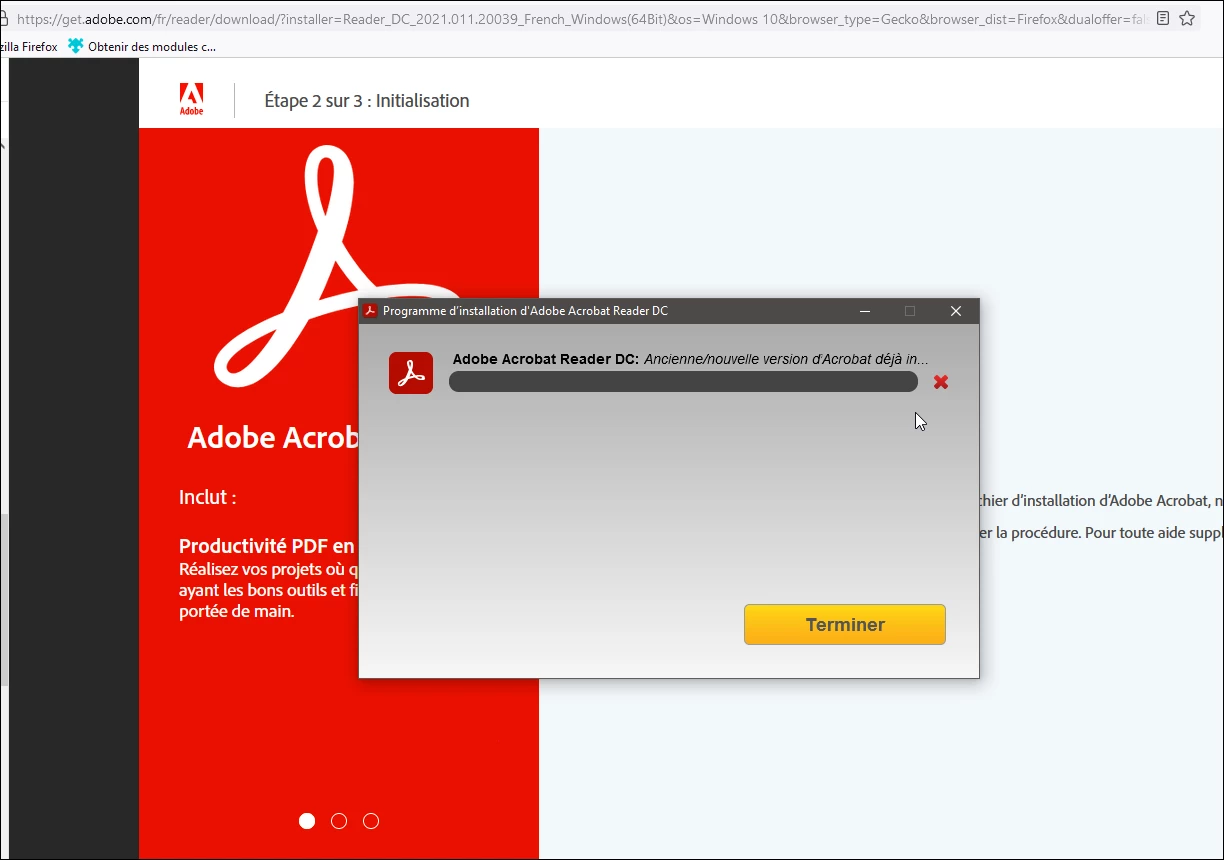
The problem is that now I can't reinstall Acrobat Reader, each time the installation ends on this truncated and incomplete message (attached) which seems to say that Acrobat Reader is already installed.

It says : "Old/new version of Acrobat already in........"

What can I do?


I'm a developer of PDF forms and I absolutely need to have Acrobat Reader to test them.

Thank you for your help.
 

15 replies

JR Boulay
Community Expert
JR BoulayCommunity ExpertAuthor
Community Expert
February 12, 2022
try67
Community Expert
Community Expert
February 12, 2022

Did you try it? Does it work?

JR Boulay
Community Expert
JR BoulayCommunity ExpertAuthor
Community Expert
February 13, 2022

No, I cannot install Acrobat Reader 32 bits too.

Acrobate du PDF, InDesigner et Photoshopographe
JR Boulay
Community Expert
JR BoulayCommunity ExpertAuthor
Community Expert
February 12, 2022

PS: I cannot install Acrobat Reader 32 bits too, it displays the same message as above.

Acrobate du PDF, InDesigner et Photoshopographe
Participating Frequently
October 15, 2022

did you try the offline installer of Acrobat Reader 32 bit? in my case this did just now still allow parallel installation of Reader and older Pro

JR Boulay
Community Expert
JR BoulayCommunity ExpertAuthor
Community Expert
February 12, 2022

Amal., I absolutely need to test my forms created with Acrobat Pro in Acrobat Reader.

So I need to use the latest version of Acrobat Reader, a DIY solution to use an old version is not satisfactory or reliable.
And I guess I'm not the only one.


Until I can install Acrobat Reader I had to install Foxit Reader, so I can only sell forms that are guaranteed to work fine in Foxit Reader, not in Acrobat Reader.


This situation is absurd.


Acrobate du PDF, InDesigner et Photoshopographe
try67
Community Expert
Community Expert
February 12, 2022

Hear hear! This change is a real blow to developers.

try67
Community Expert
Community Expert
February 11, 2022

Unfortunately, Adobe made it impossible to do that any longer, by unifying the two installers.

Amal.
Community Manager
Community Manager
February 11, 2022

Hi JR Boulay


Hope you are doing well and sorry to hear that.


The 64-bit application is a unified application for Acrobat DC and Acrobat Reader DC.  If you have installed Acrobat Reader DC 64-bit and you purchase an Acrobat DC subscription, the Acrobat Reader DC 64-bit application will upgrade to become a fully functional Acrobat DC 64-bit application.


To stop the Acrobat Reader DC 32-bit application from automatically upgrading to the 64-bit version, create the following registry key before the first launch of the application as described in the help page https://helpx.adobe.com/acrobat/kb/about-acrobat-reader-dc-migration-to-64-bit.html


Hope this information will help


Regards

Amal