
Cannot remove Bates Numbers
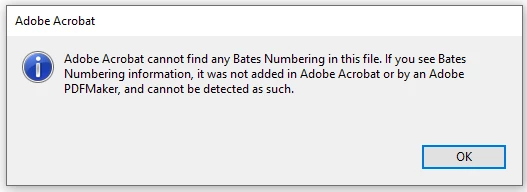
I am constantly getting the below error when trying to remove Bates Numbers.
I am on Acrobat Pro DC, 2022.001.20142. I've tried this on 3 different computers, all Windows 10 and running the same version.
I've tried this witih scanned documents, non-scanned and blank documents and it's still happening.
I try to remove the numbers immediately after adding them from Acrobat (edit PDF > More > Bates Numbering > Add) so there's nothing I'm doing in between that would interfere with the process.
I've tried testing putting the numbers in all different directions. (Left/Right/Center Header/Footer) and have also tried testing with the various Appearance Options checked/unchecked.
I saw a lot of other threads with this problem but none had a resolution. Is this a known problem? Please advise, thank you!
 AdChoices