


Participant
October 7, 2024
질문

Converted PNG/JPG to PDF is blurry with contourish look
  • October 7, 2024
  • 2 답변들
  • 631 조회

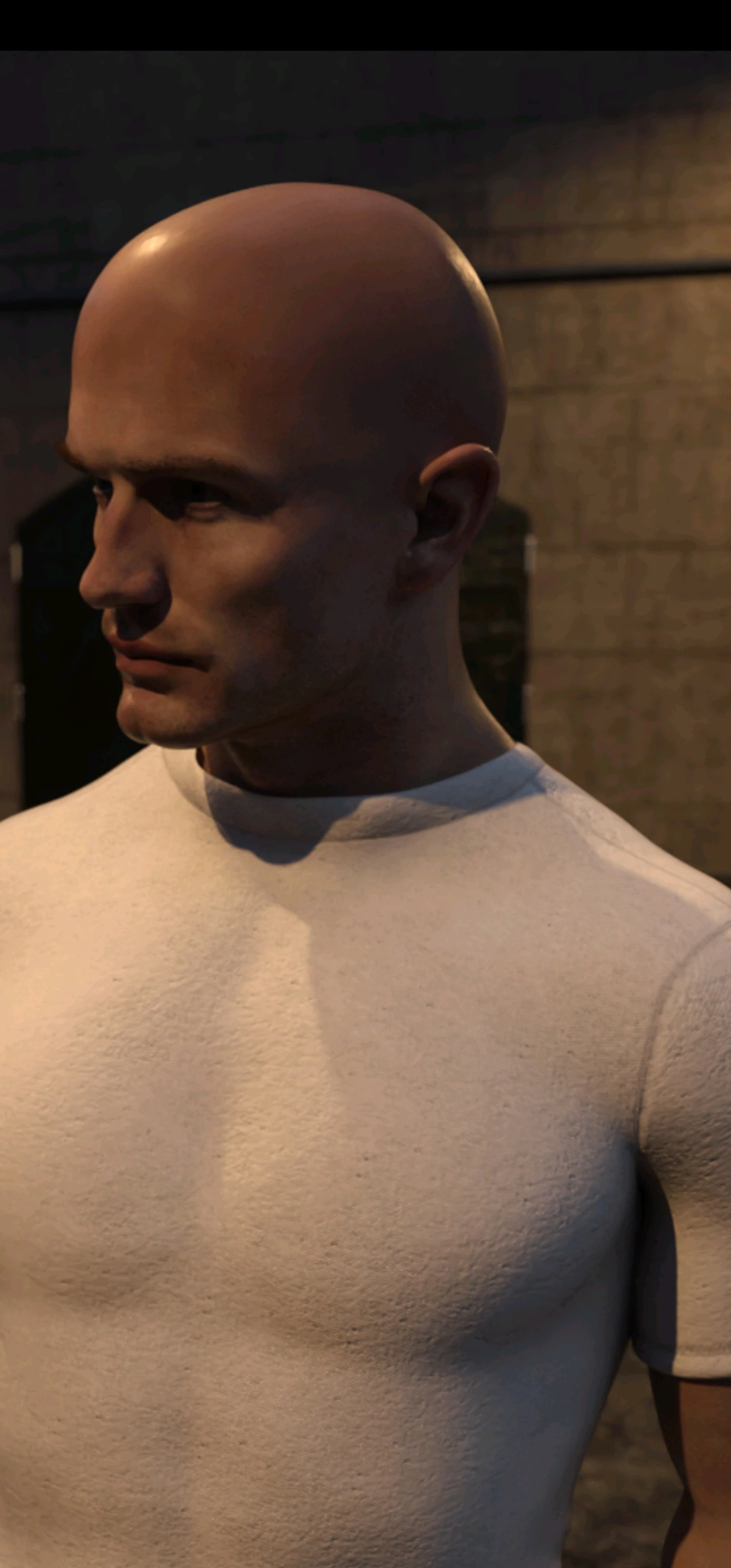
I do 3D renders and whenever I convert my rendered PNG/JPG into PDF, and whenever I view them on Adobe acrobat on android, there's always this blurry contourish look, like on this man's head and neck for example. I've tried using the highest quality settings for both image formats like "quality:lossless" and "pdf file size:large", but it doesn't solve the problem.


When I view the pdf on acrobat PC version, it displays correctly and so I thought that the problem lies with my phone. But when I converted the images of other people who do 3d renders, the converted PDFs from their images look much better on acrobat android - there may still be some of that blurry coutourish look, but still nowhere as bad as mine.


I also tried converting photos downloaded online and I also get this blurriness. please can someone tell me if I'm doing something wrong, this is driving me nuts. Thanks in advance for all the kind help!

이 주제는 답변이 닫혔습니다.

2 답변

Amal.
Community Manager
Community Manager
October 24, 2024

Hi @Whispering_view15B9 

I hope you are doing well. Thanks for highlighting this issue.

It seems that when you convert images of other people's 3D renders, the resulting PDFs look much better on Acrobat Android. This could be a file-specific issue. Could you please share the original source PNG/JPG file and a small video recording of the steps you are taking to create the PDF file from it? This will help us to reproduce the issue on our end.

Additionally, please provide the version of the OS and the Acrobat mobile app you are using. You can find this information by tapping on the profile icon > About Adobe Acrobat.

Please also try updating the Acrobat Mobile app to version 24.9.4.35580 from the Play Store and reboot your device to see if this resolves the issue.

Let us know how it goes.


~Amal

Participant
October 7, 2024

Sorry to double post, I'd like to add that to view the blurriness of the pdf, you may have to click on the attached image, you can't see it in thumbnail view.