

Participant
October 7, 2022
질문

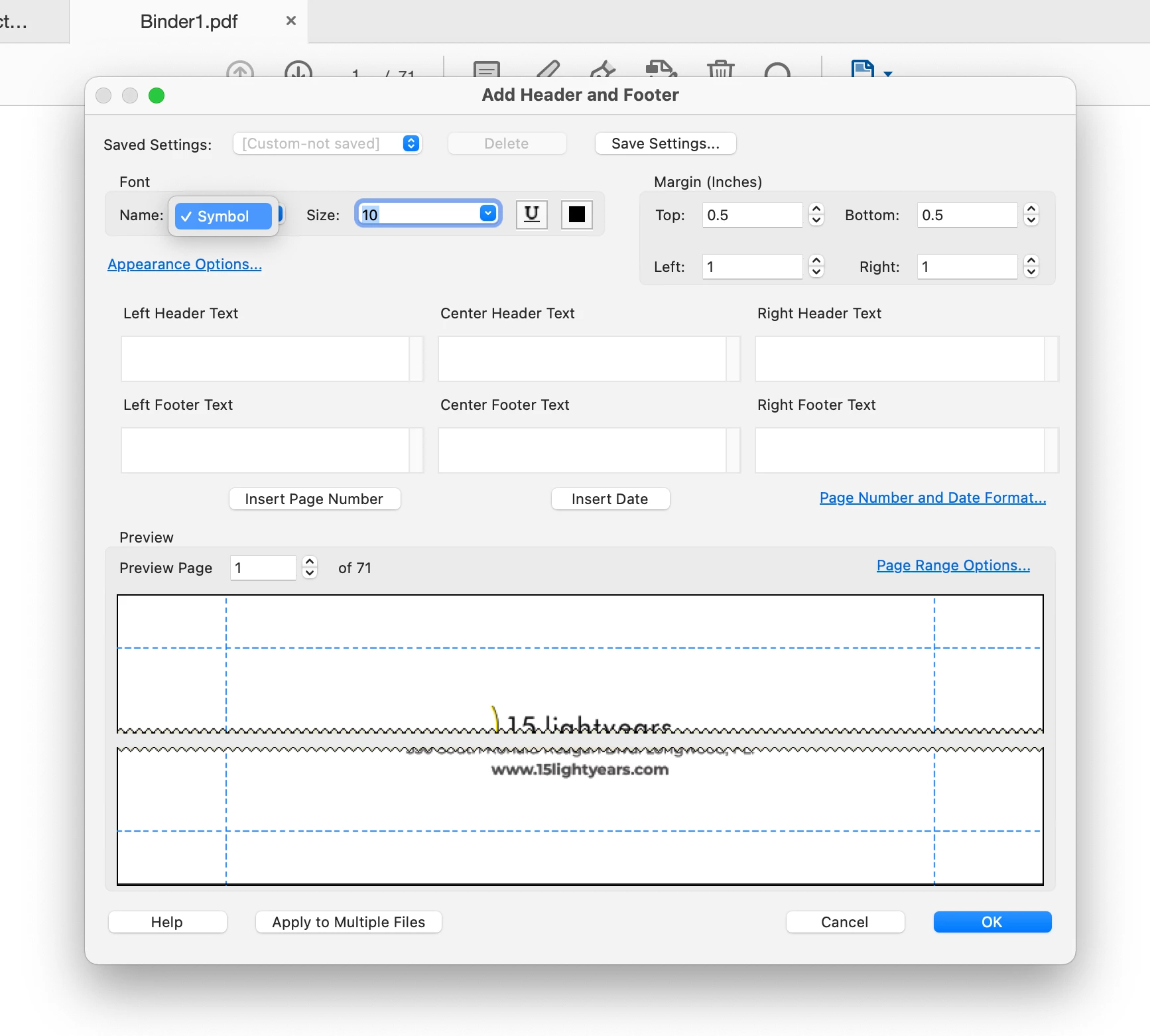
Fonts for Footer (Page Number) is only showing Symbol Font

  • October 7, 2022
  • 6 답변들
  • 6267 조회

I am trying to add page numbers to my PDF and the only font that is available to me is the Symbol font. I am using Adobe Pro DC 2022.

 

이 주제는 답변이 닫혔습니다.

6 답변

Participant
May 4, 2023

I am having the same issue where the only font option is Symbol. I don't know how long this has been going. I just updated the Adobe version and my computer to make sure there wasn't a fix put out, but the issue is still there. Please let me know what I can do to fix it.

Participant
May 4, 2023

I had the same problem but it stopped when I updated MAC OS to latest version. 

Participating Frequently
January 13, 2023

Hi! Any updates on how to fix this issue? Acrobat updated yesterday 12Jan and I'm now having this problem. I'm on Acrobat Pro version 2022.003.20310 on a macOS Monterey (12.6.2).

Anoop123
Participant
January 14, 2023

It appears to be a bug with the new update.

AkanchhaS8194121
Legend
January 14, 2023

Hi! Any workaround while the bug is getting fixed?


Hello everyone,


Thank you for highlighting this. We apologize for not being able to address this issue on time.

Looking at the details above, it also seems to be existing with the latest version.

Please help us with the following details to further investigate it.

1- check the exact version of Acrobat and OS installed on your machine

Open Acrobat>help>About Acrobat 

2- Any specific type of document that is causing this trouble?

3- Collect the following logs and share them with us for further study. 

You can upload the video on any cloud storage OneDrive, Google Drive etc and share the link with us here.

Mac and Windows: the Adobe CC logs https://helpx.adobe.com/creative-cloud/kb/cc-log-collector.html 

Only Windows: Procmon Logs-

https://www.adobe.com/devnet-docs/acrobatetk/tools/Labs/acromonitor.html


Thanks,

Akanchha

Participating Frequently
January 6, 2023

Same problem. This only happened recently. 

Participant
December 28, 2022

I'm having the same issue. Even restarting my computer doesn't help. 

try67
Community Expert
Community Expert
October 29, 2022

What's the exact version number of the application (You can find it out by going to Help - About Adobe Acrobat)? What's your OS version?

TMLC
Participant
October 28, 2022

Having the same issue.