
Help! Fillable PDF calculations, grand total, is not calculating.
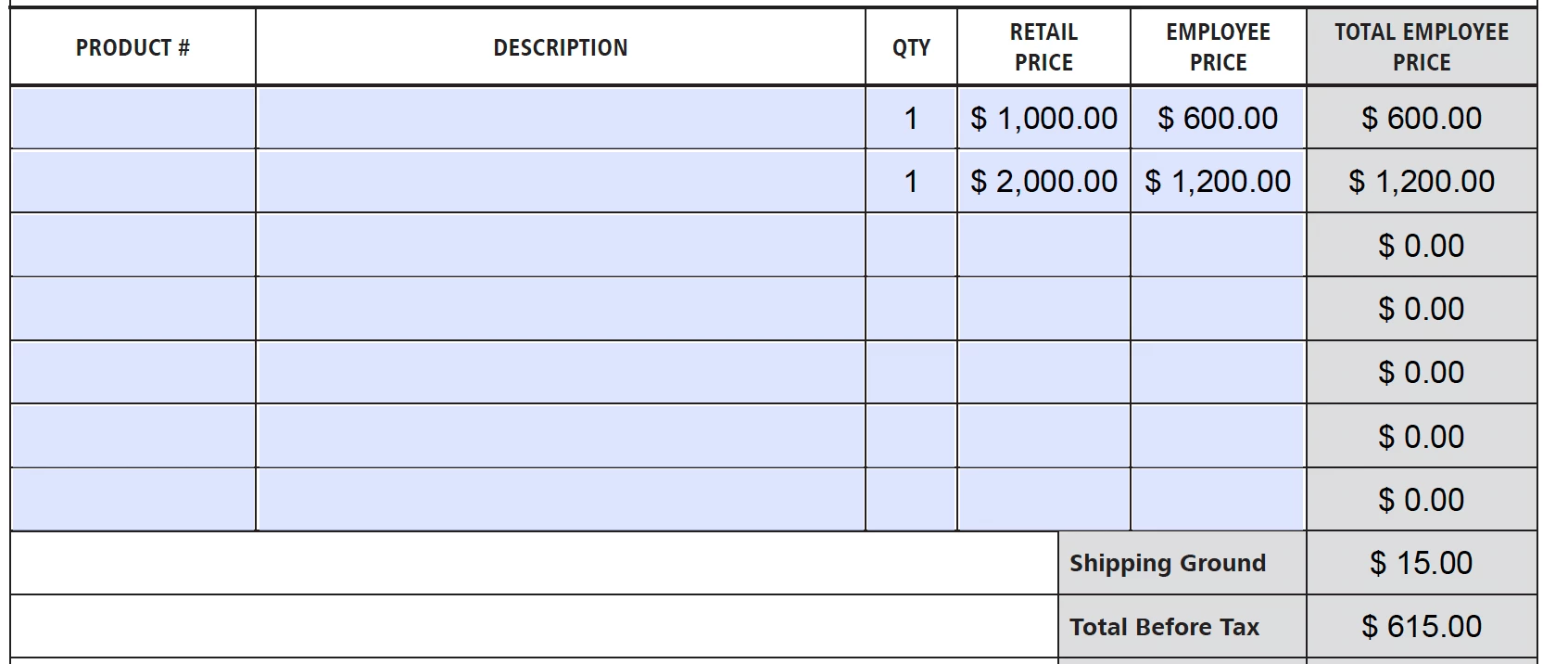
I’ve created a basic fillable PDF with calculations, multiplying only 2-columns to generate the total for each line item. Then the Sum total of all those at the bottom. Example: Qty x Employee Price = Total. Then all the Totals added up to equal the grand total (plus shipping). The issue I’m experiencing is that the grand total doesn’t add up.
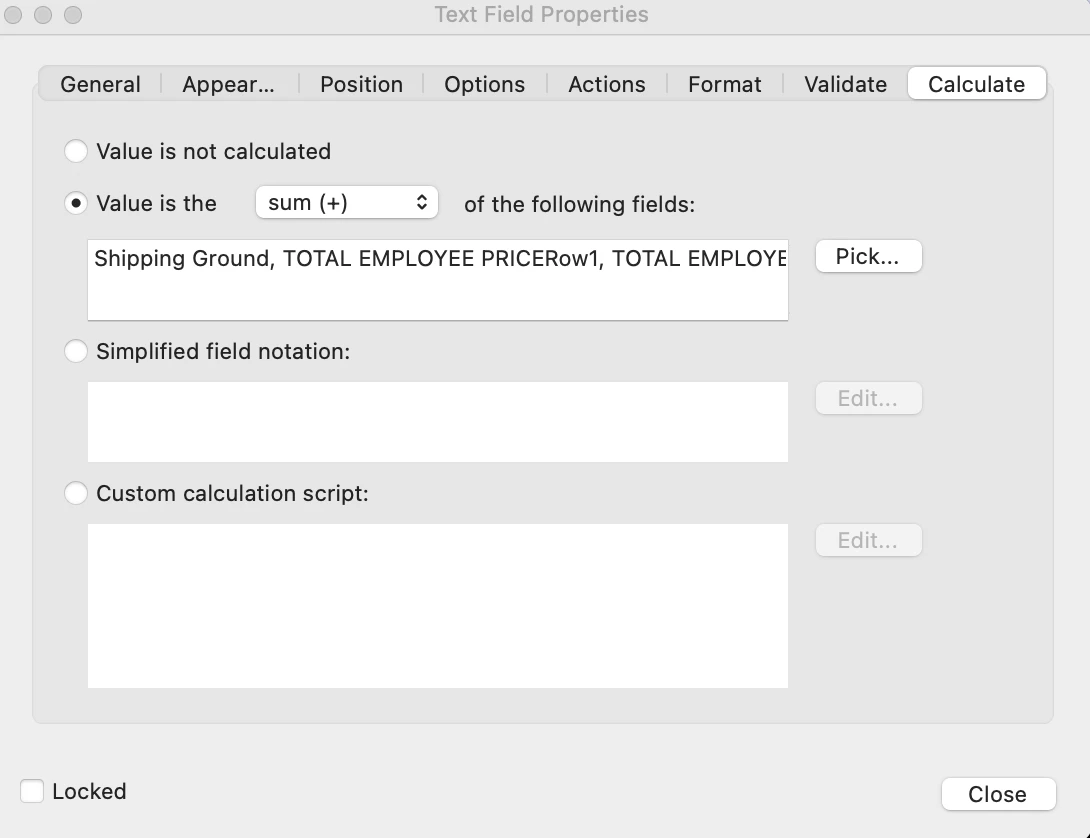
In the Calculations Tab – I have it set to Sum and I’ve checked all the necessary fields to do the calculation.
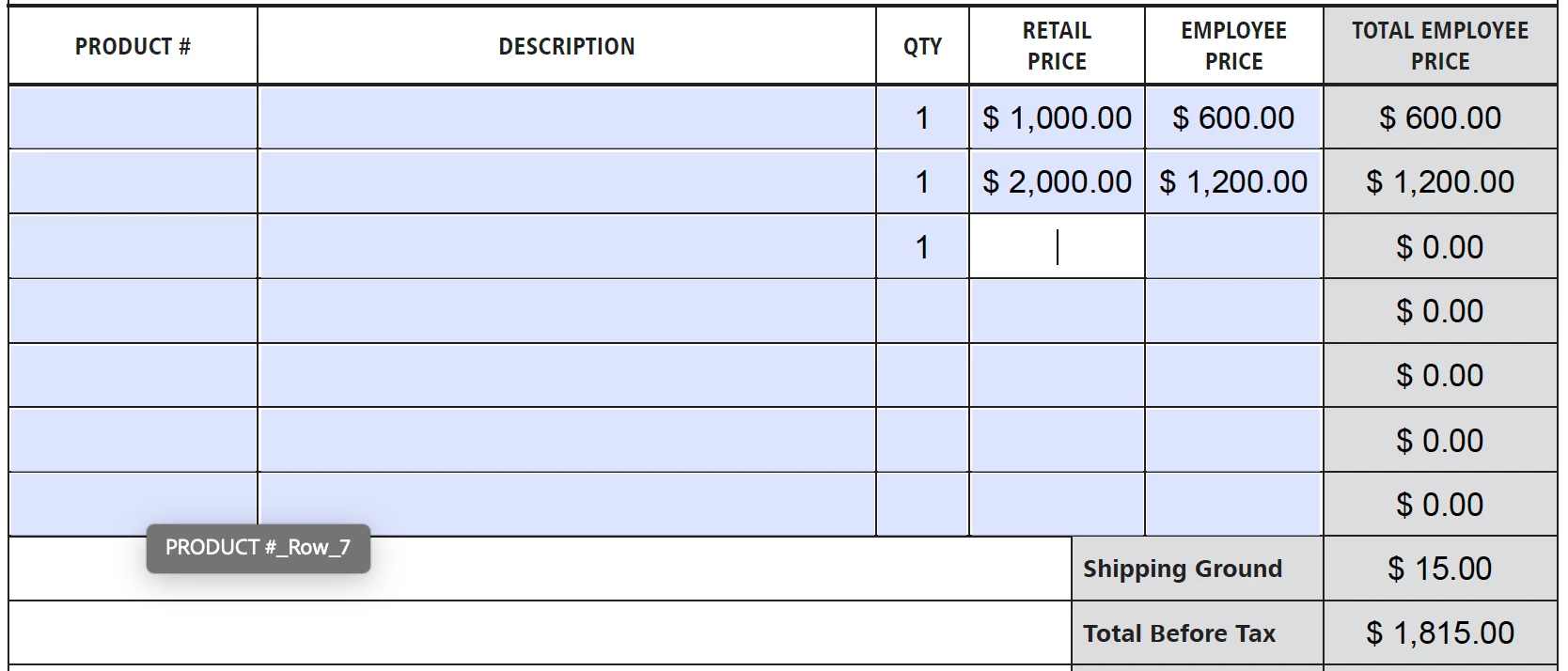
The only thing I noticed that would work is if I add a number to one of the other fields then the number will register and show up. See screenshots.
I don’t want customers putting in the number and assuming that the lower price is correct.
What can I do to fix this issue?
1-Grand Total NOT calculating
2-Calculations Tab
3-Grand Total CALCULATED only if I add an input in the other fields (example below: adding "1" into qty)
 AdChoices