

AkanchhaS8194121
Legend
October 19, 2019
Question

How to change the Highlight color in Adobe Acrobat/Reader

  • October 19, 2019
  • 3 replies
  • 343352 views

Add comments to PDF files with highlights, sticky notes, a freehand drawing tool, and mark-up tools. 


If you would like to change the text highlight color or get the text highlighted in multiple different colors (E.g., want some items to be yellow, and others a different color). This can be achieved with the help of below mentioned steps, where you can change the color of your highlighted text and set it (from the one given in color panel) as per your desire.  


  1. Choose Tools > Comment to open the Comment toolbar. The comments that you add to the document are displayed in the right pane. 

 2. Select the Highlighter from the Menu-bar at the top.  
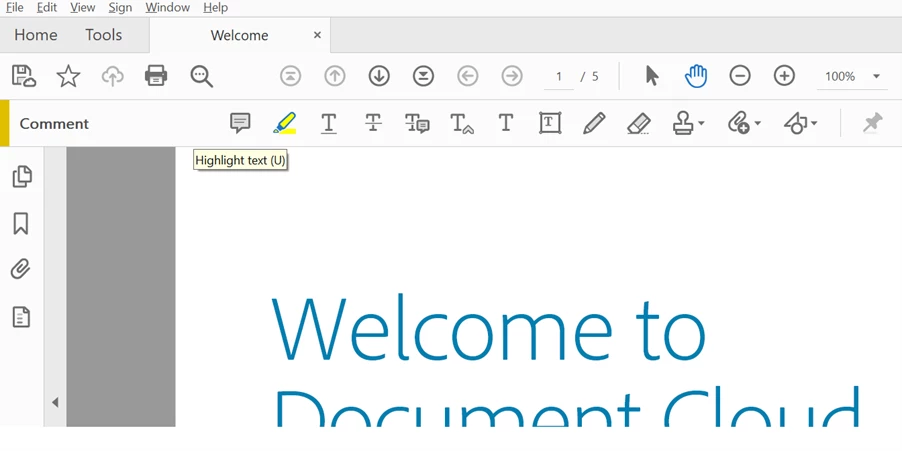


3. Highlight the text and select.
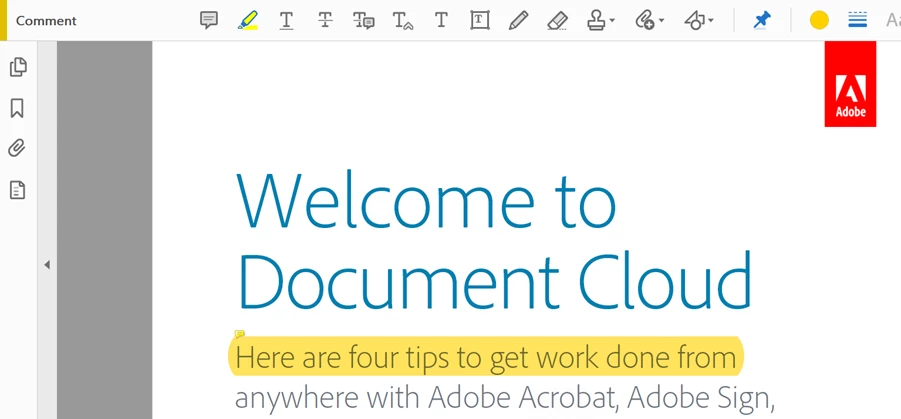


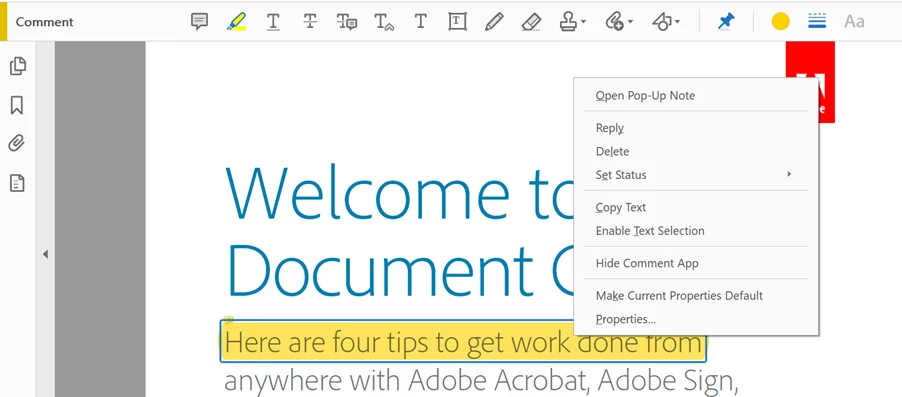
  1. Right-click on highlighted text and select Properties.


  1. On the Highlight Properties dialog, select the color from the Color panel and click OK.
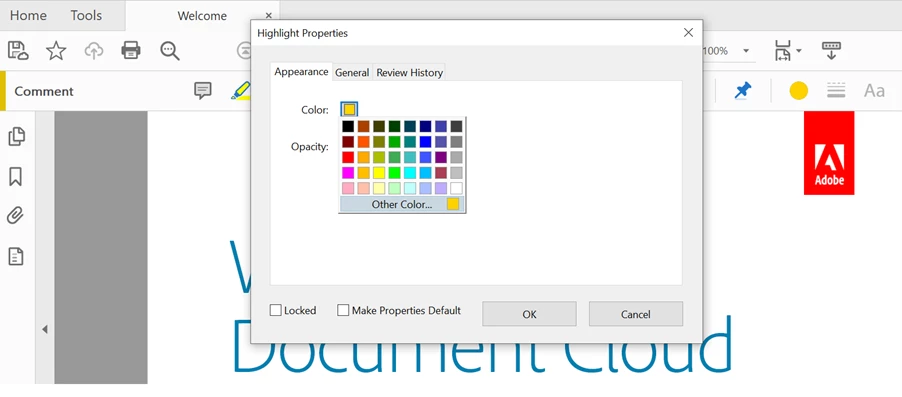


Note: If you would like to make this color choice as default, you may check the dialog box “Make Properties Default” and then click OK.


Hope this has helped you manage your text Highlight color! Have any further questions in mind? Then please join the conversation here. Your feedback is valuable for us!

For other great resources click here: Message: Update your OS or Browser while signing into Acrobat |  Cannot verify your subscription status-Adobe Acrobat DC | Understand how and when we can display PDF in web browser-Acrobat DC

Know more about the Sign Enhancements with Acrobat DC’s latest version.

3 replies

Inspiring
August 26, 2022

Hello.I  woudl a sk  you  if  and  how  can change  the  default highlight  text  color via  preferences.I  know  that  i  can  do it  if  enable  the  highlight  text  icon  >pass over  the  text and  choose  with right  clik via pop up  window.But  from  preferences  how  to  do  that?

Bernd Alheit
Community Expert
Community Expert
August 26, 2022

Choose the color and enable "Make Properties Default".

Inspiring
September 19, 2022

Thank  you.Can  i  do  it  also  from general  settings?

Participant
January 16, 2022


Originally, if you right-click on the program, you can change the color of the highlighter conveniently, but on my computer, you can't change the color of the highlighter, but do you know how to solve it?


Legend
January 16, 2022

Hello @Jerry22675104b9jq,


You might want to quit and restart the program, another option is to right click > Properties to access the Highlight Properties.

Select on the Color thumb to open the color options.

Regards,

Mike

Participant
January 23, 2022

Thank you so much for your answer, but I don't think it's the answer I'm looking for.

Known Participant
October 19, 2019

How do I change the Acrobat DC text highlighter color?

Bernd Alheit
Community Expert
Community Expert
October 19, 2019

You can change the color in the properties of the highlight.

Participant
October 20, 2021

And how do I do that???