
Participant
August 24, 2022
Question

How to move navigation pane back to the lefthand side? (Mac)

  • August 24, 2022
  • 5 replies
  • 21570 views

My boss updated Adobe and noticed that his navigation pane was moved to the righthand side. He needs this moved back to the lefthand side so that he can more easily access bookmarks, pages, etc. in the way that he is used to doing. How can I help him switch this back to the left? 
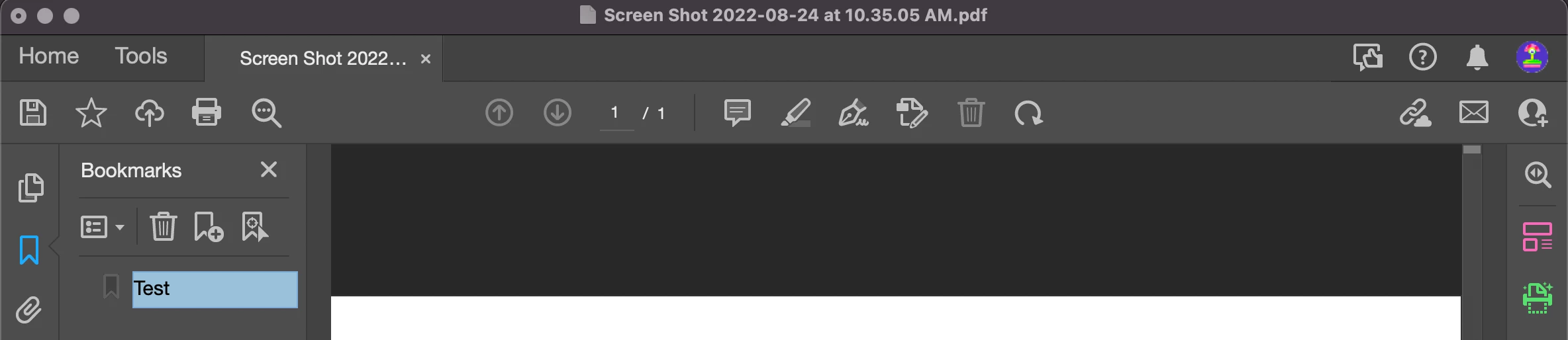
 

^This is a screenshot of my Adobe - As you can see, my navigation pane is on the lefthand side. 

    5 replies

    Participant
    October 18, 2024

    Thnak you for at least offering the ability to disable the new Acrobat. Navigation on the left is more natural. This also made the comment toolbar easier to access. I hope that all future version of Acrobat will allow using the better old version of the UI.

    Participant
    April 23, 2024

    I would also like to move the pages and bookmarks panel to the left side of the screen. The fix below switches back to the old version - can't we do that in this new version?

    Also what is actually better in this new version? It seems like all they did was move everything around and hide tools.

    Participant
    January 18, 2024

    Instead of fixing stuff that needs to be fixed (like the progress bar in Distiller on the Mac not working) they have to mess up something that has worked for everyone for years. Crazy how people that don't use the programs for work get to decide what to change.

    Bernd Alheit
    Community Expert
    Community Expert
    August 24, 2022

    You can disable this new feature:

    Participant
    November 22, 2024

    Adobe is a monopoly, has been for years. Ever since they purchased and killed Freehand last century. 

    With the passing years they are more and more assertive. And since they have reached monopoly status, they will do what they please and if someone doesn't like it, too bad. Either swallow it or stop using our products. Case in point the recent sneaked in legal verbiage allowing them to swallow one's work 'for ai training purposes' or something like that. 


    It was very rewarding the day I cancelled 77 CC subscriptions. I was stuck with a smile on my face the whole day 🙂 The retention rep went bonkers, then the manager called me then the manager's manager. And it was precisely about this movement of the pages to the right side. It was very very satisfying to tell the manager's manager, too bad. I don't want it like that and it's your'all fault.


    Unfortunately, not too many customers are willing to take this road, so Adobe will keep doing their thing and users keep doing their bidding (Qualcomm anyone?).


    I moved all 77 users each one of them to both: a) Lifetime EaseUS PDF editor. I keep wondering if their software sucks up all our info to China but we don't handle anything critical so go ahead; and b) A basic (no AI) Foxit PDF editor subscripcion. Everyone loves the 2000's ribbon interface and to be honest matches Acrobat almost feature by feature, does not install a whole copy protection infrastructure on everyone's PCs and it is pretty fast to boot.


    I encourage anyone who read this unnecesarily long post to check both. The EaseUS is ridiculously fast and sometimes opens PDFs that Acrobat refuses to -which is pretty handy and the reason I purchased it for everyone- and Foxit because even though I for the same reasons I disliked them 10 years ago (the dated interface) I like it now.

    Jeff_Coatsworth
    Community Expert
    Community Expert
    August 24, 2022

    Moved you over to the Acrobat forum - you had posted in the Robohelp area.