


Participant
April 12, 2024
해결됨

Images of text characters found underneath formatted text when copying AI file to PDF

  • April 12, 2024
  • 4 답변들
  • 2589 조회

Some of the text in a PDF file save-copied from latest Illustrator ai file has images of each text character underneath the visible formated text.


This is happening when editing the PDF in latest Adobe Acriobat. The problem is making editing the PDF in Acrobat very cumbersome.


The underlying characters of text are only visible when you move the formated text on top of them away & the charcters look like there is an opacity screen on them with visibility gradually getting better from left to right (see attached images).


I have no clue to what causing this. I tried changing all the Save to PDF option boxes-one by-one with no luck.


The AI file uses line work & limited text imported from PDF's exported from Autodesk Inventor 2024 drawings. And the problem oddly seems to only affect original text next to a leader line if that makes any difference.


Any help is appreciated.
이 주제는 답변이 닫혔습니다.
최고의 답변: JR Boulay

Sorry I'd only looked at figure 4.1, which is OK.

It's obviously an Illustrator bug, it doesn't rely to Acrobat nor PDF.

So, you should ask the question in the Illustrator forum, you'll have a better chance of finding a solution to this problem.


But:

- As this document is not a "pure" PDF but a hybrid PDF created with Illustrator, you should make the changes with Illustrator (right-clic: Open with…)
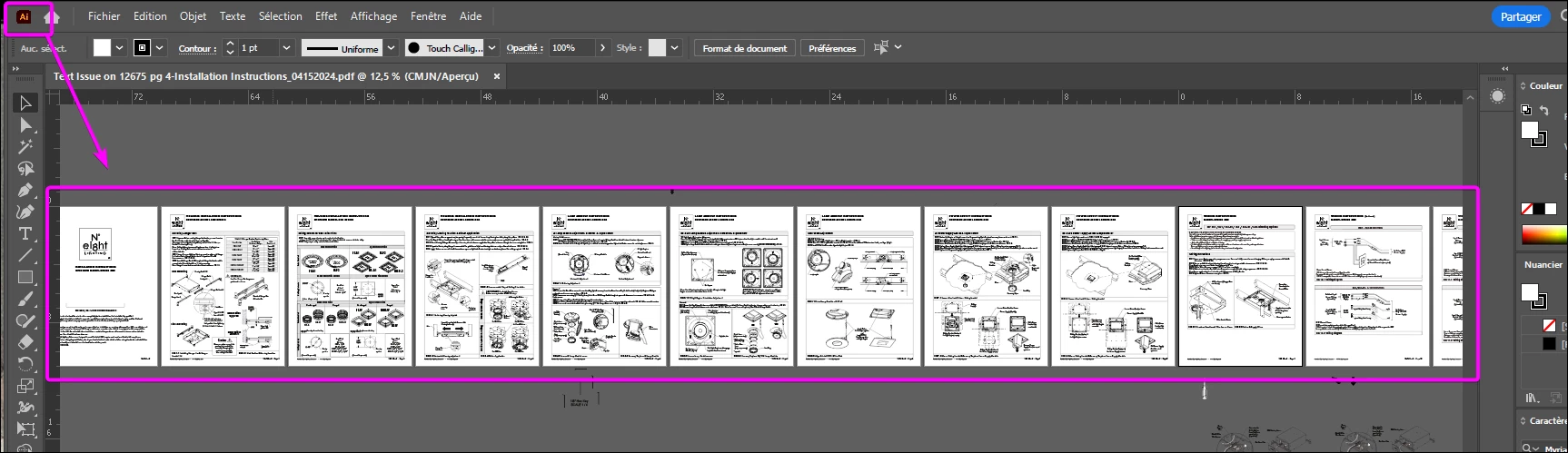
- You should also bear in mind that even when edited in Acrobat, in a hybrid PDF the .Ai part of the file remains intact. You can see this when opened later with Illustrator, as shown in the screenshot below.


4 답변

JR Boulay
Community Expert
JR BoulayCommunity Expert답변
Community Expert
April 17, 2024

Sorry I'd only looked at figure 4.1, which is OK.

It's obviously an Illustrator bug, it doesn't rely to Acrobat nor PDF.

So, you should ask the question in the Illustrator forum, you'll have a better chance of finding a solution to this problem.


But:

- As this document is not a "pure" PDF but a hybrid PDF created with Illustrator, you should make the changes with Illustrator (right-clic: Open with…)
- You should also bear in mind that even when edited in Acrobat, in a hybrid PDF the .Ai part of the file remains intact. You can see this when opened later with Illustrator, as shown in the screenshot below.


Acrobate du PDF, InDesigner et Photoshopographe
Abambo
Community Expert
Community Expert
April 25, 2024

Any Illustrator document should always be edited in Illustrator only. The (embedded) PDF document is intended for viewing only. It's unfortunate that Acrobat does not issue a warning, when editing such files (and Photoshop PDF files).

ABAMBO | Hard- and Software Engineer | Photographer
JR Boulay
Community Expert
Community Expert
April 16, 2024

I don't see any of the problems you mention in this file. It looks perfectly healthy and normal to me.

What version of Acrobat are you using?

Acrobate du PDF, InDesigner et Photoshopographe
gcross1234작성자
Participant
April 16, 2024

JR,


You will only see the issue when you go into edit mode in Adobe Acrobat & move the leader text. Underneath is an image of the text that is graduated in opacity. See the attachments in my 1st post

maxwithdax
Community Expert
Community Expert
April 14, 2024

So YOU created a layout in Illustrator on your computer? Or did someone else and you are editing? Also, are you editing using BlueBeam perhaps? Seems like this is a font problem. Will wait for a response before adding more to my comment.

Thanks

gcross1234작성자
Participant
April 16, 2024

Maxwithdax,


I created the layout in illustrator,

As stated in my 1st post, I get the issue when moving some/most of the text next to a leader line. when editting the PDF in the latest Adobe Acrobat.

Abambo
Community Expert
Community Expert
April 13, 2024

Best is to post a sample PDF file here, so that we can have a look into that.

ABAMBO | Hard- and Software Engineer | Photographer
gcross1234작성자
Participant
April 16, 2024

Abambo,


A redacted page of the problem document is attached for review. There are a number of text examples exhibiting the problem. Hopefully there's a solution to prevent the issue from happening.


Thank you.

gcross1234작성자
Participant
April 16, 2024

The text issues are at the lower area around the Fig 4.2 & Fig 4.3