


New Participant
February 25, 2023
Answered

preflight error_ unable to copy the user specific settings - then crashes

  • February 25, 2023
  • 7 replies
  • 17960 views

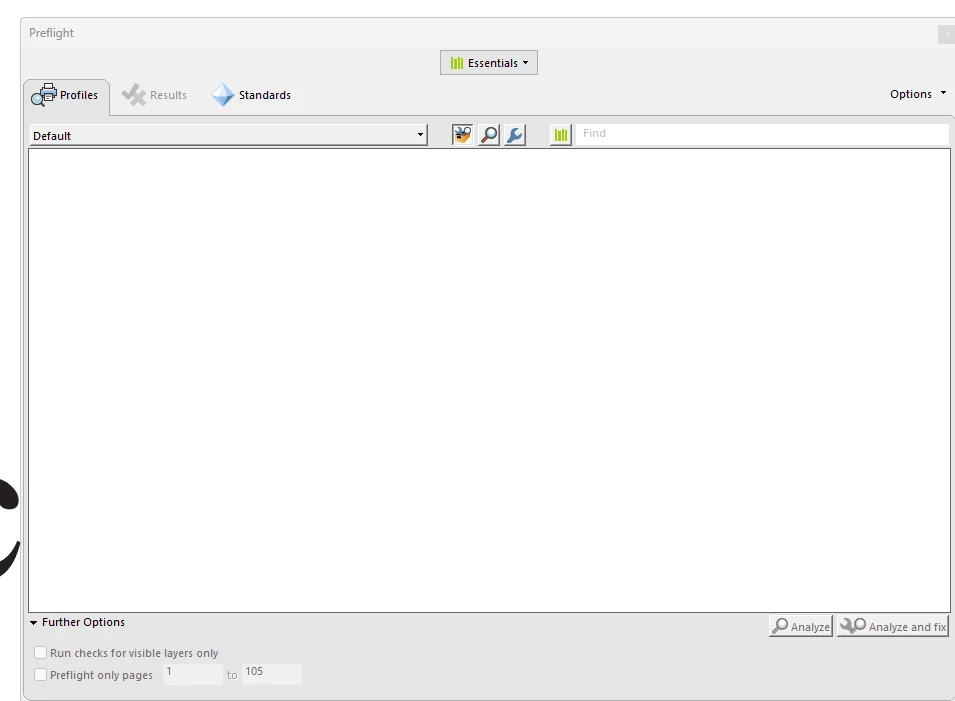
I'm in acrobat pro and getting this when I run preflight there are no options, then I get an error: unable to copy the user specific settings -- then program crashes. I've uninstalled and reinstalled acrobat. I'm on windows 11 - latest update. Any ideas? Thanks
 

Correct answer Michael31982873hw7h

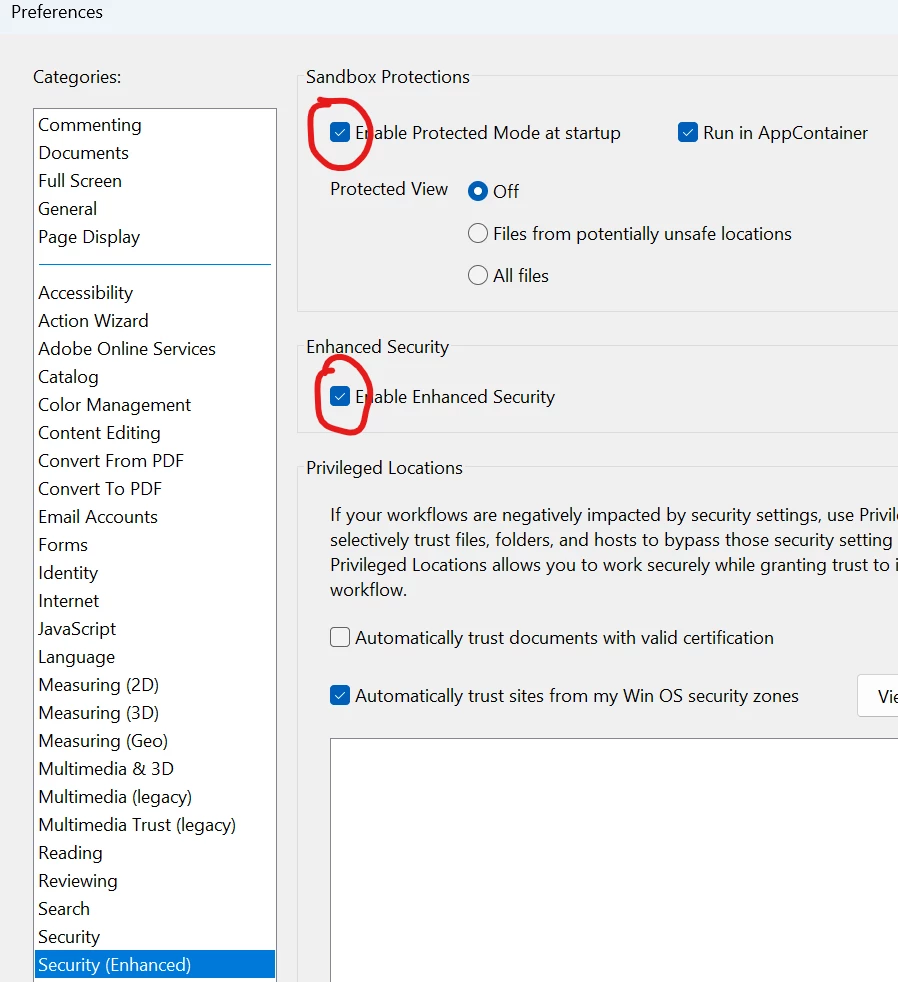
It seems like Adobe has a buggy interaction between Preflight's setting management and their security sandbox

You need to turn off these settings,
run Preflight once to generate the settings properly,
and then you can turn them back on


7 replies

Edward Lipsett
Known Participant
June 18, 2024

Windows 11, Acrobat Pro.
I recently changed my subscription from lots of apps to only Acrobat Pro, and now I have this problem.
I've uninstalled, run the Acrobat Cleaner, reinstalled, turned off the security settings, and tried to run both of the preflight functions.  
The only profile ever displayed anywhere I one that I made earlier, in an attempt to figure out what the issue was. That profile (library) cannot be deleted, BTW, even by an uninstall or the cleaner. I am only able to run Preflight by using this custom profile, since nothing else is displayed anywhere. 

Considering I am paying a subcription fee for only Acrobat Pro, and I am paying it specifically to use the compliance functions, I would really appreciate any assistance above and beyond what is offered here.  

Edward Lipsett
Known Participant
June 24, 2024

If anyone is still having this problem, see my chat history for the solution:
https://community.adobe.com/t5/acrobat-discussions/missing-preflight-profiles/m-p/14698531#M468411

Michael31982873hw7hCorrect answer
New Participant
September 7, 2023

It seems like Adobe has a buggy interaction between Preflight's setting management and their security sandbox

You need to turn off these settings,
run Preflight once to generate the settings properly,
and then you can turn them back on


New Participant
September 9, 2023

Works, thank you!

New Participant
July 5, 2023

I just started having this problem too, on a Windows 11 Surface Laptop Studio. 4 months and still no help on this?


mariahweyne
Inspiring
July 5, 2023
New Participant
June 26, 2023

AnyOne got this solved?

I got the same problem.
dialog after the first one is this i attached.

SilviaGJ
Participating Frequently
May 23, 2023

I'm having the same issues as well, I can't use Preflight at all, I get the same "unable to copy the user specific settings" message and then Acrobat just crashes.

Did anyone manage to solve the issue? 
Thanks!

New Participant
March 27, 2023

I have the same issue, also on Windows 11 (error message when you attempt to launch Preflight, which then crashes when you close the error message). My colleagues on Windows 10 appear to have no problem. I've tried uninstalling and reinstalling, which didn't work. Any help much appreciated!


New Participant
October 4, 2023

This one works. Thank you. 

New Participant
February 26, 2023

dopo aggiornamento pc, adobe è andato in crash, ho provato ad reinstallare ma niente, non funziona. aiutooooo