


eliudh
Participant
August 23, 2018
해결됨

Problem of security with the ACROBAT PRO add-in in Word with mail merge

  • August 23, 2018
  • 1 답변
  • 1622 조회

Hi!

I have a problem with the ACROBAT PRO add-in in Word. After configuring in Preferences the level of security required when I try to combine correspondence, the PDF attached to the email does not present any level of security established. This error only happens when I made the mail merge. If I select "Create and attach to email", "Create", "Create and execute action" in any of the cases the PDF is created with the security levels configured.

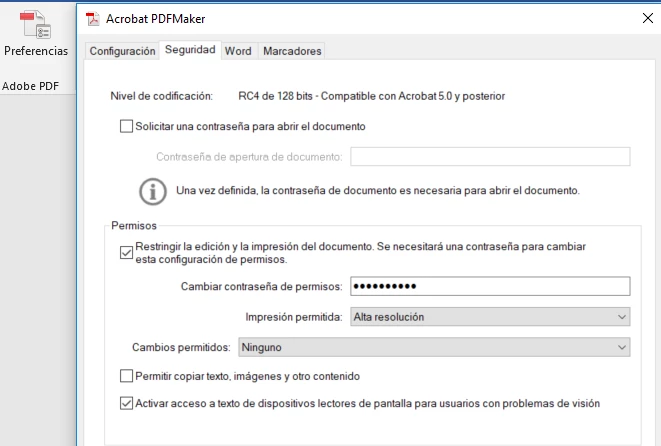
This is the secutity level configured:
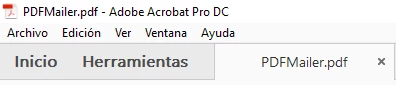
When i select mail merge:

The PDF attached to the email does not present any level of security established.
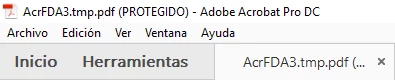
When I select "Create and attach to email", "Create", "Create and execute action"...

the PDF is created with the security levels configured:
Could you guide me, please?

Thanks and best regards.

Eliud H.

이 주제는 답변이 닫혔습니다.
최고의 답변: Adorobat

Hi Eliud,

Sorry for the delay in response.

I tried replicating the workflow you mentioned above and the resultant pdf doesn't have any security as you mentioned. It seems we can't  restrict the editing of the PDFs or add any password using mail merge

Please refer to the following forum thread discussing the similar issue: mail merge encrypted pdf's.

Let us know if you need any help.

Shivam

1 답변

Adorobat
Community Manager
Community Manager
August 24, 2018

Hi Eliud,

As per the issue description mentioned above, you are facing issue when trying to apply security on a pdf, is that correct?

Could you share the complete steps you are taking in your workflow? Also, dot version of Acrobat and the operating system installed on the machine? You may refer to the steps given in this link on how to check the version in Acrobat: Identify the product and its version for Acrobat and Reader DC

Let us know if you need any help.

Shivam

eliudh
eliudh작성자
Participant
August 27, 2018

Hi Shivam,

Thank you a lot for you help.

The version of my Acrobat is :

The process that a followed is:

Step 1: Make the DB (Data Base) with names and email list.

Step 2: Make and prepare the word document with the body of the letter.

Step 3. Prepare the main document with Start Mail Merge in Word.

Step 4. Select DB file, DB and choose contacts to mail merge.

Step 5. Select elements of the DB for the letter (name and last name).

  Step 6. Check the letter’s preview.

Step 7. On ACROBAT Menu, I want to change the security

Step 8. Mail merge with ACROBAT

Step 9. Select a folder to save the pdf files generated.

Step 10. Confirmation of the mail merge is complete.

Step 11. Email received.

Step 12. The PDF filed attached  in the email is no a secured file.

A PDF file with security must to see like this:

What must be done to activate the PDF security configurations in mail merge with Acrobat?

Best regards.

Eliud.

Adorobat
Community Manager
AdorobatCommunity Manager답변
Community Manager
September 18, 2018

Hi Eliud,

Sorry for the delay in response.

I tried replicating the workflow you mentioned above and the resultant pdf doesn't have any security as you mentioned. It seems we can't  restrict the editing of the PDFs or add any password using mail merge

Please refer to the following forum thread discussing the similar issue: mail merge encrypted pdf's.

Let us know if you need any help.

Shivam