


bend89745839
Participant
January 14, 2017
질문

"Button Properties" no "Action Tab"

  • January 14, 2017
  • 2 답변들
  • 6952 조회

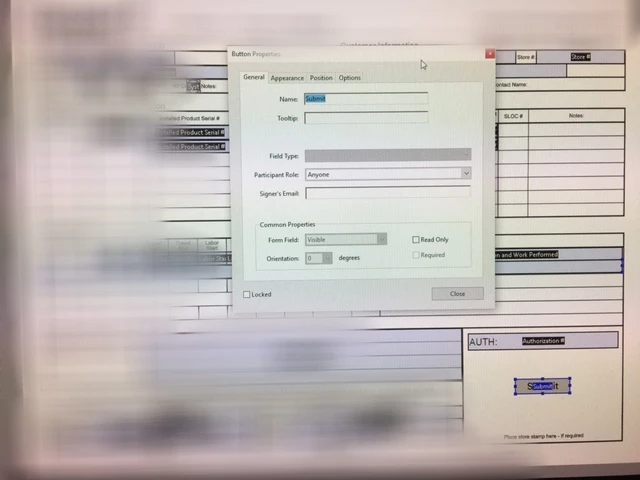
I am using the 7 day trial. I am following the guide on how to create an email submit button. In the "Button Properties" menu there is not an "Action Tab". I am not sure why that tab is missing. I have been searching the forms and Google with no results. If this has been asked before I apologize.

I enclosed a screen shot.
Thank You

이 주제는 답변이 닫혔습니다.

2 답변

Inspiring
January 15, 2017

That means you managed to add a button to a form that has been set up as an Adobe Sign form, as opposed to a normal Acroform. If you select "More > Revert to Acrobat Form" while in form editing mode you will be able to add an action to the button

try67
Community Expert
Community Expert
January 15, 2017

You've selected to prepare the file for digital signatures, which does that.

Click on Tools - Prepare Form and then click on "More" at the right side of the window and then on "Revert to Acrobat Form".

Participant
February 4, 2022

I have tried this and can not find "Revert to Acrobat Form" andwhere. Its not even in help?


Bernd Alheit
Community Expert
Community Expert
February 4, 2022

Click on Tools > Prepare Form and then click on "More" at the right side of the window and then on "Revert to Acrobat Form".