- Home
- Acrobat
- Discussions
- Re: Text is SUDDENLY not showing in ACROBAT PRO DC
- Re: Text is SUDDENLY not showing in ACROBAT PRO DC

Copy link to clipboard
Copied
Can someone help please?
While editing a PDF created in powerpoint's pdf, suddenly half of the text in most of the pages dissappeared, or turned another color. This happened AFTER already editing some pages for an hour.
Now when I open acrobat it does not show some text in other documents too.
What has happened? and how can I fix it?
I have windows 10, and acrobat pro dc.




Copy link to clipboard
Copied
Hi there,
Thanks for reaching out.
This issue has been resolved in the latest version 25.001.2043x of the application. Please follow these steps to update:
- Open the application and navigate to Help in the top menu.
- Click on Check for Updates and install any available updates.
- Once the update is complete, restart your computer to ensure the changes take effect.
 82
Replies
82
82
Replies
82


Copy link to clipboard
Copied
Hi Meenakshi,
It happens with all PDF's that I create that I first make and design in Google Docs then download as PDF. Once I've downlaod it, I upload it to Adobe Pro so I can make it fillable. It happens mostly with checkboxes like when I place the checkboxes on the document or move them to get them into position.
I did share in this post thread on May 15th some examples of what was occuring. They still happen now.
Thanks,
Alyssa
Copy link to clipboard
Copied

Copy link to clipboard
Copied
Hello @Alyssa5FBC
I hope you are doing well. Thank you for sharing the details. Could you please check if you have any pending updates for Acrobat? To do this, go to Menu > Help > Check for updates, install any pending updates, restart the app and the machine, and then try again. Check if you have version 25.001.20918. Planned update: November 13, 2025.
If the issue continues, please provide the following information: the current version of the operating system on your device, a sample PDF file, a quick screen recording of the issue, and the logs from the affected machine. To collect the logs, download and run the Log Collector tool. Ensure that you select all log options and attempt to reproduce the issue. After that, close the Log Collector tool; it will generate the logs along with a log ID. Please share this log ID with us for further investigation.
Thanks,
Anand Sri.
Copy link to clipboard
Copied
Hey Anand!
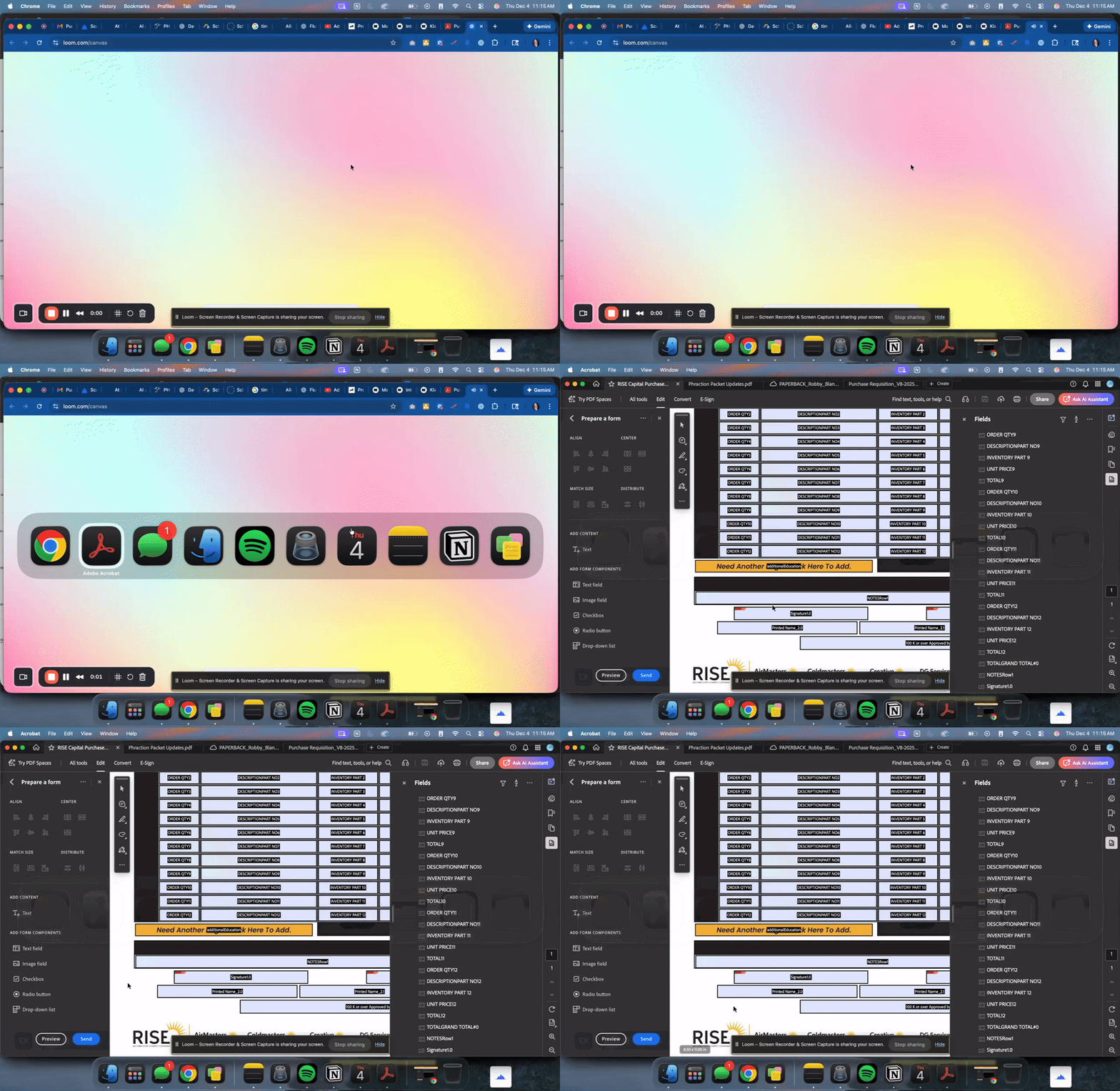
I just had it happen again to a pdf. Here's all the info on my on the operating system, a screen recording, the document I'm working on in the screen recording, and the logs.
MacOS: Tahoe 26.1
Loom Video (no sound, I point with my mouse where you can see the issues happening): https://www.loom.com/share/f1dc99a453a6431c9d3cdb50fae1c925
Here's the Log ID: ae0d732f-c180-4171-b42d-7805db081d52
Thank you,
Alyssa
Copy link to clipboard
Copied
Thank you for the details, @Alyssa5FBC
We'll get this investigated by the product team and will share an update here.
Regards,
Anand Sri.
Copy link to clipboard
Copied
Great! Thank you!

Copy link to clipboard
Copied
This seems to be a serious bug for Adobe. I am using the free version and am reluctant to upgrade whilst I can't rely on the software.
In the free web based version of your software there is no access to updates or help.
Any solution? Apart from look elsewher? 😉

Copy link to clipboard
Copied
Hi colin_1991,
Thank you for reaching out.
Please confirm if you are experiencing the same behaviour in the Acrobat web version. If yes, could you please share the following details for further investigation on this:
- Share the PDF or sample PDF on which the issue occurs.
- Share a small video showing what happens on your end.
- Do you experience this issue with all or some specific files?
- Does the same thing happen on a desktop application?
- Share the Acrobat Reader version number currently in use.
Let us know if you need any help.
Thanks,
Meenakshi


Find more inspiration, events, and resources on the new Adobe Community
Explore Now
 AdChoices