
Participant
July 23, 2020
Answered

Trouble redacting - grayed out document after choosing "Apply"

  • July 23, 2020
  • 9 replies
  • 16733 views

I'm using Adobe Pro DC Version 2020.009.20067

When attempting to redact, I can mark the text I'd like to remove, but when I click "Apply" my document is grayed out and a blank white box appears in the middle of the document. The only way I can remove that box is to hit esc, which takes me back to just the marked redactions. How do I fix this? Photo example below.
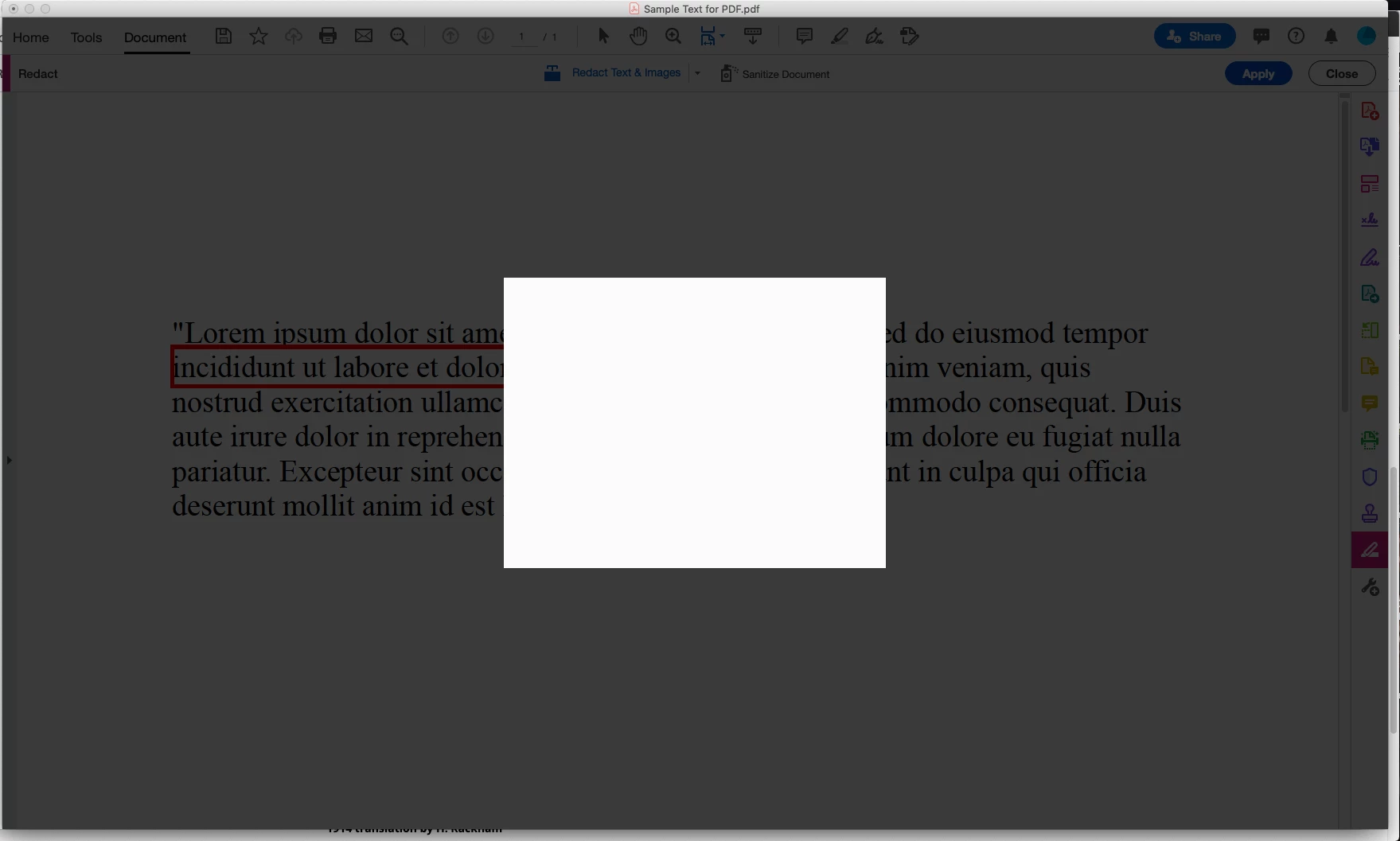
 

This topic has been closed for replies.
Correct answer Kari5FB7

I had this problem.  I went to the live chat and gave the agent permission to share the screen.  He was on it for a while but finally fixed it.  I asked him what he did so that I could share it to you all on this community support thread.

He said, "I have removed teh existing Acrobat installation file and reinstalled it after restarting the computer.  I have used Acrobat cleaner to remove Acrobat DC installation."

If you don't want to do it, then I would suggest letting one of the technical suppost live agents help you by letting them take over your screen.

Hope this works. 🙂

9 replies

Participant
October 20, 2021

I have been having this problem for months. I ended up updating Adobe. Then I hit ctrl+alt+del and "end tasked" each instance of Adobe, Adobe installer, Adobe CEF helper, and CEF and restarted Adobe. All my recent files disappeared but the redact, save as, and signing works again!

Participating Frequently
October 29, 2021

Hi - Did this work for you long term?

Kari5FB7Correct answer
Participant
October 1, 2021

I had this problem.  I went to the live chat and gave the agent permission to share the screen.  He was on it for a while but finally fixed it.  I asked him what he did so that I could share it to you all on this community support thread.

He said, "I have removed teh existing Acrobat installation file and reinstalled it after restarting the computer.  I have used Acrobat cleaner to remove Acrobat DC installation."

If you don't want to do it, then I would suggest letting one of the technical suppost live agents help you by letting them take over your screen.

Hope this works. 🙂

Sunil_Soni
Adobe Employee
Adobe Employee
September 30, 2021

Hi @Kristin M  @tracym73134871  @kimm92138622  @defaulthwc8xpjx49q3 @larryd43786646 


We have identified few issues, fixed them and released a patch.

I would appreciate if your team applies latest patch via "Check for updates" from "Help" menu in Reader(or Acrobat) and update us if it fixes your issue.


If your issue is not fixed, feel free to reach out to me directly at susoni@adobe.com for debugging session.


-Regards

Acrobat Team

Participant
October 4, 2021

@Sunil_Soni susoni@adobe.com  This happened today. We tried closing Acrobat and AcroCEF and re-opening and that did not work. We tried Help/Check for updates and there were no updates available.

I ran a repair on Acroat and that fixed it.

If that didn't work, I was planning to uninstall and reinstall like @Kari5FB7  suggested as a last resort. 

Participant
October 5, 2021

This issue is still dogging us. I have a few dozen users who can't use Acrobat features like redacting and signing. We're waiting for Adobe to publish a fix.

Larry Davick
[P.I Removed By Moderator]

Participant
September 23, 2021

I have been experiencing this issue with many of my users lately. Is there anymore info we can give to get this sorted by Adobe? Our previous solution was to uninstall and reinstall Acrobat but the issue would crop up again. We have been able to get a quicdker temprary fix by ending all the AcroCEF tasks and then force closing Acrobat. This allows the user to get back to their work faster but is still a temporary fix as the problem does resurface. Sometimes within the same day and sometimes for up to a week.

Participant
September 24, 2021

I believe it has something to do with AcroCEF as well.  We've gone so far as to uninstall, restart, delete OOBE, SLCache, and SLStore before reinstalling.  I have a number of users who can not redact nor add signatures.

Participant
September 20, 2021

I am having the same problem - my computer shoes the same blank white box and I can't apply my redactions. Seems to be a glitch. @Amal. Is Adobe aware of this issue and working on a fix? I'm running v. 2021.007.20091 on a 2021 Macbook Air with an M1 processor.


Sean

Amal.
Community Manager
Community Manager
September 21, 2021

Hi Sean


Hope you are doing well and thank you for reporting this issue.


Please give us some time to get it cheked we will share the update soon


Regards

Amal

Participant
September 28, 2021

Hello Amal-


I work for the State of Michigan.  We have over 36,000 employees.  A large portion of our employees are experiencing this problem.  So much so that our IT Department has dubbed this issue "The White Box" error.


They have no solution to this error.  It does not impact all employees but a large portion of us are experiencing the same issue.  We restart and sometimes it works and sometimes it doesn't.


Any information you can provide would be greatly appreciated.


-Heather 

ronaldw12560536
Participant
August 20, 2021

Hello, I also have the same problem for several months now. Did you find a solution?  Thanx ahead

Kristin MAuthor
Participant
August 20, 2021

I wish I could say I had. I tried to update but kept getting an error code. Another person in my office has Pro so I have just been using her computer to redact because I didn't have the time to spend troubleshooting and now it's just gotten to be a habit. Sorry 😞

Adobe Employee
July 28, 2020

Hi,

Sorry for inconvenience.


You can share logs/dumps/sample files with us via Adobe Send https://documentcloud.adobe.com/link/send/ or any medium you are comfortable with. 

Thanks,

Charu Karwa

katieh83993847
Participant
July 27, 2020

I also have the same problem.  I've been using the redact tool for years but just got a new laptop and transferred my account and now I'm getting the white box, as described by Kristin M.  Hitting the esc button brings me back to the document but doesn't redact.  Using Acrobat Pro DC, version 2020.009.20067.  Looking for a solution.

Amal.
Community Manager
Community Manager
July 23, 2020

Hi Kristin M


We are sorry for the trouble. As described the document gets greyed out after applying the redaction.


Is this a behavior with a particular PDF file or with all the PDFs? Please try with a different PDF file and check.


Also, we can see you are using the old version of Adobe Acrobat DC version 20.009.20067. A new version 20.009.20074 is now available for Adobe Acrobat/Reader DC. Please try to update the application to the latest version  and see if that works for you. Go to Help > Check for updates.


You may also try to reset the preferences to default as described in the help page https://community.adobe.com/t5/acrobat/how-to-reset-acrobat-preference-settings-to-default/td-p/4792082?page=1 and see if that makes any difference.


If it still doesn't work, please try to create a new test user profile with full admin rights or enable the root accoount in Mac and try using the application there and check.


Keep us posted with the results


Regards

Amal