
Participant
January 3, 2023
Question

Unable to use Fill & sign in Adobe Acrobat

  • January 3, 2023
  • 1 reply
  • 836 views

Hello, i have problem with my Adobe Acrobat (Newest version)

First of all i have 4 computers but only 1 have this problem.

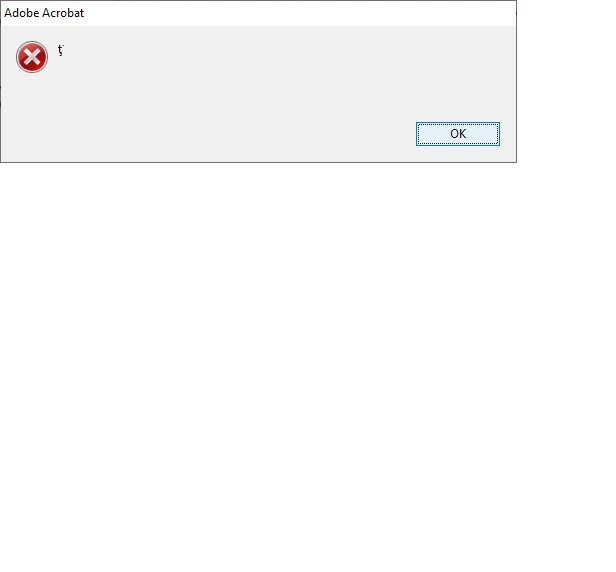
When i try to use Fill & Sign on my pdf documents, that window pop-out.

I had used "help" options in Adobe Acrobat app.

I cant do anything with that.

Some solutions? 
This topic has been closed for replies.

1 reply

Amal.
Legend
January 3, 2023

Hi @Denys27785281y2vq 

Hope you are doing well and sorry to hear that

Is this an issue with a particular PDF file or all the PDFs? Please try with a different PDF file and check. If the file is stored on a shared network/drive, please download it to your computer locally and then try again.

What is the version of Acrobat DC are you using? To check the version, go to Help > About Acrobat and ensure you have the recent version 22.3.20281 (Mac) or 22.3.20282 (Win) installed. Go to Help > Check for updates and reboot the computer once.

Also, try to repair the installation from the help menu (Win Only) and see if that works.

Please try to reset the Acrobat preferences as described here https://community.adobe.com/t5/acrobat-discussions/how-to-reset-acrobat-preference-settings-to-default/td-p/4792082

You may also try to create a new test user profile with full admin rights in Win or enable the root account in MAC and try using the application there and check.


If it still doesn't work, please remove the application using the Acrobat cleaner tool https://www.adobe.com/devnet-docs/acrobatetk/tools/Labs/cleaner.html  , reboot the computer once and reinstall the application using the direct link
https://helpx.adobe.com/acrobat/kb/acrobat-dc-downloads.html


Got your issue resolved? Please label the response as 'Correct Answer' to help your fellow community members find a solution to similar problems.


Regards
Amal

Participant
January 3, 2023

Hello, thank you for fast response

1.That error pop-out with every pdf file.

2.I cant check version right now but i reinstaled 2 times and i tried to check for updates(everything is fine)

3.I also tried with repair the instalation from the help menu but after that still is error

4.After using Acrobat cleaner tool, reboot computer and reinstal still nothing

5.I gave admin right to Adobe Acrobat but still nothing

6.I reset the Acrobat preferences but still i have error

Its strange bcs last few months it was working fine.

I dont know what to do.

Regards

Daniel

Amal.
Legend
January 4, 2023

Hi @Denys27785281y2vq 


Have you tried using the application in the new user profile in Win or the root account in MAC? If not, please try to do so and let us know the outcome.


Regards

Amal