
Participant
November 22, 2023
Question

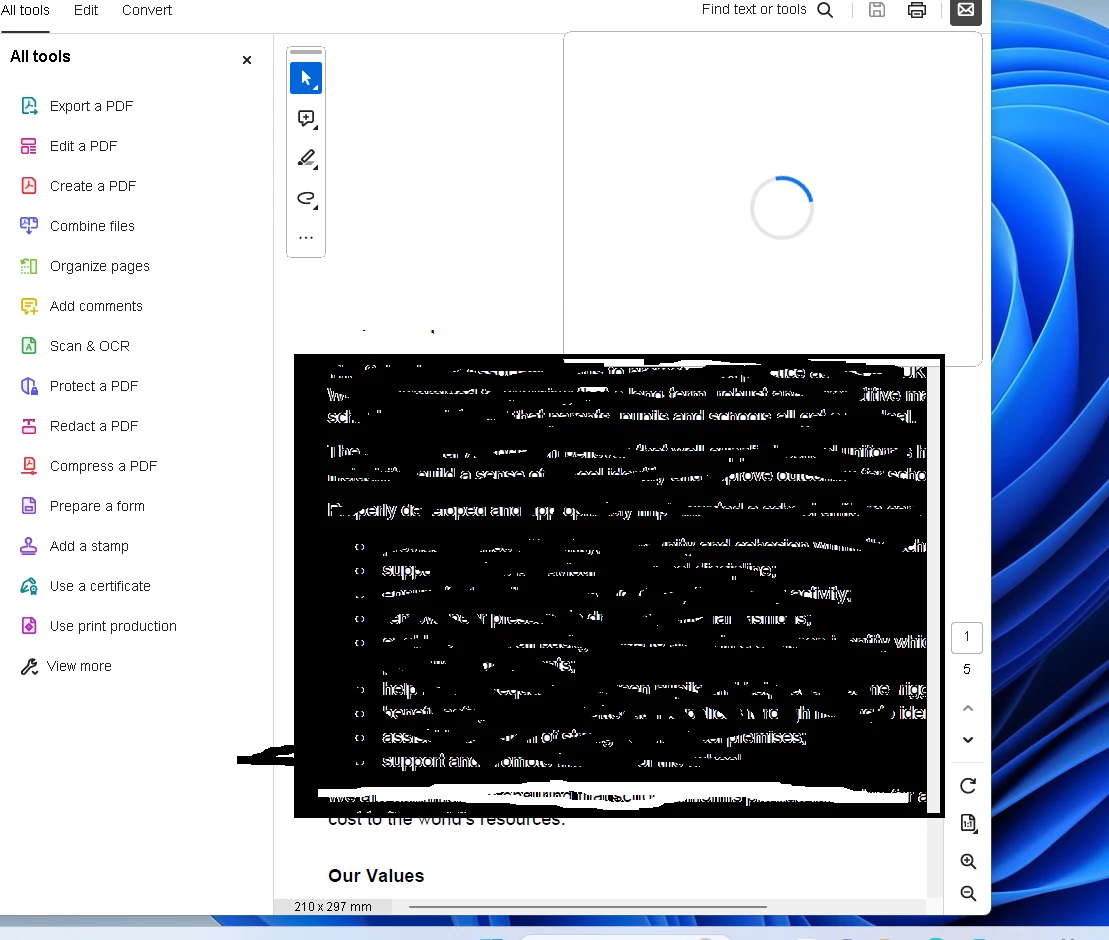
When trying to mail get the white box with blue circle

  • November 22, 2023
  • 1 reply
  • 374 views

When i try to send a pdf to a client for them to sign via email in the desktop app, i get this white box with blue circle. I was wondering if the app couldnt find my mail app which is outlook, i have set this as default app in Windows but it still does not slove the problem. The Online version works perfectly fine. Please could someone please advise how i get the email part to work on Windows Desktop.


Running Windows 11 Pro 22H2


Thank you


This topic has been closed for replies.

1 reply

Amal.
Legend
November 23, 2023

Hi @Catherine33794077b31t 


Hope you are doing well and thanks for reaching out.


What is the version of the Acrobat DC you are using? To check the version go to Help > About Acrobat and make sure you have the recent version 23.06.20380 installed. Go to Help > Check for updates and reboot the computer once.


Please try to remove the default email application from Acrobat preferences and try to add it back and see if that works. Go to Preferences (Cmd, Ctrl + K) > Email Accounts > Select the 'Default email application (MS Outlook)' and select 'Make Default' and see if that works.

Also try to repair the installation from the help menu (Win Only) and see if that works.

Please try to reset the Acrobat preferences as described here https://community.adobe.com/t5/acrobat-discussions/how-to-reset-acrobat-preference-settings-to-default/td-p/4792082


~Amal