
Participant
May 17, 2021
Question

adobe fill and sign problem

  • May 17, 2021
  • 1 reply
  • 478 views

Hello! Having a problem with full and sign feature, when i choose it and try to put text, t he text is greyed and i cant input any data in it.
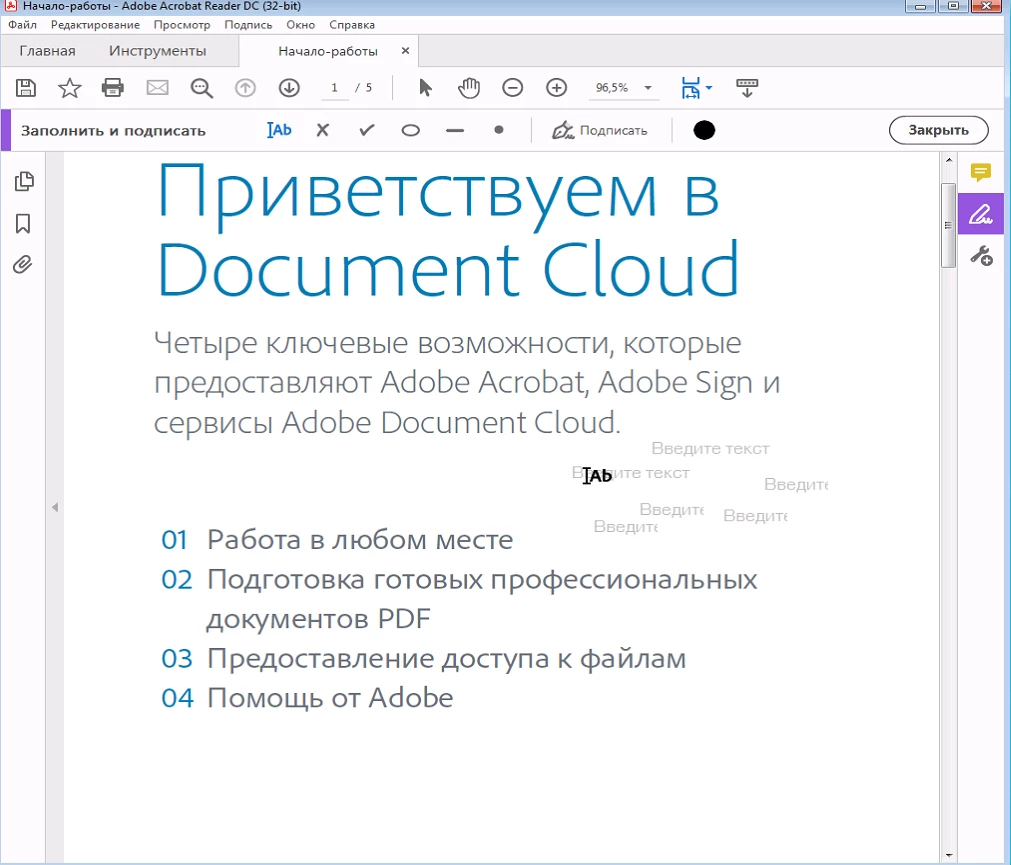
I would usually be able to insert text in "введите текст" form, but it's uninteractable.

A screenshot of feature working properly:
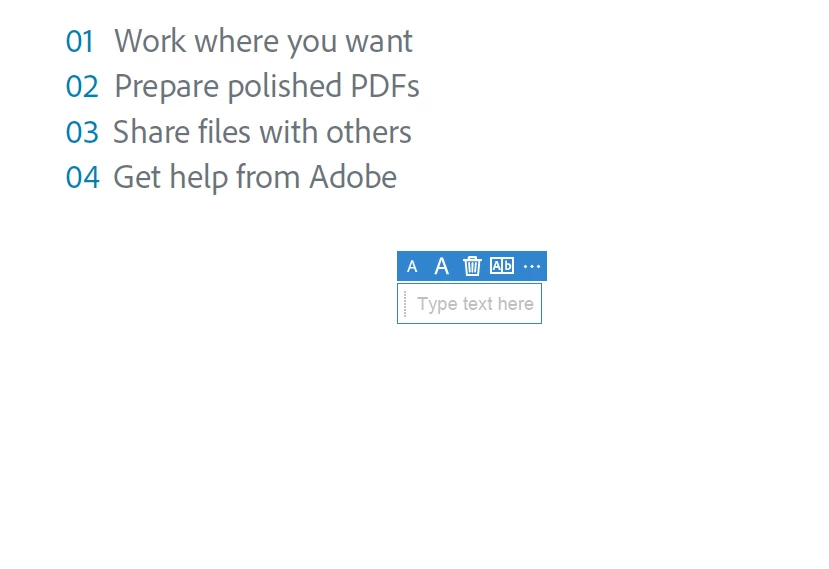
I tried reinstalling/updating and removing settings from /appdata/roaming

Any ideas how to fix such a problem?

This topic has been closed for replies.

1 reply

Amal.
Community Manager
Community Manager
May 18, 2021

Hi Boris,


Hope you are doing well and sorry for the trouble. As described you are unable to use fill and sign function as the text is greyed out and you cant insert test into the PDF.


- Is this a behavior with a particular PDF file or with all the PDFs? Please try with a different PDF file and check.  If the file is stored on a shared network/drive please download it to your computer first and then try filling it out and check if that helps.


- What is the version of the Adobe Acrobat Reader DC you are using? To check the version go to Help > About Acrobat and make sure you have the latest version installed. Go to Help > Check for Updates and reboot the computer once.


Also, please try to repair the installation (Win Only) from the help menu. Go to Help > Repair Installation and check


If it still doesn't work, please try to reset the Acrobat preferences to default as described in the help page - https://community.adobe.com/t5/acrobat/how-to-reset-acrobat-preference-settings-to-default/td-p/4792082


Regards

Amal