Participant
January 11, 2024
Question

Adobe reader crashes when clicking on fillable field

  • January 11, 2024
  • 12 replies
  • 10504 views

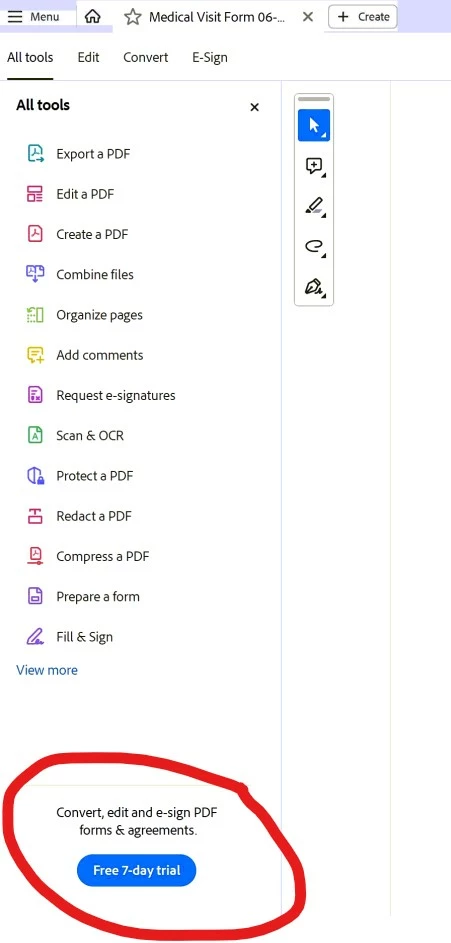
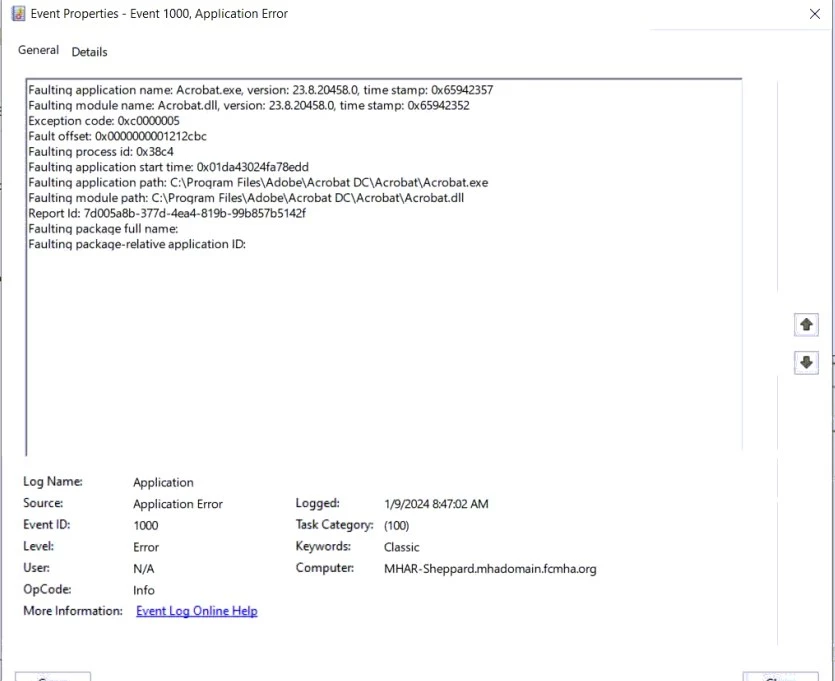
When opening a PDF file that has empty fields that need to be filled out it will crash and close the program completely when you click on an empty field. See picture from Windows error logs. Have figured out that if you click on a field immediately upon opening the file it will crash, but if you wait a little until the "Convert, edit and e-sign PDF forms & agreements. Free 7-day trial", see picture below, on the bottom left of the screen it will work fine. Have tried uninstalling, deleting all Adobe folders from PC then reinstalling. I have tried turning off protected view, and security. This is now happening on 3 different user machines.
12 replies

Participant
April 19, 2024

Replied to a guy a second ago with this, but the most effective work around so far I've found is just by opening the "Menu" top left of the screen then clicking off it back onto the pdf, works fine after that. Only takes 1-2 seconds to do as well.

Participant
March 27, 2024

Thank you for figuring this out! 

I tried several things to no avail. The last thing I tried was downloading a fillable form from the IRS. That also crashed. I can't believe the IRS is happy with that. Maybe someone there has some clout.

Participating Frequently
March 27, 2024

I am having the same problem with many workstations on a rather sizeable network.  Kind of disappointing that this was reported in January and is still an issue.  Guess displaying their ad is REALLY important to them.  I can't expect my end users (police and fire personnel) to all go through these workarounds.  C'mon Adobe, get this fixed.

Participant
March 27, 2024

I don't know if you read my post, but what I have found that works for me is that I open up the file, minimize it,  just give it a second, and then bring it up again and then it works.  If you start to fill it in right away it crashes.

Participant
April 19, 2024

A bit of an easier work around - if you open "Menu" in the top left and then click back into the pdf/doc, it works fine. No waiting required and only takes 1-2 seconds

Participant
March 26, 2024

For me, these solutions work but are not "clean", I hope that a future update of Adobe Reader will solve the problem:
- Wait a few seconds to 1 minute depending on the slowness of the PC.
- Click on a non-editable text field before clicking on the text field to fill.

Participant
March 25, 2024

What worked for me is to pull up the fillable file and then go do something else.  After letting it sit for a minute it works!

Participant
March 12, 2024

Hi,

We have struggled with the same problem. Adding these registry keys seems to have fixed the problem for us:

REG ADD "HKLM\SOFTWARE\Policies\Adobe\Acrobat Reader\DC\FeatureLockDown" /v bAcroSuppressUpsell /t REG_DWORD /d 1 /f
REG ADD "HKLM\SOFTWARE\Policies\Adobe\Acrobat Reader\DC\FeatureLockDown\cServices" /v bUpdater /t REG_DWORD /d 0 /f

Participant
February 28, 2024

Thank you for finding a solution to this problem. This has been driving me crazy.

The only other thing that works is to reinstall the app. And then it only works ONE time

I don't know how widespread this is. If it was, Adobe would have fixed it by now

Participant
February 27, 2024

@Amal. Do you think your crew could take a look at this? We prefer not to have to change our users from Modern view to the old view. Our experience is the same as those listed here. I have a form I'd be happy to send to you for testing. Thank you!


Participant
February 5, 2024

Hey guys, got it fixed by switching to the old view. Hope this could help you as well.

nikndawn
Participant
February 6, 2024

Thanks for the fix.  This worked for me.  I hope Adobe gets a fix in place for this.

Participant
February 13, 2024

Many of our users are also having the same issue.  Kindly request Adobe developers to patch this issue quickly.

Participant
February 3, 2024

I have been having this same issue, and have discovered the same workaround, if you click on any non-editable text in the pdf prior to clicking a fillable field, or if you resize the the adobe window, or move it to a different monitor; basically interact with the document in any form other than clicking on a fillable field first, the document will behave normally and you can edit fillable fields and save/print the edited document as normal.  It is a very simple workaround but a very irritating issue.  Following this thread, waiting for an answer from Adobe.