
Dialog box too large for my screen / adobe reader crashes
Hello,
I have a few problems with Adobe Reader's lastest version.
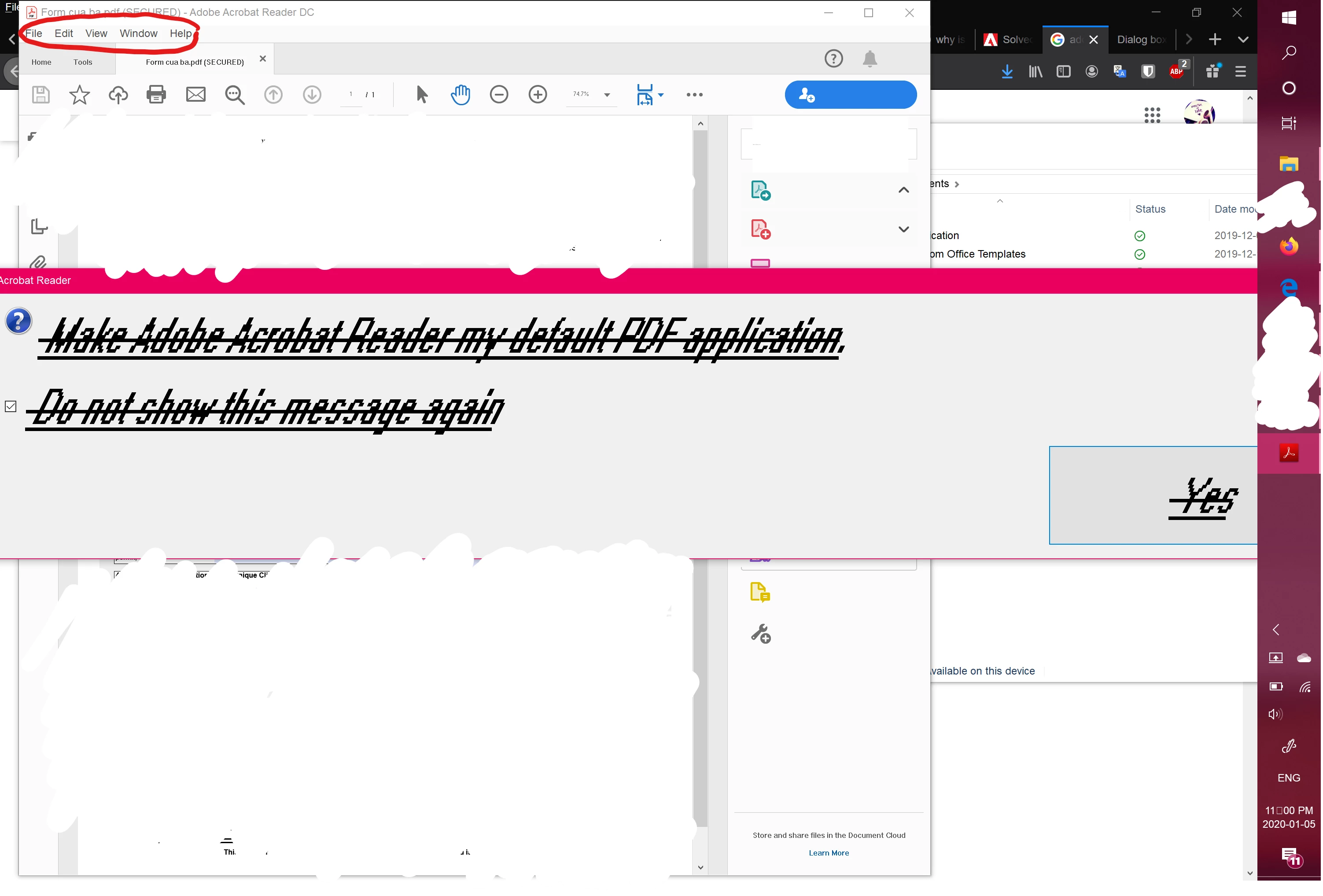
1) The dialog box is way too large for my screen and it has weird underlines and strikes on the messages.
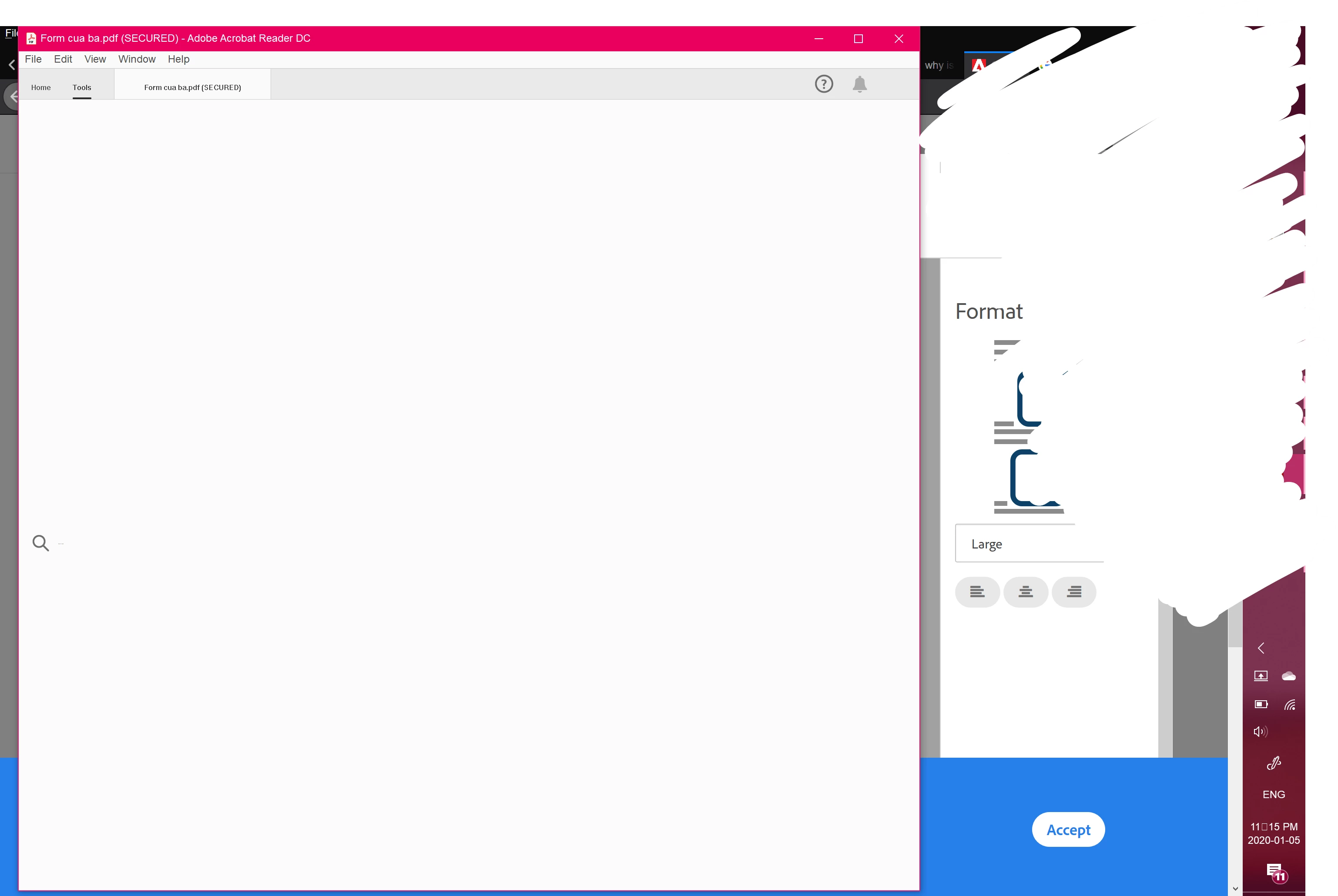
2) Though the dialog box is big, Adobe's general display is so small (e.g "Home" and "Tools").
3) Nothing appears when I click on "Tools" or more like the search bar is gigantic!
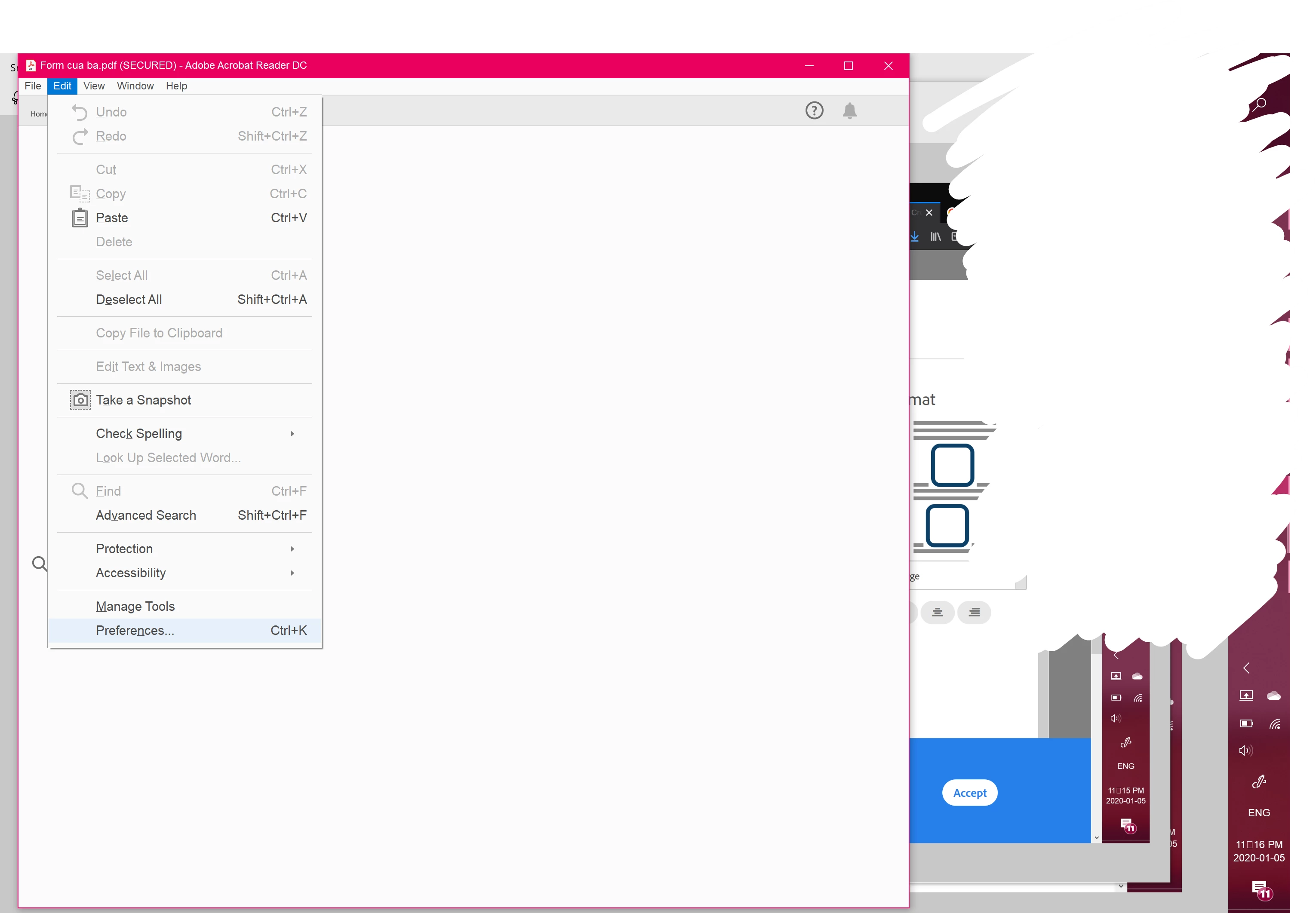
4) When I click on "Preferences", for example, of "Edit" from the menu bar, Adobe crashes. The app closes itself and nothing else happens.
5) I assume that this last issue stem form the other ones, but the "Fill and sign" doesn't work either. The "sign" symbol is not activated. Therefore, I'm unable to click on it.
I tried to reset Acrobat Preference settings to default with these instructions : https://community.adobe.com/t5/acrobat/how-to-reset-acrobat-preference-settings-to-default/td-p/4792082.
I have also uninstalled the app and reinstalled it again, but the issues were not solved.
Is there anything else that I can do?
Thank you!

 AdChoices