Copy link to clipboard
Copied
I have software that is third-party, which creates pdf files when trying to open them never do it, but if you create your process in the task manager, when dealing with other files ipdf also does not leave me anymore, already when reviewing the administratortasks see the processes stalled but the application jams opened, uninstall, re-install, clean with ccleaner, update, outdated, I put it as default and error presist I have windows 8
Copy link to clipboard
Copied
Can you tell us exactly how Adobe Acrobat Reader is involved? It's not clear by your message that you are even using it.
Copy link to clipboard
Copied
in which I do not really open the pdf, when creating them in this other application adobe reader jams launches the application however the processes are reflected in the task manager
As you can see in this image, the processes are executed, but the adobe reader was never executed
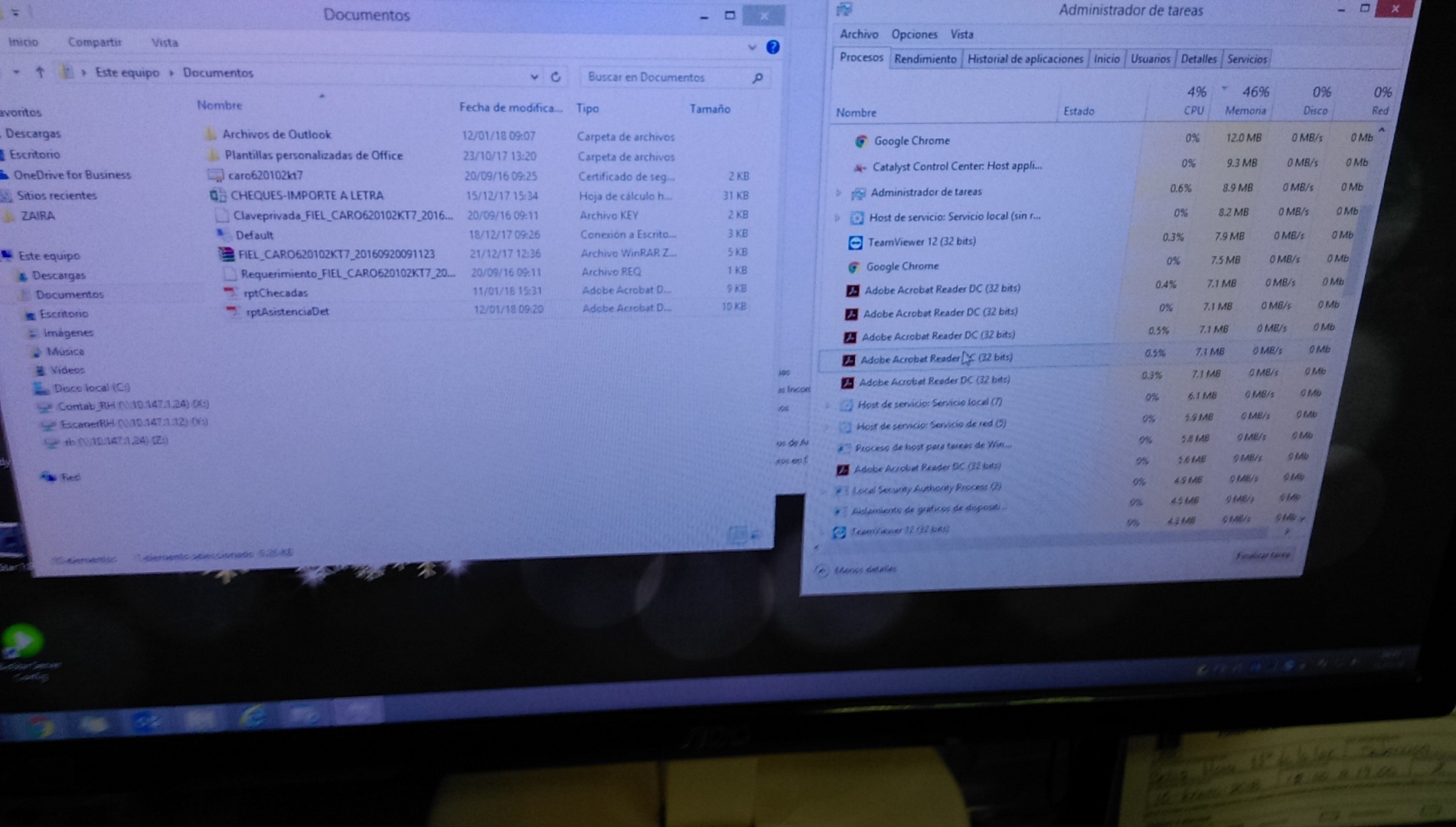
as I show in this image the reader is not open
by killing all the created processes and running the reader again I can see the files normally, it is precisely what is involved in the adobe reader

Copy link to clipboard
Copied
Hi Iluvaltar,
After checking the limited description of the issue. It seems you may have to check with the third-party PDF producers. It seems once the file is created the software might be trying to view the newly created file using Adobe Reader. For some reason, it is not launching, if they are calling Adobe Reader to view PDF's they have to check the code.
Also, launch Reader>Edit>Preferences> Security(Enhanced), try turning off protected mode. But this steps would be for testing purpose only. We don't recommend turning off protected mode.
-Tariq Dar
Get ready! An upgraded Adobe Community experience is coming in January.
Learn more



