Exit
  • Global community
    • Language:
      • Deutsch
      • English
      • Español
      • Français
      • Português
  • 日本語コミュニティ
  • 한국 커뮤니티
0

PDF in onenote

New Here ,
Jan 18, 2023 Jan 18, 2023

I have a problem when inserting a PDF file in onenote on my macbook. In the picture below, both files are PDF files but suddenly it stopped showing that the files were PDF files, now they're just blank.

I've already been in contact with Microsoft and I've tried everything they've told me to but they then told me to contact Adobe instead since it seems to be the problem. 


I've tried inserting the PDFs in different ways and even deleted and downloaded Acrobat reader on my computer again and nothing works. 
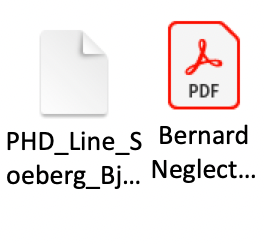
Skærmbillede 2023-01-18 kl. 11.02.47.png

TOPICS
Mac
599
Translate
Report
Community guidelines
Be kind and respectful, give credit to the original source of content, and search for duplicates before posting. Learn more
community guidelines
LEGEND ,
Jan 18, 2023 Jan 18, 2023

Did you upgrade to Ventura? That's what it does. Apple don't see to think it's a bug. 

Translate
Report
Community guidelines
Be kind and respectful, give credit to the original source of content, and search for duplicates before posting. Learn more
community guidelines
New Here ,
Jan 18, 2023 Jan 18, 2023
LATEST

I did. Does that mean it just have to be like that?

Translate
Report
Community guidelines
Be kind and respectful, give credit to the original source of content, and search for duplicates before posting. Learn more
community guidelines

