


Participant
February 22, 2021
Question

PDF not readable

  • February 22, 2021
  • 5 replies
  • 5320 views

Hello gents,

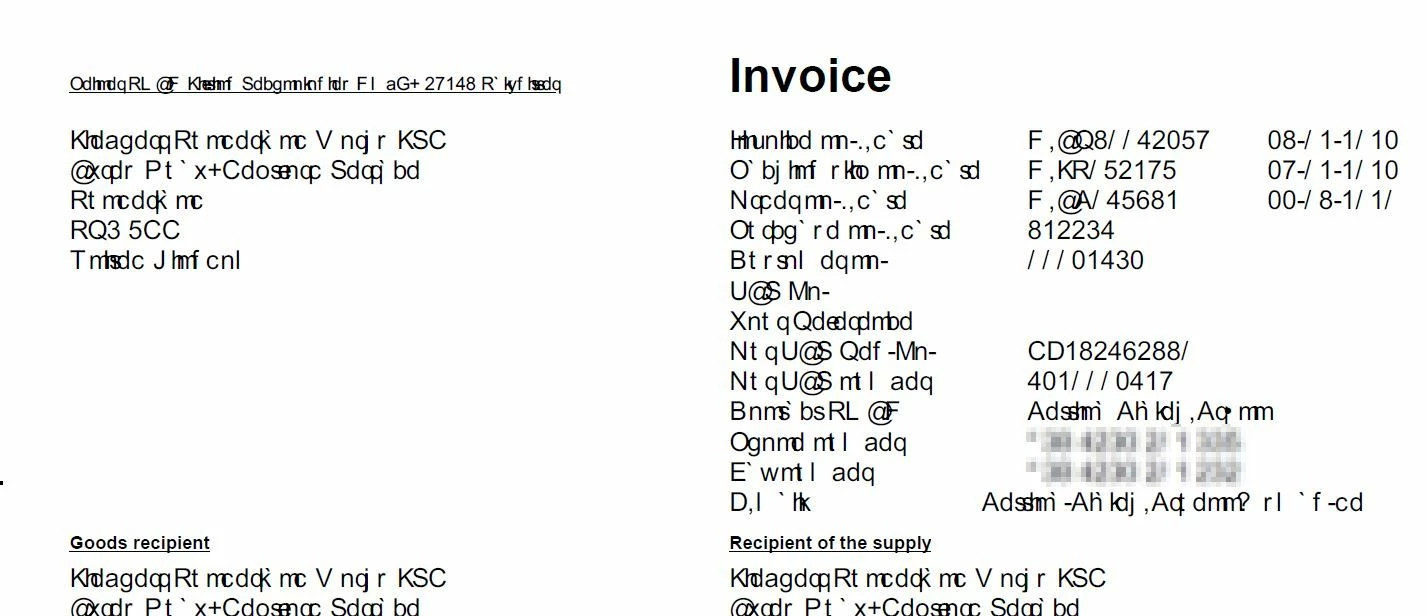
since a few days, we have a big issue on several machines, different PDF-files looks unreadable, see attached screenshot.

The issue ist not on all machines. All computers have the identical Reader Version installed (2021001.20138).

Any ideas?
 

Thx

Marcus

This topic has been closed for replies.

5 replies

informatiques99773541
Participant
March 1, 2021

Hello,


We have the same issue on my compagny.


With other PDF reader like Foxit, no problem.


So it's really a problem with Adobe... 

Adobe Employee
March 9, 2021

Hi,
Thanks for reaching out to us. We are sorry for the inconvenience.

Can you please share the PDF file you are using?


Also please try the following things:

1.Check the font pack version installed on your system.

If the latest version i.e. 2021.001.20135  is not installed would request you to kindly install the latest font pack from https://helpx.adobe.com/acrobat/kb/windows-font-packs-32-bit-reader.html

2.Update to the latest version i.e. 21.001.20142 & check the PDF files.


Kindly let us know if the issue still exists.


Thanks,

Sweta Karn

informatiques99773541
Participant
March 10, 2021

Hi,

Thank you for the answer.

How can i check the font pack version actually install ?

Best Regards

radzmar
Community Expert
Community Expert
February 28, 2021

Is there eventually any update of your os waiting for a restart of you computer?

Participant
February 23, 2021

Last week everything was fine on the specific computer. The files was readable, this week the same files not. On my computer (same DC version) everythink is fine, too. With a different PDF viewer on the specific computers the files are readable, too.

Unfortunately i can not share these files, there are company-data inside...


Marcus

Meenakshi Negi
Community Manager
Community Manager
February 22, 2021

Hi Marcus,


Thank you for reaching out.


This seems to be a font-specific issue and generally occurs when the fonts are not embedded in the PDF.

Could you please confirm if this happens with some particular PDFs? If yes, would you mind sharing any sample PDF with us? 


Thanks,

Meenakshi


radzmar
Community Expert
Community Expert
February 22, 2021

Propably a problem with the font used for the affected text portions. It's either not corrrectly embedded or has some weird character encoding or … There's quite nothing you can do about that in Reader. The problem lays in the PDF already.