



Copy link to clipboard
Copied
I am so frustrated with this, and I cannot find an answer anywhere! When I go to print when viewing a PDF it prints a zoomed-in version where half of the right side is cut off. The only way around this is to save the PDF and then print. When I go to print without saving, my print options are far limited how can this be fixed? It only happens with PDFs!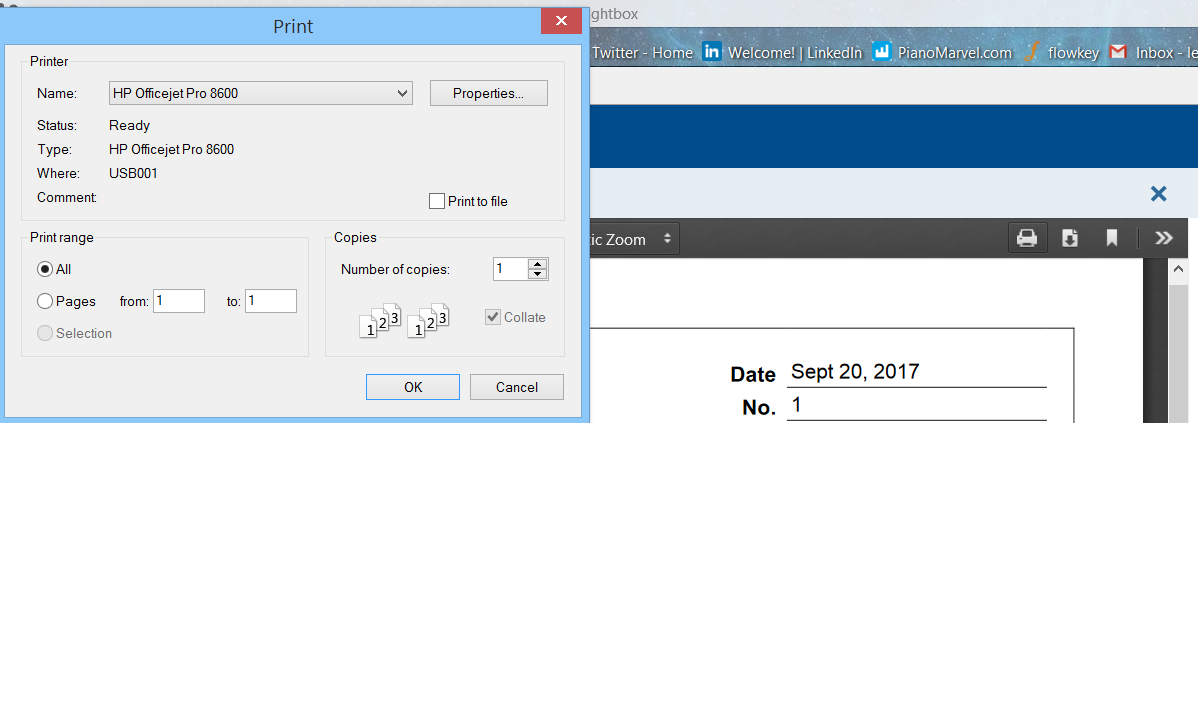


 1 Correct answer

I suppose that thread answers my question; although, it doesn't solve the problem. It is very unfortunate that there is no longer a supported plugin. Having to download every PDF is a waste of time.

 5
Replies
5
5
Replies
5


Copy link to clipboard
Copied
Hi Joshl,
The screenshot that you have shared above, it seems the print options are very limited. It also depends on the printer properties, depending on which printer you are using
Are you using Acrobat DC plugin or some other PDF supported software?
Can you try with a different pdf? As the picture shown above, there is something mentioned about "Zoom" with the upward and downward arrows is that something to make changes?
For testing purpose, try with a different document.
Regards,
Akanchha
Copy link to clipboard
Copied
I've tried many different documents. The same thing always happens.
Copy link to clipboard
Copied
Sorry for the delay in response to your last message.
How did you open the PDF? Is it online using the browser plugin or through the desktop application Adobe Reader?
You may check the similar forum thread No Print dialog when opening pdf, just saves files
-Akanchha
Correct answer by
Guest
AUTHOR
Copy link to clipboard
Copied
I suppose that thread answers my question; although, it doesn't solve the problem. It is very unfortunate that there is no longer a supported plugin. Having to download every PDF is a waste of time.
Copy link to clipboard
Copied
I understand what you are referring.
But this is how the changes has been made. You can check with the Internet explorer if you use that?
-Akanchha


Get ready! An upgraded Adobe Community experience is coming in January.
Learn more
 AdChoices