


Known Participant
February 5, 2014
Question

Problem opening some PDF files in Adobe Reader X & XI

  • February 5, 2014
  • 3 replies
  • 21054 views

I have several PDF files that cannot be open in neither Adobe Reader X nor XI, in Win7 64-bit as well as Windows Server 2008 R2.  I have the message as shown below:

There was an error opening this document. The file is damaged and could not be repaired.
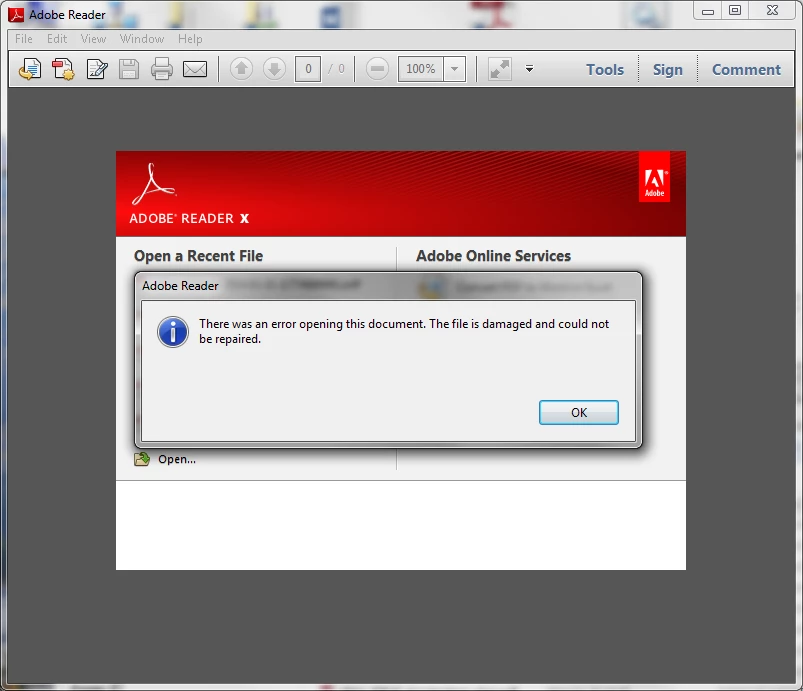
BUT the files are NOT damaged because I can open them with another software called XChange PDF Viewer.

Where can I file a bug to Adobe so they can fix the bug?

Thanks in advance.

    This topic has been closed for replies.

    3 replies

    clisi
    Participant
    December 5, 2014

    We have a user who created 50+ files from a copier/scanner and after he emailed them none of them can be opened.  Same issue.  Please let me know if you find a solution.  lisi@mydelraybeach.com

    Thanks.

    Christine

    Legend
    December 5, 2014

    This often happens if people save files from Safari, on the Mac, the wrong way. It's a sad but true fact that several ways to save PDF files from Safari seem to work but actually save some old junk instead of what you actually want.

    The only safe way to do it is to hover over the PDF until Adobe Reader's toolbar appears, and then to click the Save icon.

    SumitV
    Community Manager
    Community Manager
    February 25, 2014

    Hi Steefan,

    Could you please try the steps provided in the link mentioned below:

    http://helpx.adobe.com/acrobat/kb/pdf-error-1015-11001-update.html

    Participant
    February 25, 2014

    SumitV, the link does not really help for non-tech users like me.  What is HKLM, where do I find it, what might I see when I get there, what would happen if I make a mistake in there?  All these need to be explained by Adobe (and others who try to help) than just dropping a link and saying "Go figure this on your own."  If Steefan can do that he wouldn't be on this forum.  Please explain in a clearer form what the incompetent Adobe tech support is trying to say in that link that you've posted.  That would be really helpful.


    Thanks,

    HS

    Participant
    February 25, 2014

    If you need help, we want to hear from you.

    Get answers from experts 24/7.

    This is what the website says.  We'll wait and see how many days it will take, if at all, for Adobe to respond to this request.

    HS

    SteefanAuthor
    Known Participant
    February 25, 2014

    Nobody cares about this problem?  So disappointing....