Copy link to clipboard
Copied

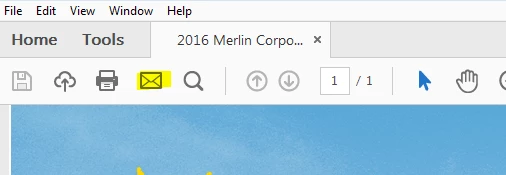
Sending email directly from a pdf opens and sends an email the first time. After the email is sent Adobe Reader freezes and has to be closed by task manager.

Copy link to clipboard
Copied
HI CtyOfApk,
Could you please check if there is an update available for Reader?
Launch Reader>navigate to Help menu>select Check for updates
You may also download update from here:Adobe - Adobe Reader : For Windows
Please confirm the version of Reader installed on the machine.
Launch Reader>navigate to Help menu>select About Adobe Acrobat Reader DC
Have you tried sending other pdf?
Are you using MS Outlook/other email application or Webmail to send email?
Copy link to clipboard
Copied
On this users computer it does it with all pdf's. Works fine on others. We are using Outlook 2013 , not in cached mode.

Copy link to clipboard
Copied
Hi CtyOfApk,
Sorry for the delay in response.
Could you please try turning on Cache mode in Outlook and see if that helps?
Please follow the steps given in this link to do so: Turn on Cached Exchange Mode - Outlook
Let me know how it goes.
Thanks!
Shivam
Get ready! An upgraded Adobe Community experience is coming in January.
Learn more