Hello Ali,
I hope you are doing well. Per the description, I understand you want to change the read-aloud voice from female to male.
This option will be found in the accessibility settings of the device.
You can locate the options from the below steps:
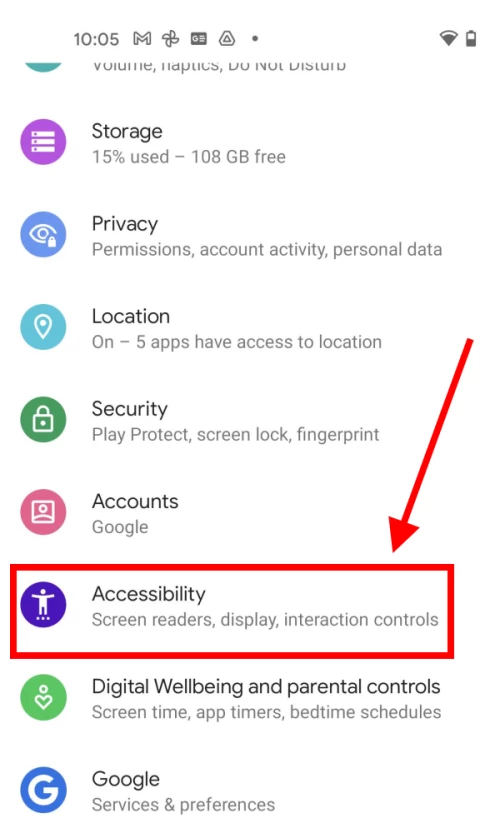
- Tap the Settings icon to open the Settings app. Scroll down and tap Accessibility.
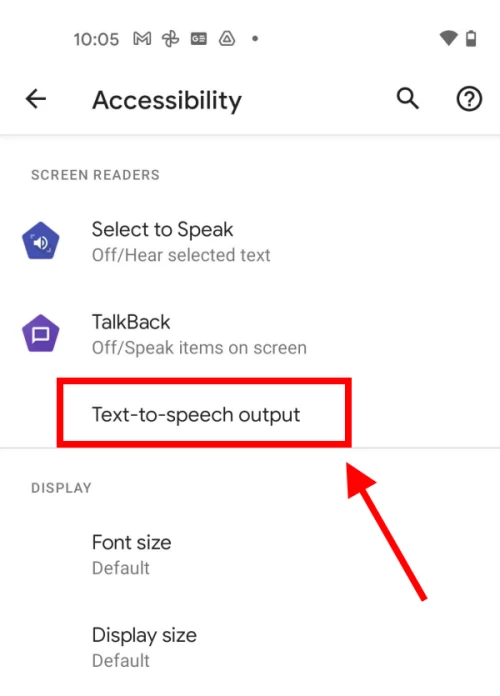
2. Scroll down to the Screen readers section and tap Text-to-speech output.
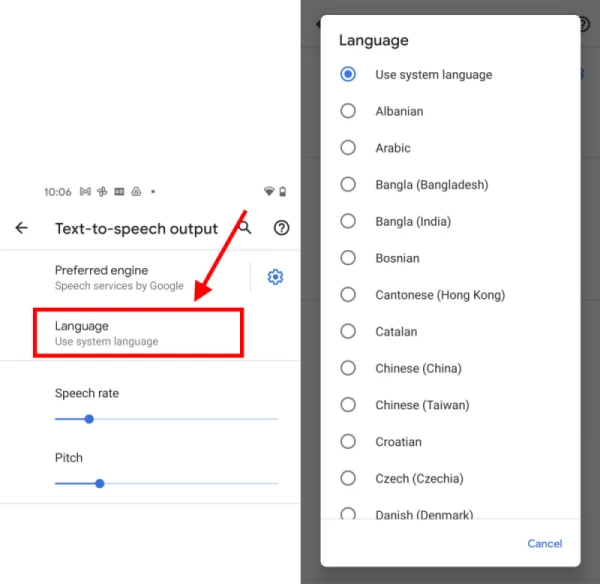
3. On the Text-to-speech output screen, tap Language. Choose a language from the available options.
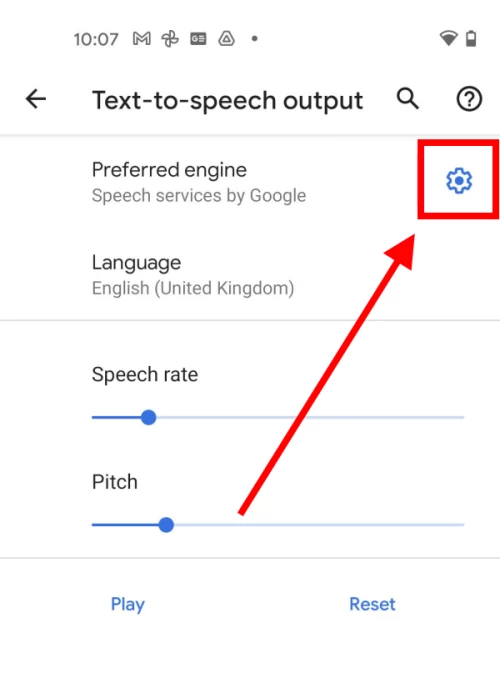
4. Many of the languages can use different male and female voices. To use a voice other than the default, tap the Settings icon next to the Preferred engine.
6. Tap Install voice data and select the language you wish to use. You may have to download a language pack before you can proceed.
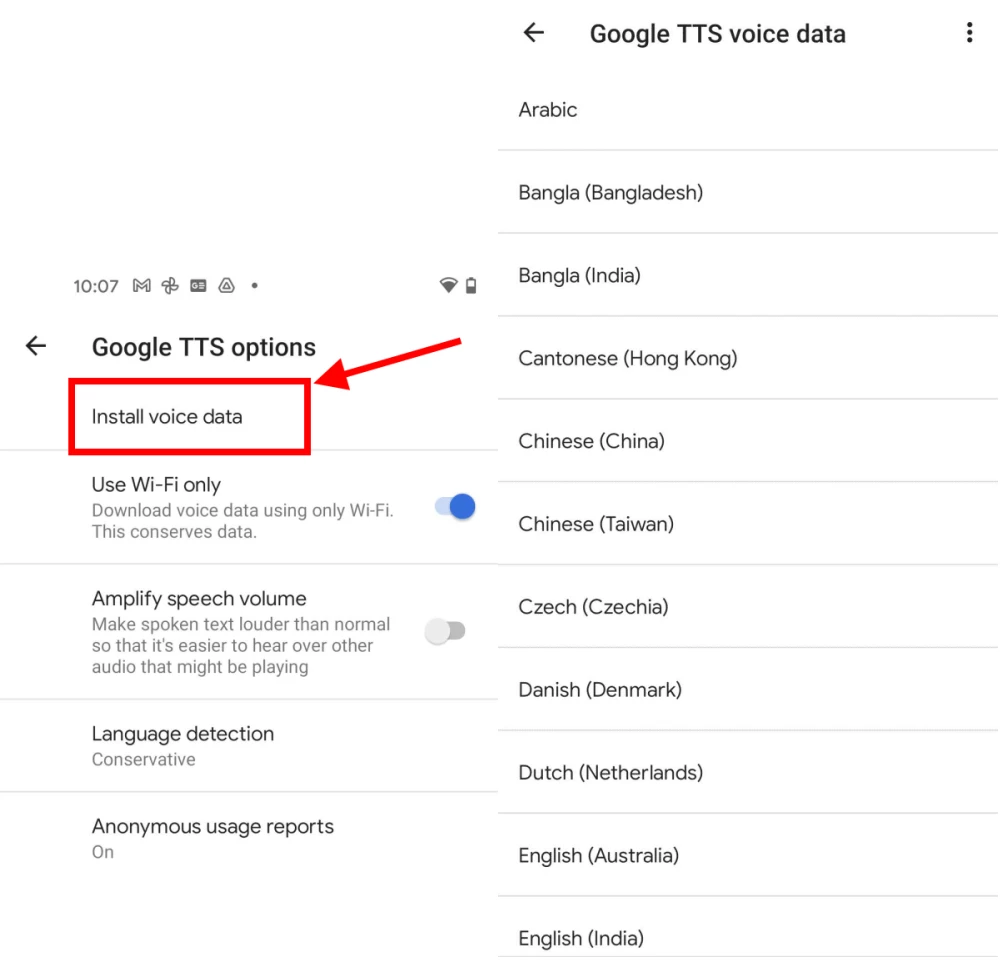
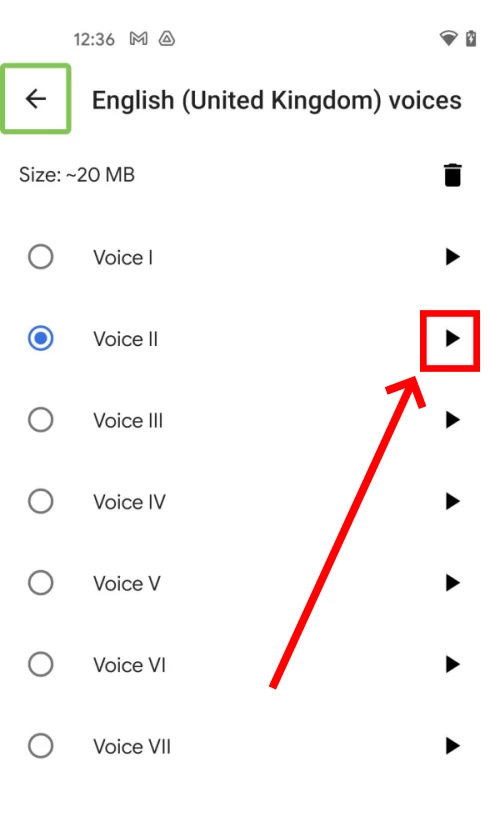
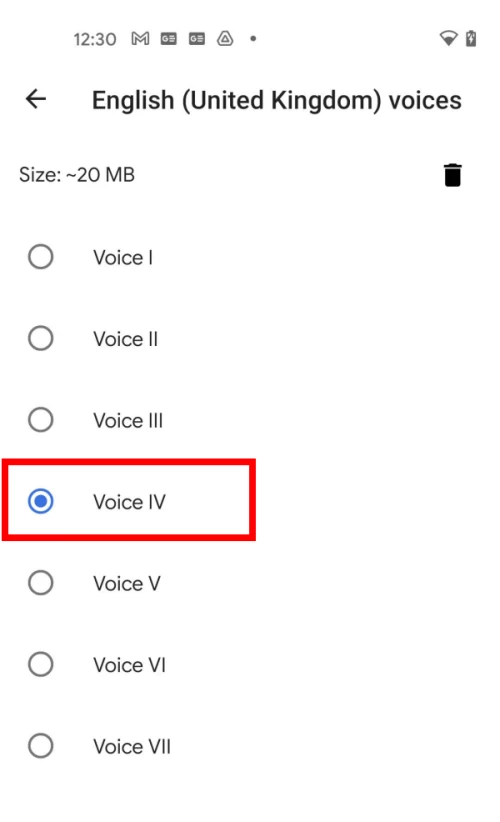
7. If you have already enabled TalkBack or Select to Speak you will see a small Play button next to each voice. Tap it to hear a sample of the voice in action. Tap the round button next to the voice to use it with Text-to-speech. If you haven’t enabled TalkBack or Select to Speak, just tap a voice to hear a sound sample. Text-to-speech will now use this voice unless you choose another one
Let me know if this helps.
Thanks,
Souvik.




 AdChoices