Hi,
Sorry for the inconvenience caused by the compatibility issue with Acrobat and iOS 12 Beta.
We are actively investigating the problem. Here's what we know so far.
- The problem is unique to Acrobat and iOS 12 Beta. (The problem does not happen with Acrobat on iOS 11.x or 10.x.)
- Your documents are not lost. The documents are still intact on your device or cloud. Acrobat does not correctly display the existing documents in the file listing user interface due to layout issues with iOS 12 Beta.
- Uninstalling and reinstalling Acrobat will not fix the problem with iOS 12.
We'd highly recommend against uninstalling Acrobat. You will lose all your local documents and other app data if you uninstall Acrobat.
As a workaround, you can access your local documents using the Files app on iOS 12.

- Launch the Files app.
- Go to Browse.
- Tap "On My iPhone" / "On My iPad".
- Go to the Adobe Acrobat folder.
- Tap to open a document in the folder. The document will be opened in Acrobat.
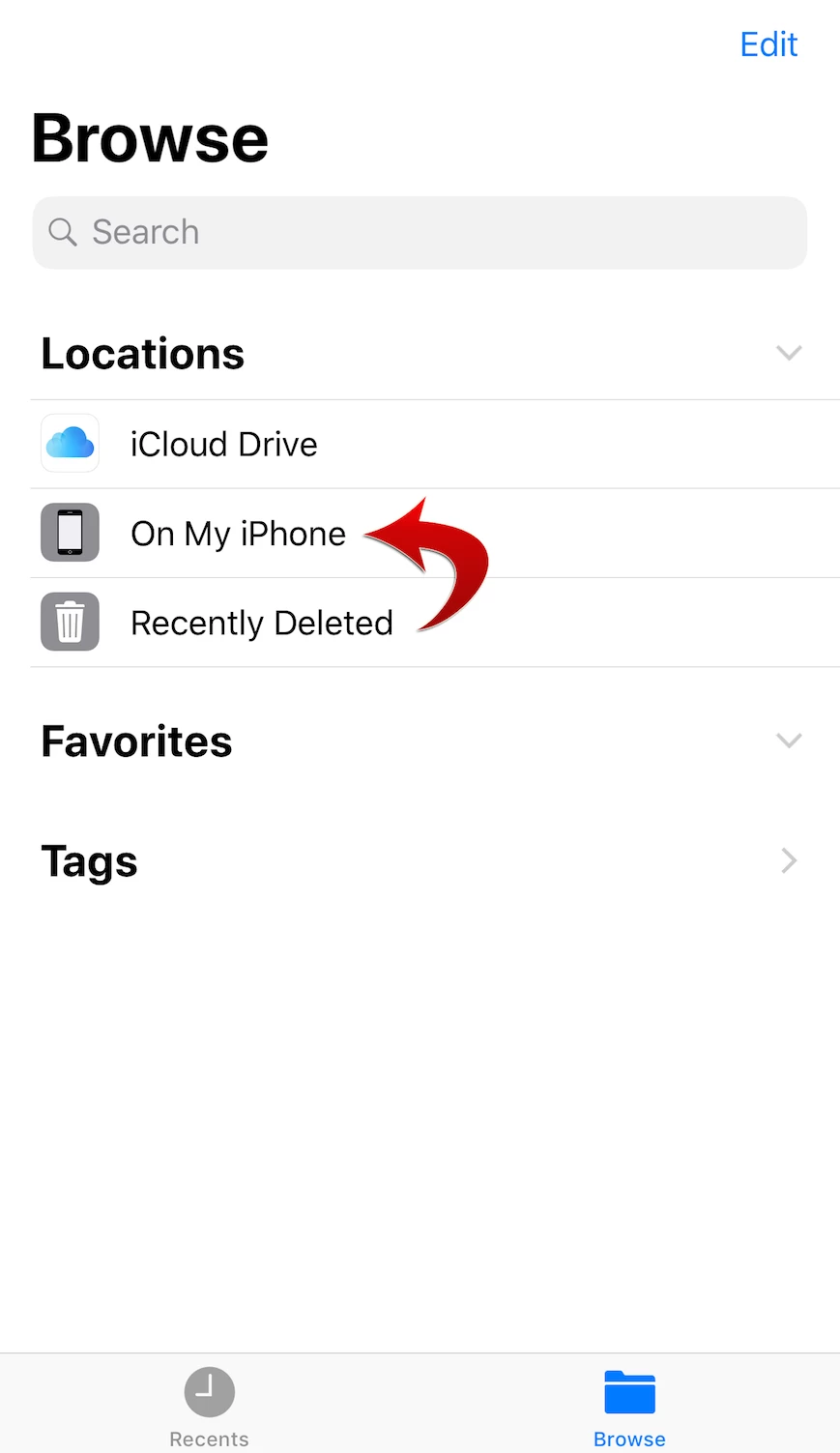
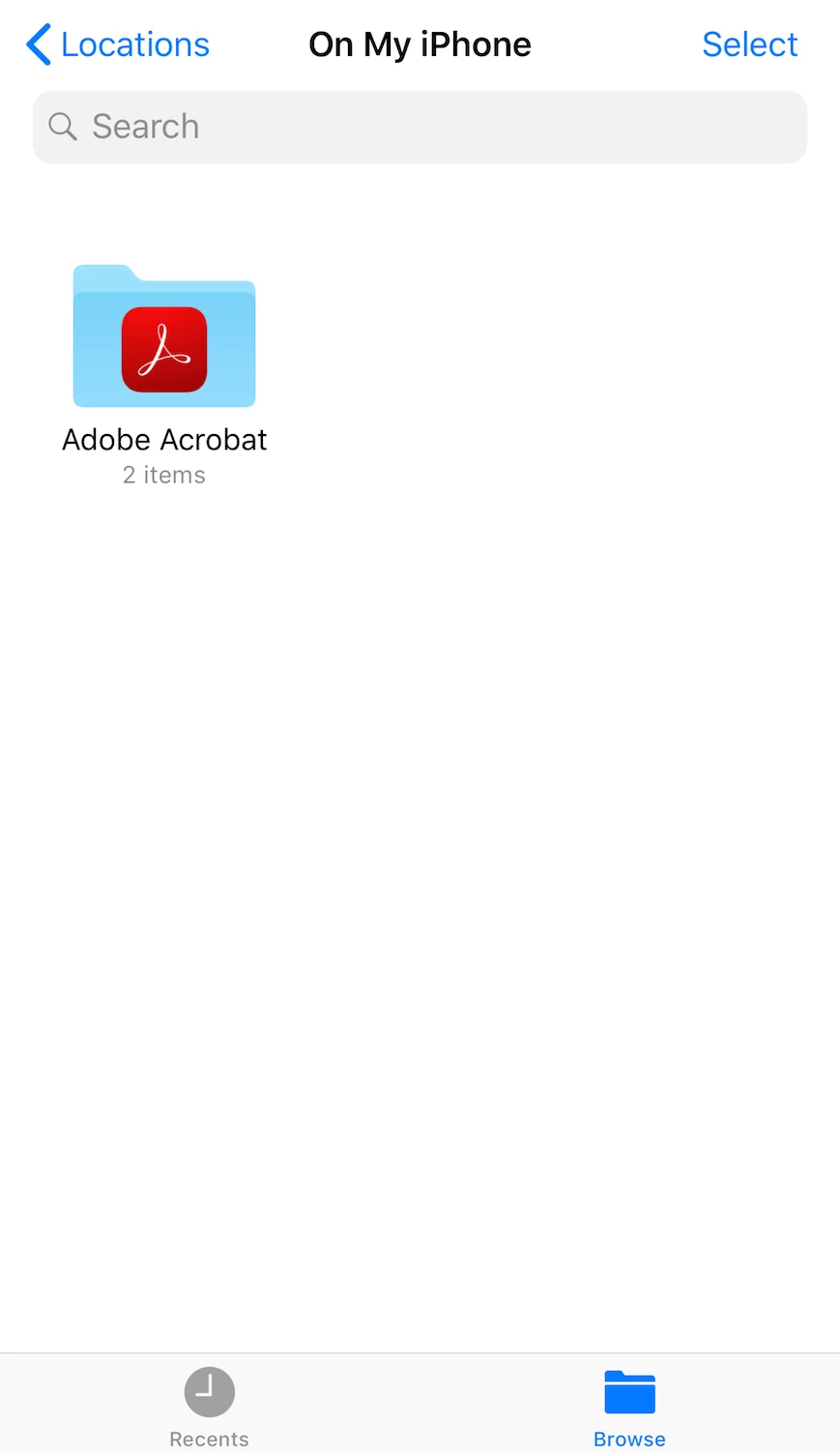
Please note that you can open the documents that are stored on your iPhone/iPad using the Files app. To open the documents stored in Document Cloud or Creative Cloud, please use the web interface in the meantime.
https://cloud.acrobat.com/
We will post again when we have a fix for the problem.
Thank you for your patience.
Hi everyone,
We just released Acrobat Reader 18.07.30 to the App Store on July 23, 2018.
This version contains the fix for the display glitch that occurred only on iOS 12 Beta. All of your existing documents should reappear in Recent, Local, Document Cloud, and Dropbox.
Please let us know if it works for you.
We apologize for the inconvenience caused.



 AdChoices