mikamico
Participant
November 23, 2018
Answered

Edit button not showing up on a certain pdf document

  • November 23, 2018
  • 1 reply
  • 16156 views

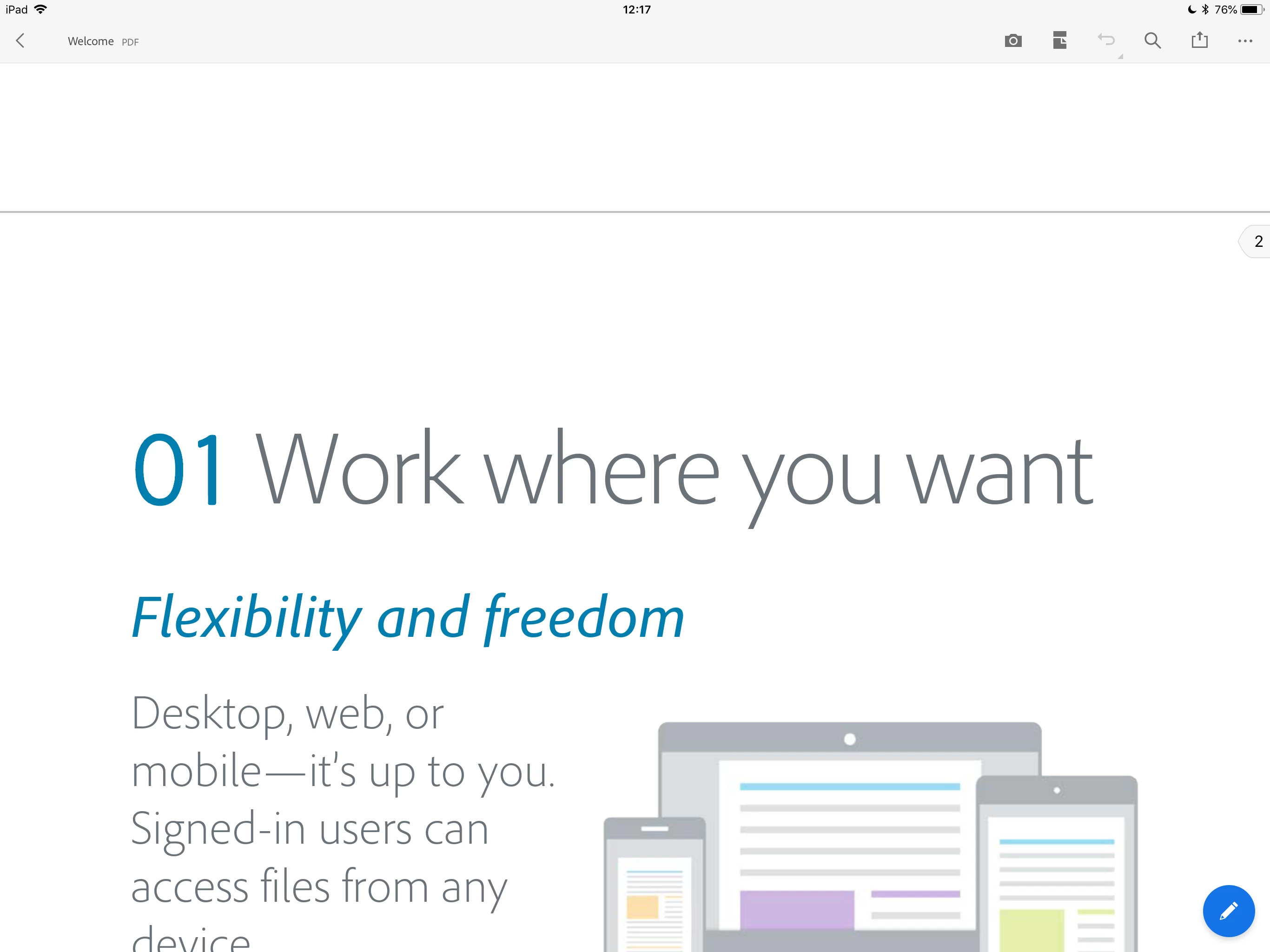
The edit button (blue pencil mark) shows up on certain documents At the right bottom corder as shown in the photo below.

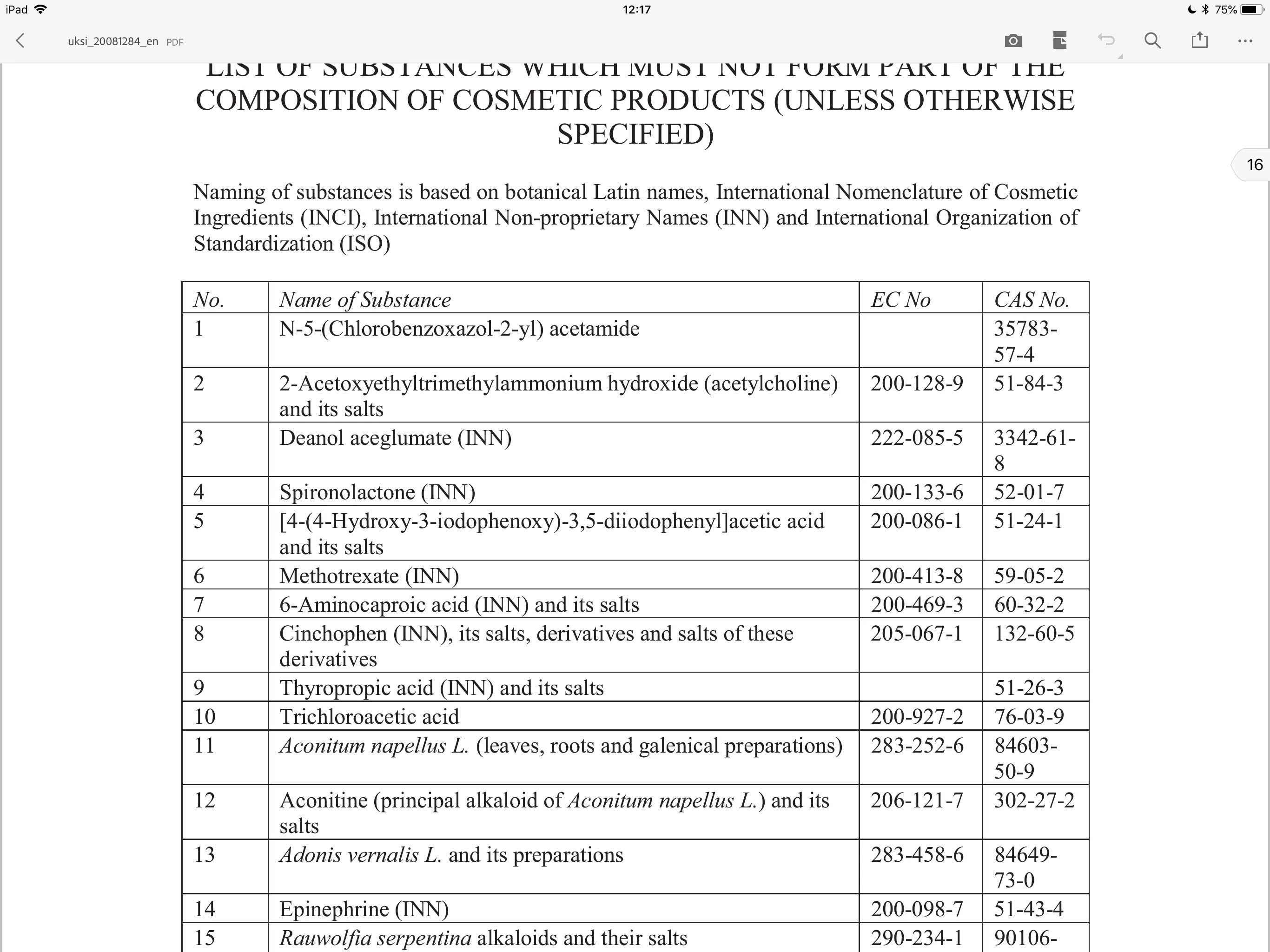
However, on this pdf document, the edit button does not appear, thus I cannot add free hand writing.

Any idea why?

This topic has been closed for replies.
Correct answer MobileDeveloperCK

Hi mikamico​,

Acrobat Reader does not show the edit button (the blue round button with a pencil icon), if the opened PDF document is not editable.

It means that it is not possible to add comments/annotations (including Freehand Drawing) or use the Fill & Sign tool to modify the particular PDF document.

Your PDF document is not editable because it is encrypted for one or more reasons.

  • The author of the PDF document set its document properties to disallow some operations (e.g. "Commenting", "Filling of form fields", "Changing the Document", etc.)
  • The document is password-protected.

In the desktop version of Acrobat Reader, please open the same PDF document and bring up the Document Properties dialog by pressing Command-D for Mac or Control-D for Windows.
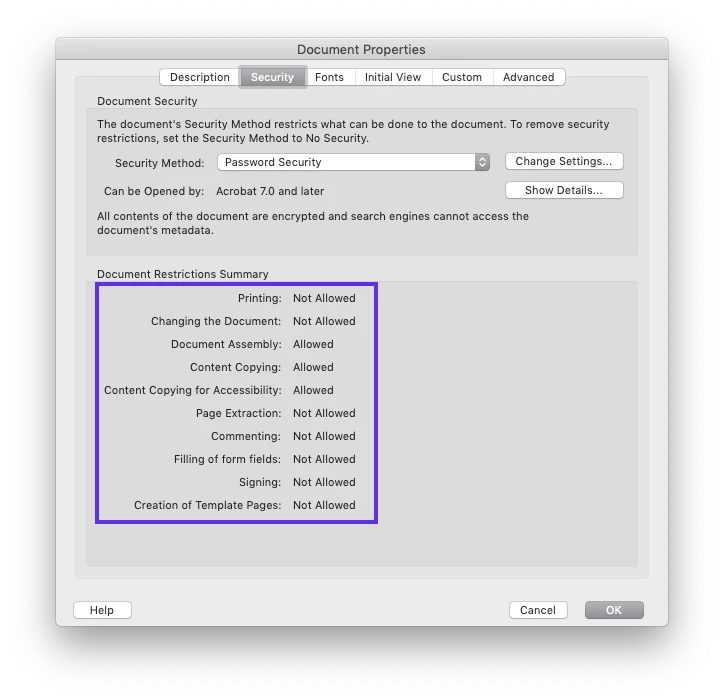
The mobile Acrobat Reader apps for iOS and Android have the limitation where they cannot save changes to encrypted PDF documents.  Therefore, Acrobat Reader disables/hides the tools that can modify PDF documents.

We apologize for any inconvenience this may have caused.

1 reply

MobileDeveloperCKCorrect answer
Legend
November 24, 2018

Hi mikamico​,

Acrobat Reader does not show the edit button (the blue round button with a pencil icon), if the opened PDF document is not editable.

It means that it is not possible to add comments/annotations (including Freehand Drawing) or use the Fill & Sign tool to modify the particular PDF document.

Your PDF document is not editable because it is encrypted for one or more reasons.

  • The author of the PDF document set its document properties to disallow some operations (e.g. "Commenting", "Filling of form fields", "Changing the Document", etc.)
  • The document is password-protected.

In the desktop version of Acrobat Reader, please open the same PDF document and bring up the Document Properties dialog by pressing Command-D for Mac or Control-D for Windows.

The mobile Acrobat Reader apps for iOS and Android have the limitation where they cannot save changes to encrypted PDF documents.  Therefore, Acrobat Reader disables/hides the tools that can modify PDF documents.

We apologize for any inconvenience this may have caused.