Exit
  • Global community
    • Language:
      • Deutsch
      • English
      • Español
      • Français
      • Português
  • 日本語コミュニティ
  • 한국 커뮤니티
0

How to delete PDF files in Adobe Acrobat Reader
New Here ,
Oct 22, 2024 Oct 22, 2024

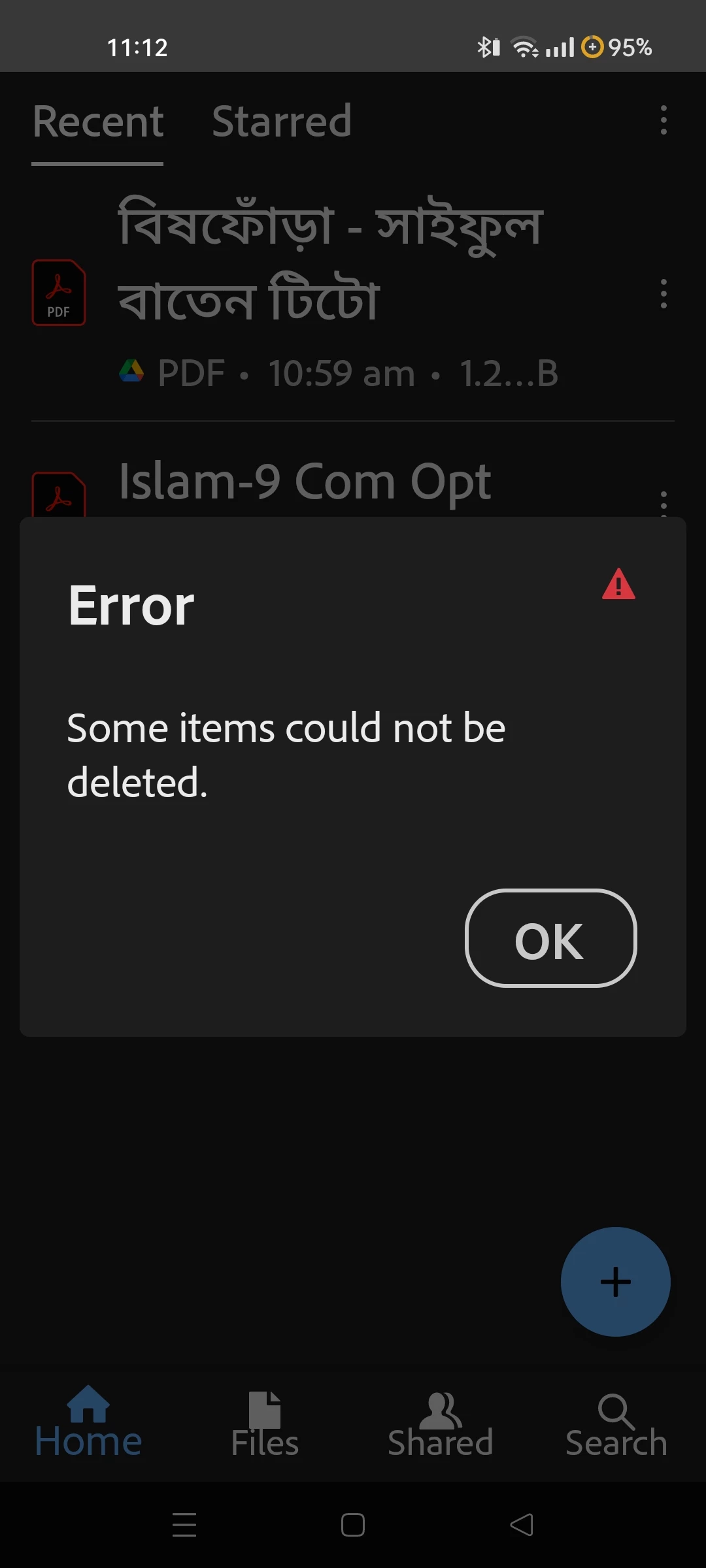
Screenshot_2024-10-23-11-12-35-27_f541918c7893c52dbd1ee5d319333948.jpg

"some items could not be     deleted" - 

I deleted the files from my phone but it remains in Adobe. How to delete these pdf files?

256
Translate
Report
Community guidelines
Be kind and respectful, give credit to the original source of content, and search for duplicates before posting. Learn more
community guidelines
Adobe Employee ,
Nov 05, 2024 Nov 05, 2024
LATEST

Hi @raya_2006


Hope you are doing well and thanks for reaching out.


Please try to clear the app cache and reboot the device once and see if that works as this can often fix common issues in the App.


  1. Go to the Phone settings > Apps
  2. Select Adobe  Acrobat
  3. Go to Storage > Clear Cache


Once done,  don't forget to reboot the device.


Let us know how it goes.


~Amal


Translate
Report
Community guidelines
Be kind and respectful, give credit to the original source of content, and search for duplicates before posting. Learn more
community guidelines