
Swisslovegirl
Participant
December 2, 2016
Answered

How to permanently disable the right side bar in iOS 10.1.1 to keep from inadvertently opening Acrobat all the time

  • December 2, 2016
  • 1 reply
  • 3147 views

Hello All, I have the problem, that in iOS 10.1.1 on the iPad, since this upgrade, Acrobat has a hidden side bar on the right hand side of the screen and I always open Acrobat inadvertently no matter where I am, on the home screen or in an app. How can I permanently disable this? I have not found an answer on the Internet. Sorry if I am inept... Thank you in advance for any tips you can give me.
This topic has been closed for replies.
Correct answer MobileDeveloperCK

Hi,

That's a feature of iOS, not Acrobat Reader.

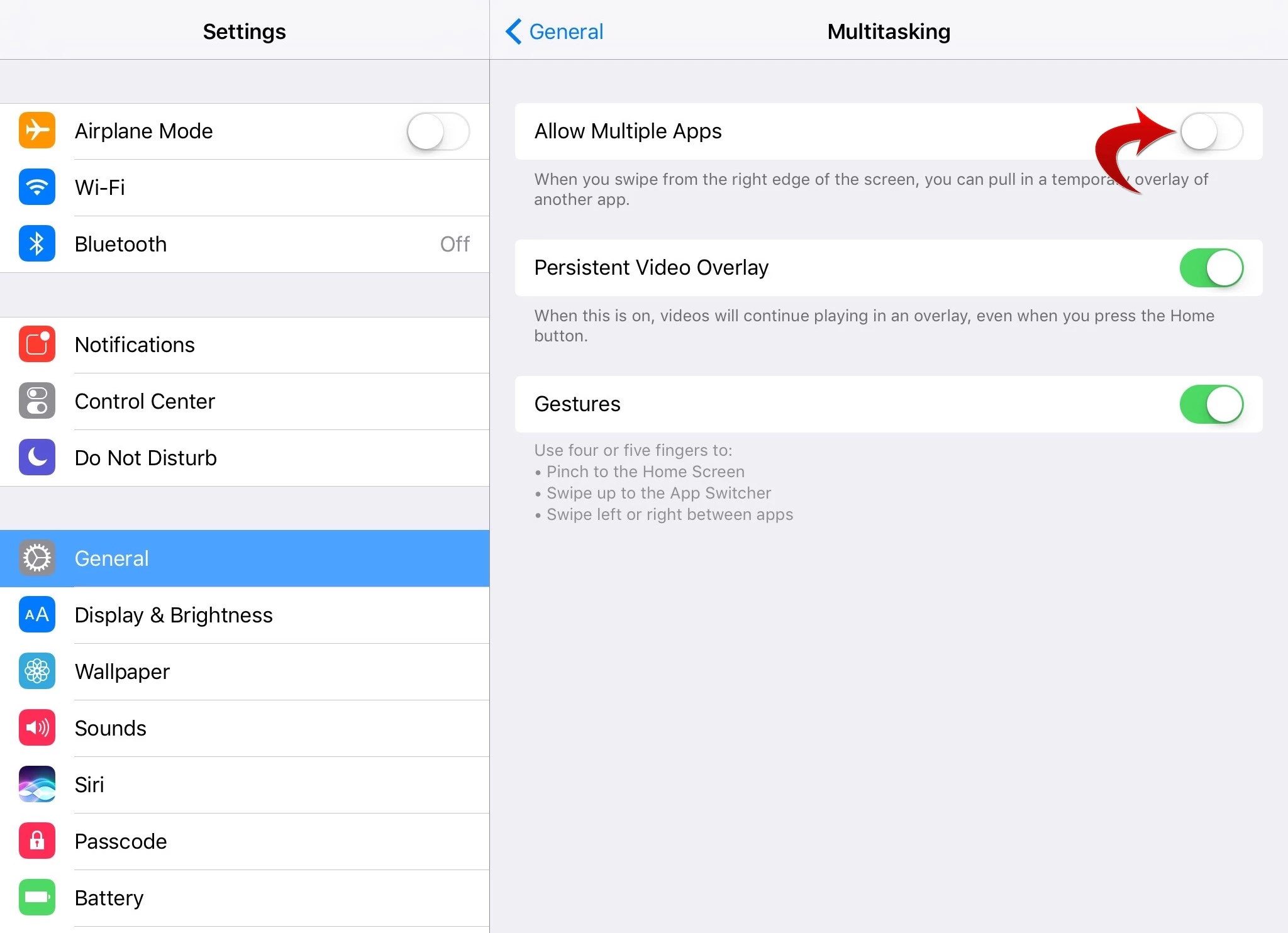
Here are the steps to disable multitasking.

  1. Go to Settings > General > Multitasking.
  2. Turn off the "Allow Multiple Apps" option.

Hope this helps.

1 reply

MobileDeveloperCKCorrect answer
Legend
December 2, 2016

Hi,

That's a feature of iOS, not Acrobat Reader.

Here are the steps to disable multitasking.

  1. Go to Settings > General > Multitasking.
  2. Turn off the "Allow Multiple Apps" option.

Hope this helps.

Swisslovegirl
Participant
December 3, 2016

Thank you, you are a life saver!

Legend
December 3, 2016

You are welcome!  Glad to hear it worked well for you.