



New OneDrive connector: Access & work on your OneDrive files in Acrobat Reader iOS
Now easily access or work on your OneDrive files by linking the account to Acrobat Reader on an iOS device.
In Adobe Acrobat Reader for iOS, a new OneDrive connector has been added. Now you can link OneDrive account within the Acrobat Reader application like Dropbox and Google Drive accounts to access and work on your files directly.
Here are the steps to link your One Drive account:
- Launch the Adobe Acrobat Reader on your iOS device.
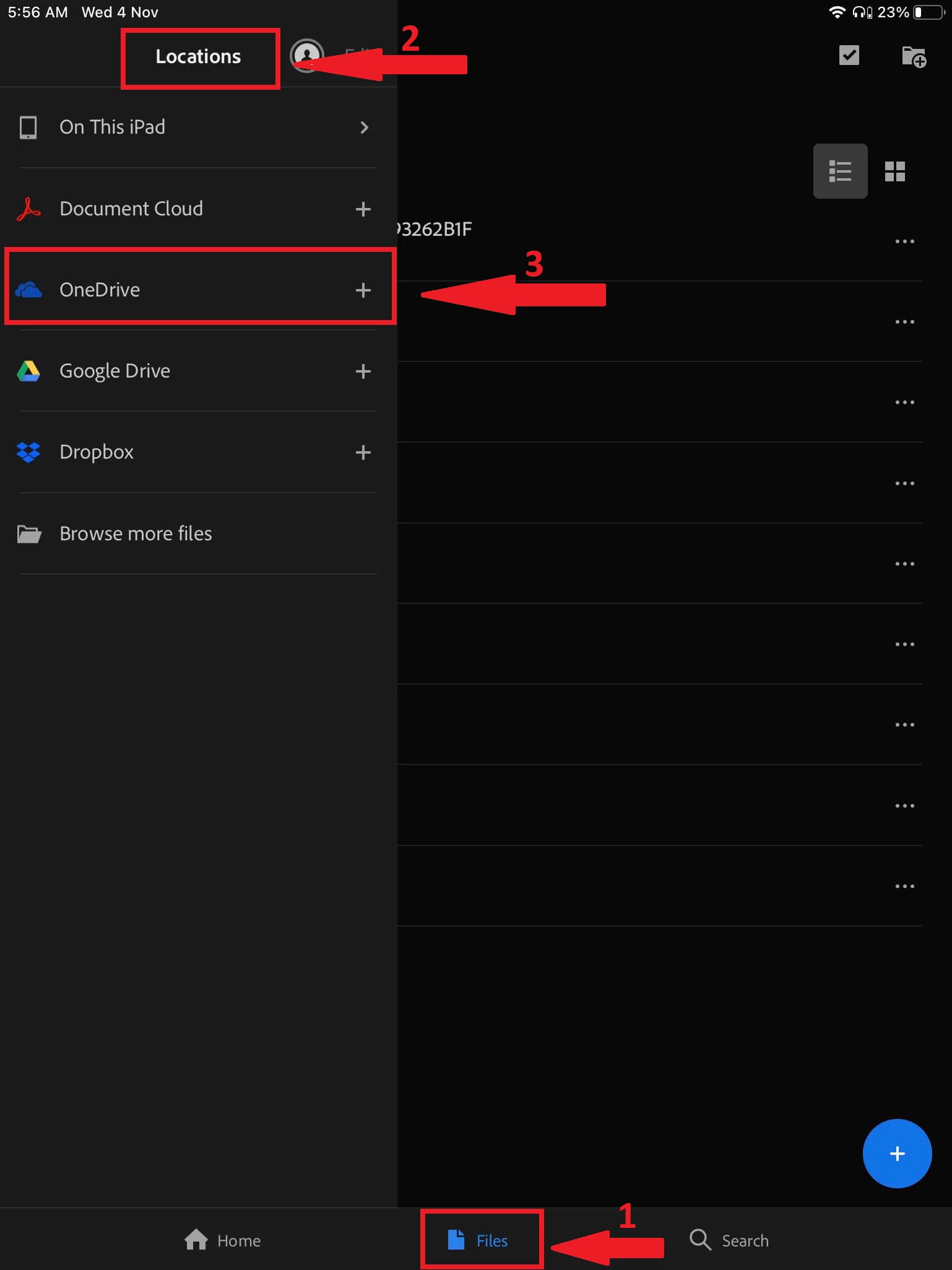
- Go to Files > Location > OneDrive.
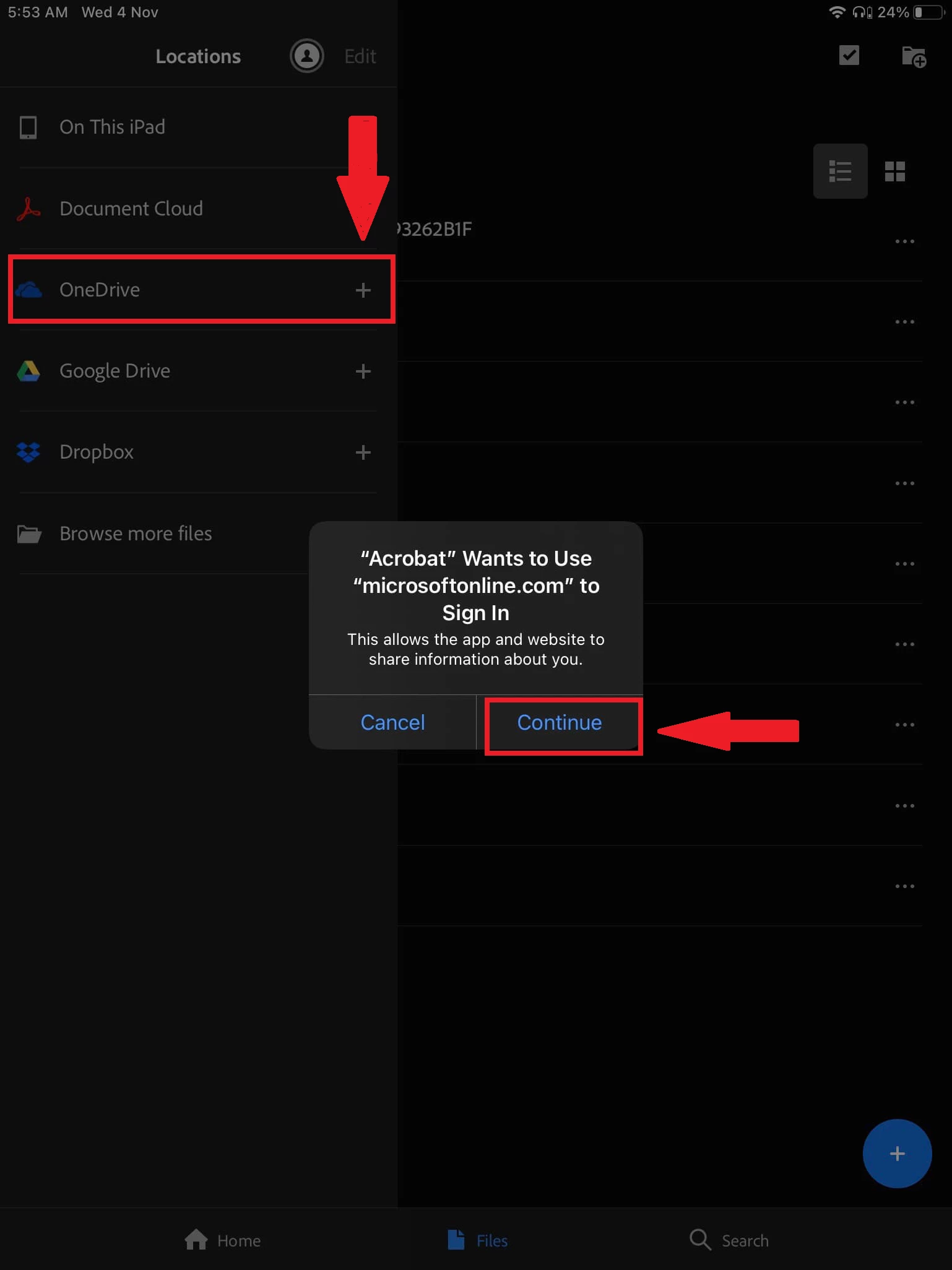
- Tap on the “+” icon and then “Continue”.
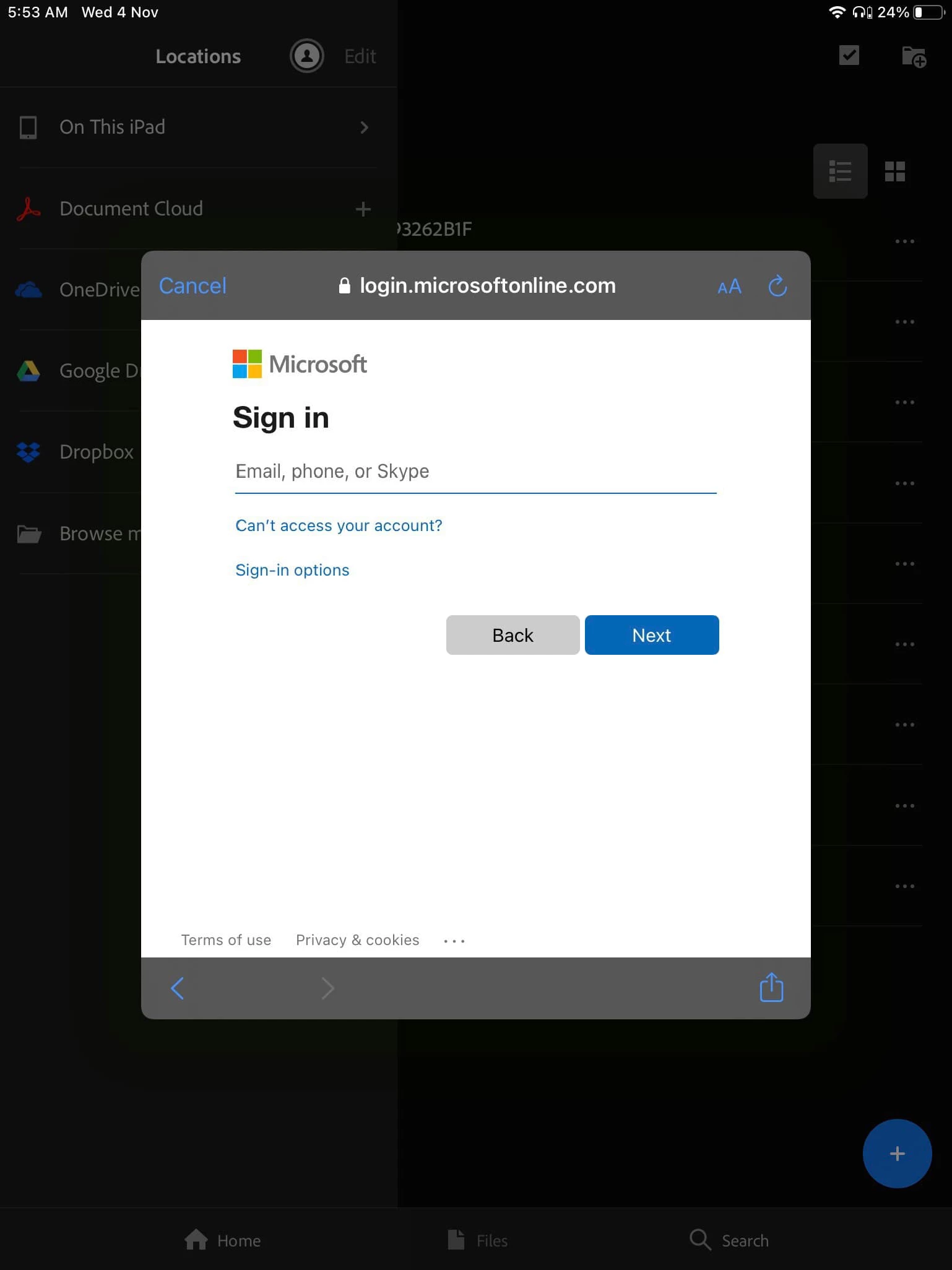
- Sign in using your credentials for the OneDrive account.
- Accept the terms and conditions to link the account.
Now select any file directly from the list on the OneDrive account linked in the application and work on your files. The changes will be automatically saved on the same file. No need to save and upload the file separately to OneDrive from Acrobat Reader.
Did you find it helpful? If yes, share your experience with us: Join the conversation here. We are listening!
To discover a host of other great features – Go straight to: Want to send PDF as an email attachment using your mobile application? | Reimagined reading experience for PDF on mobile devices through Acrobat Reader Mobile App
 AdChoices