

Answered
Acrobat Form round a sum of two fields to the nearest 1/16th
I'am trying to round the sum of two fields in Adobe Acrobat to the closests 1/16th or 0.0625? I am not familiar enough with javascript to create a custom script.

I'am trying to round the sum of two fields in Adobe Acrobat to the closests 1/16th or 0.0625? I am not familiar enough with javascript to create a custom script.
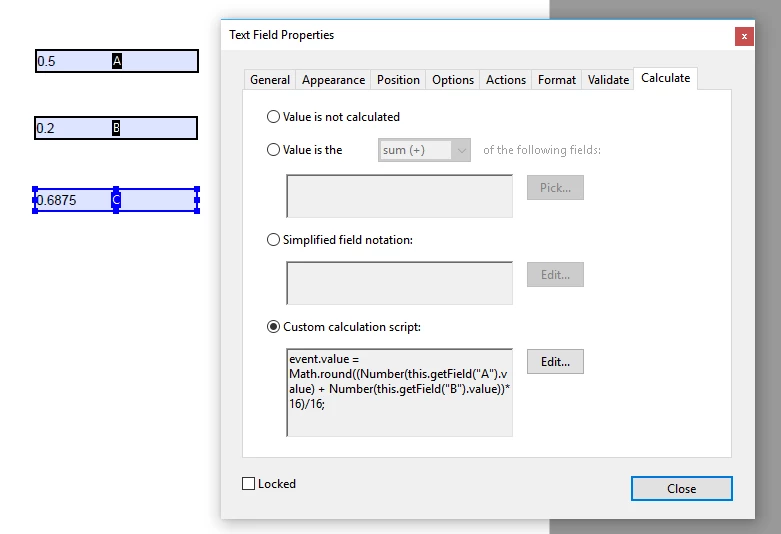
paste this into the custom calculation script:
event.value = Math.round((Number(this.getField("A").value) + Number(this.getField("B").value))*16)/16;
You may want to set your format to Number, 4 decimals.
A longer javascript line that can also be pasted into the custom calculation script is:
this.getField("C").setAction('Calculate', "event.value = Math.round((Number(this.getField(\"A\").value) + Number(this.getField(\"B\").value))*16)/16;" );
Already have an account? Login
Enter your E-mail address. We'll send you an e-mail with instructions to reset your password.
 AdChoices