

Autarch Severian
New Participant
August 1, 2016
Answered

Can Acrobat Free Rotate Text?

  • August 1, 2016
  • 4 replies
  • 1672 views

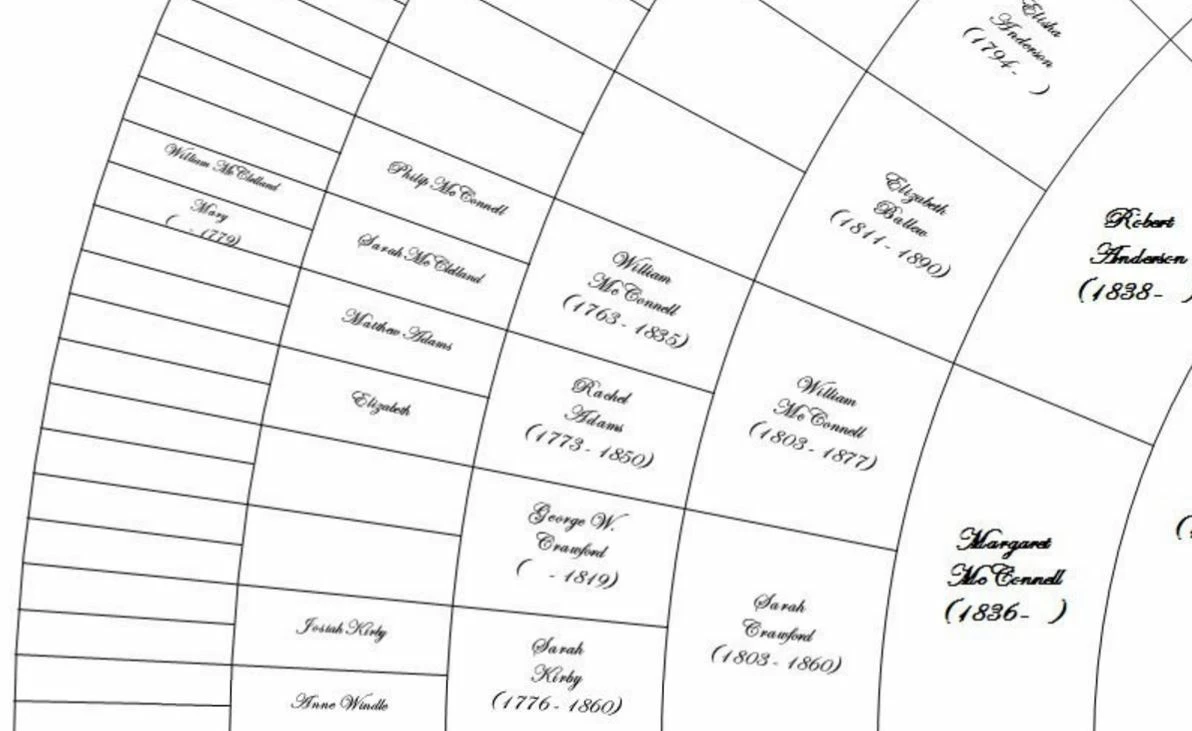
I have a circular PDF chart with text at many angles.  I want to edit the text and need to know if Acrobat can do this.  Or is there something else I could use?  Here is a sample pic of what I'm talking about:
This topic has been closed for replies.
Correct answer try67

It will be extremely difficult and unwise to create something like that from scratch in Acrobat. Almost no PDF files are created from scratch.

There's almost always an original file format that was created in another application (like Word, InDesign, or even just an image or a web-page) and then converted to PDF. Any changes that you want to implement should be done in the original file format and then a new PDF created from it. That's the safest and recommended workflow.

Having said all that, it is possible to edit PDF files in Acrobat, but it should only be done if no other alternatives exist.

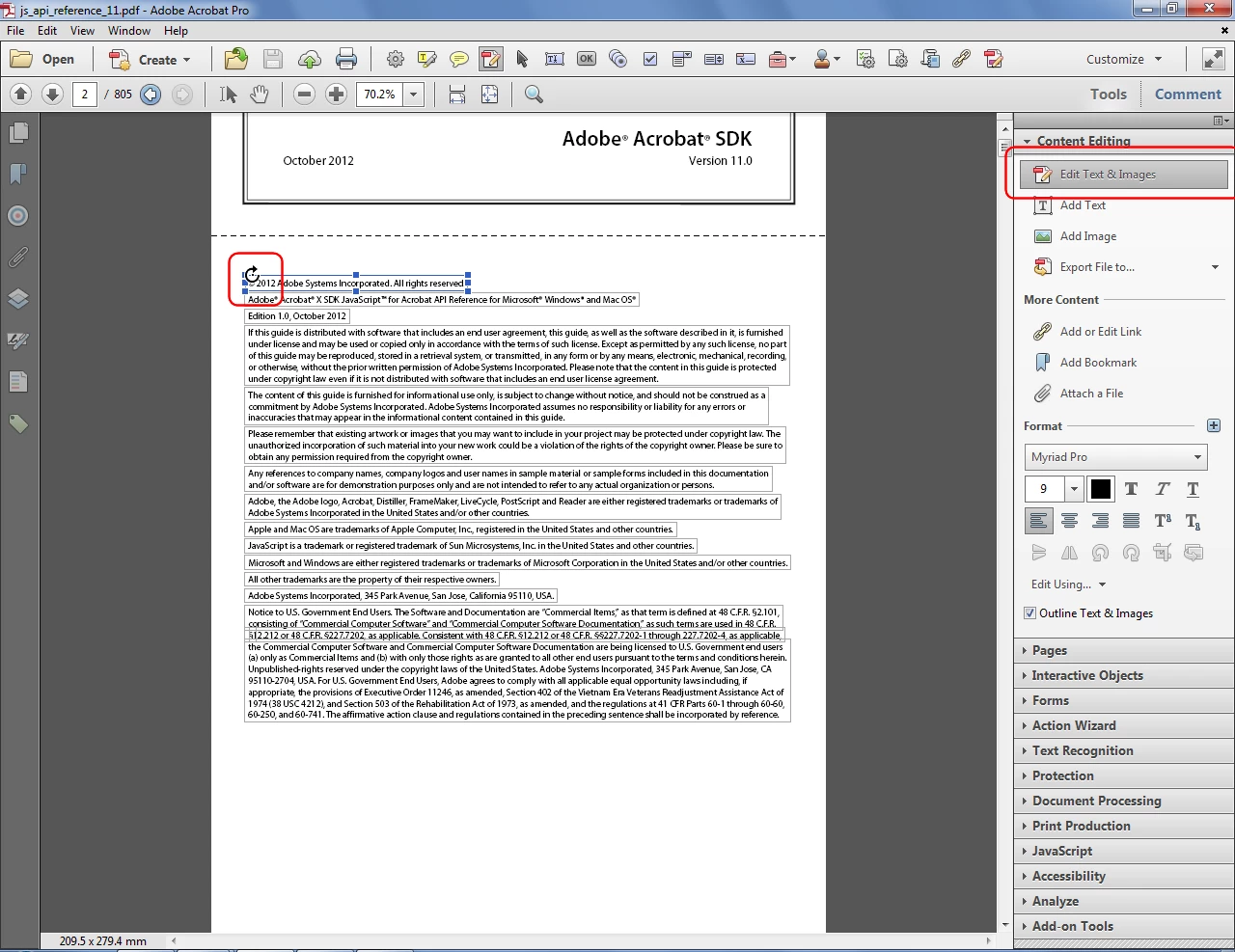
If you want to rotate static text in a PDF file you can attempt to do it by going to the Edit Text and Images tool, then select the box that contains the text you want to rotate and then moving the mouse close to its corner, until you see this cursor:
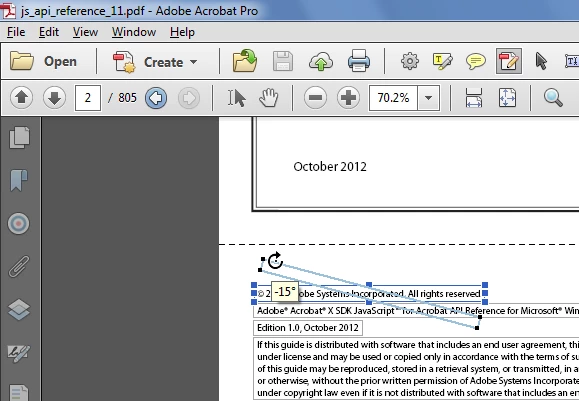
Then you press down with left button of the mouse and move it. It will look like this:
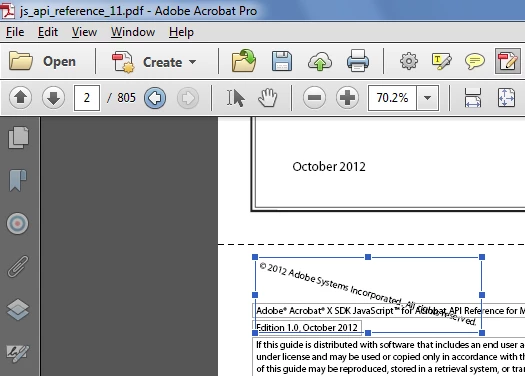
When you let go the text will become rotated:
4 replies

New Participant
September 11, 2020

Is there a way to make the rotation precisely? like 0.15 degrees? 

Doing that procedure with my mouse the minimum rotation that I get is 2 degrees 


I'm using Acrobat Pro DC

try67
Community Expert
September 11, 2020

No.

try67
Community Expert
September 11, 2020

If you want precise rotation create it as an image and then import that image into the PDF.

Brainiac
August 1, 2016

You can often see what the original app was in Propertied. But usually it's your file do you know. If it's someone else's file, then when you get permission to edit, ask for the original.

Editing a PDF is a desperate last resort for when the original was lost and all the backups were eaten by termites.

Brainiac
August 1, 2016

The original file from which the PDF was made. The PDF is too late to edit effectively.

Autarch Severian
New Participant
August 1, 2016

OK, so I'm fundamentally misunderstanding how PDF files work.  You're saying there is some sort of input file from which the PDF is created, and the PDF itself is just output.  I'm not getting this because I know text in normal orientations can be edited in a PDF.  Do you see my confusion?  What kind of file might the original file be?

Let's say for example that I wanted to create something like my sample pic above in Acrobat.  Couldn't be done?  I'd have to create it with a different piece of software and convert that file to PDF?  Other than fillable PDF forms, I'm completely new to PDF editing.  I assumed the forms themselves had been created in Acrobat, or some PDF editor.  Not the case?

try67
try67Correct answer
Community Expert
August 1, 2016

It will be extremely difficult and unwise to create something like that from scratch in Acrobat. Almost no PDF files are created from scratch.

There's almost always an original file format that was created in another application (like Word, InDesign, or even just an image or a web-page) and then converted to PDF. Any changes that you want to implement should be done in the original file format and then a new PDF created from it. That's the safest and recommended workflow.

Having said all that, it is possible to edit PDF files in Acrobat, but it should only be done if no other alternatives exist.

If you want to rotate static text in a PDF file you can attempt to do it by going to the Edit Text and Images tool, then select the box that contains the text you want to rotate and then moving the mouse close to its corner, until you see this cursor:

Then you press down with left button of the mouse and move it. It will look like this:

When you let go the text will become rotated:

Brainiac
August 1, 2016

You really need to edit the original and remake the PDF after each change.

Autarch Severian
New Participant
August 1, 2016

Not sure I'm understanding this.  Edit the original, then save under a new file name?  The text at different angles can be edited in Acrobat as is?
