
New Participant
December 19, 2023
Answered

Cannot sign with CAC card

  • December 19, 2023
  • 3 replies
  • 4799 views

Hi,


I recently had my CAC card updated and now I cannot digitally signe any military PDF documents. I get the following error message:
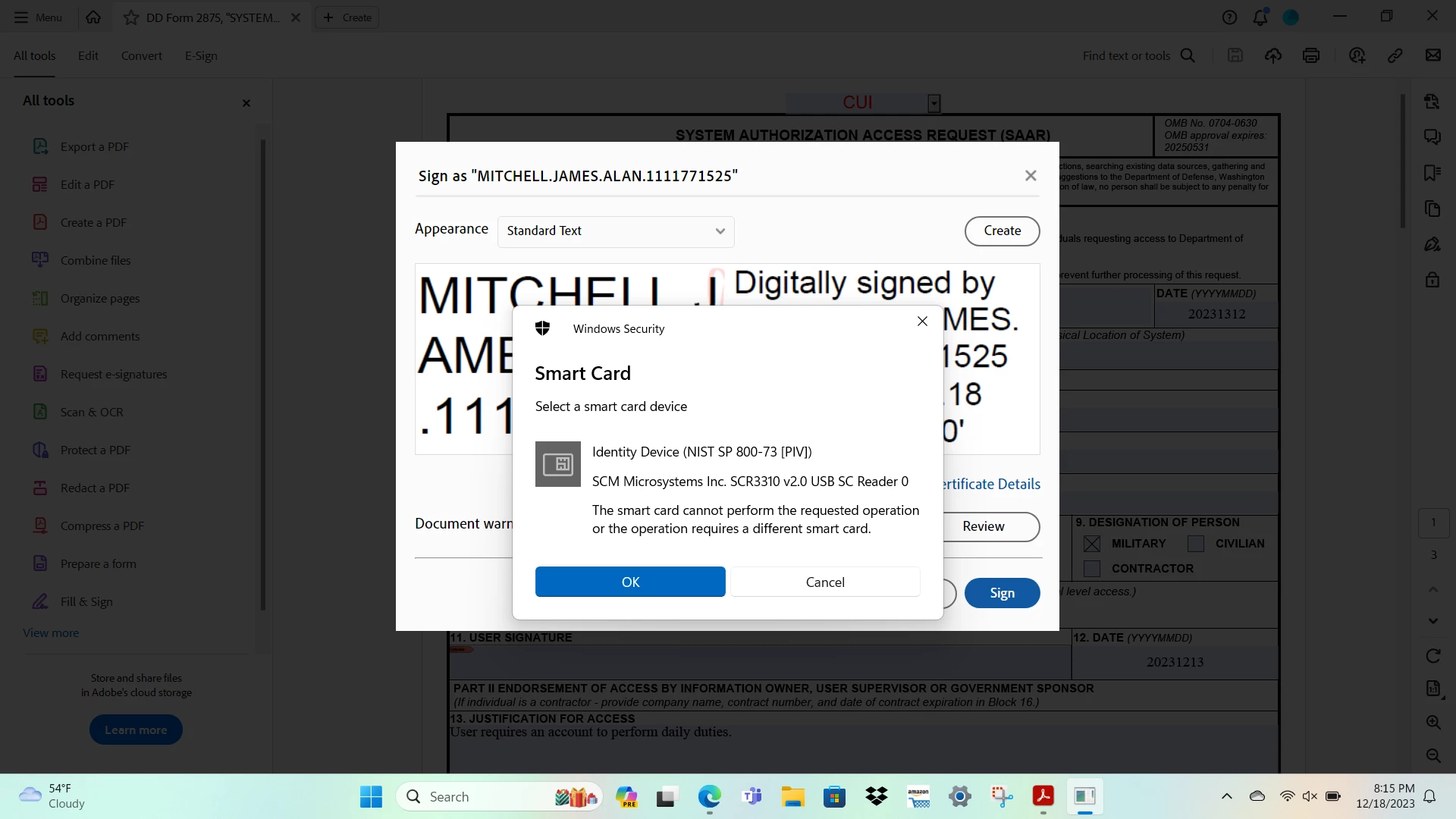
 

 I recently had my CAC updated and now I cannot digitally sign any military PDF documents. I was able to sign documents before today. Any assitance would be greatly appreciated.

This topic has been closed for replies.
Correct answer James3434004317d7

Good morning,

The issue has been resolved. The new CAC certificates did not upload. Had a new CAC made and it works now. 

3 replies

James3434004317d7AuthorCorrect answer
New Participant
December 27, 2023

Good morning,

The issue has been resolved. The new CAC certificates did not upload. Had a new CAC made and it works now. 

ls_rbls
Community Expert
December 28, 2023

Thanks for updating the thread.

ls_rbls
Community Expert
December 27, 2023

++Adding another observation to my last post,


Have you or the user created a self-signed certificate before ?

ls_rbls
Community Expert
December 25, 2023

Hi @James3434004317d7 ,


Just a few quick observations:


  • Your screenshot contains PII. You should blurr out those PII elements
  • Also, just for troubleshooting purposes, if this PDF wasn't downloaded from a trustworthy source the official website to download this PDF is at : https://www.esd.whs.mil/Directives/forms/dd2500_2999/DD2875/
  • Can't tell from your screenshot if you are using a personal computer (looks like though) or a DoD approved computer
  • Seems like you're on Microsoft Windows 11
  • try unplugging the USB smart-card reader and plugging it back to a different USB port on that computer


In any case, if this is a work computer, I've seen this error pop daily when a primary user is signed in to the computer but other users are also piggybacking an additional USB smart-card reader on the same computer (to sign documents or open web browser sessions to check emails and such).


When multiple users do this, the main digital certificate that may appear first from the list of digital certificates usually is for the primary user who is signed in in that computer or for another person that was using the same app before you.


This may explain why you are not able to use your updated CAC with a new digital certificate because the old one is still showing in the list of signers.


Since you've mentioned about your updated CAC, you may need to delete the old digital certificate from the certificate store. See Microsoft guidance below:


Verify if this is your case.


It may be necessary that you remove first the old digital certificate(s) that were previously associated with your old smart card (or somebody else's), in which case you may also need to update the Adobe Approved Trust List (AATL):


Also see link below for more information:


All of the last steps above may not be entirely necessary but these are things that I would check to be thorough. After you're done troubleshooting, try again. You should be able to sign PDFs with your current CAC.