


Participating Frequently
June 8, 2016
Answered

Does Adobe Distiller ALWAYS encrypt the pdfs it generates?

  • June 8, 2016
  • 1 reply
  • 1333 views

The answer to this question would help me to decide on how to proceed with my free physics textbook that is written in LaTeX using the dvi-ps-pdf route and is available for free online.

Is it correct that when a pdf is generated by Adobe Distiller and put online, Google cannot read the text contained in it, because the text is always encrypted inside the pdf?

I do not seem to be able to switch encryption off.

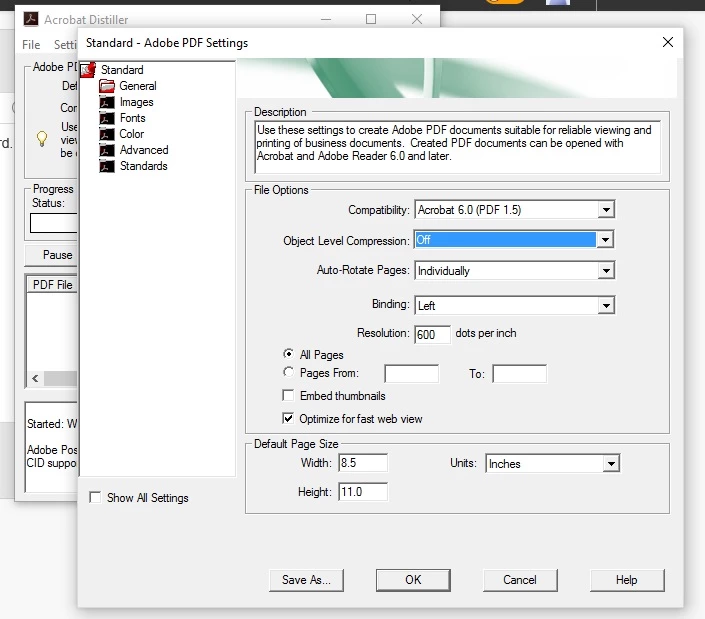
Or is there a way to switch the encryption off in Adobe Distiller XI, for example by enforcing compatibility with Acrobat 4.0 (PDF 1.3), or with some other method?
This topic has been closed for replies.
Correct answer gkaiseril

Encryption would require the entering of a password. Have you entered a password for the Open Action or to restrict access to the PDF contents?

The PDF format uses the established compression standards and does not use any secret code.

Have you looked at the Preferences for Distiller:

I always see PDF documents when using Google and they even include preview images.

1 reply

Inspiring
June 8, 2016

You do realize that some of the content in the PDF is compressed and not encrypted. The compression of the strings will appear to be encrypted but it is only the compressed data. You can turn off the compression in Distiller by changing the settings used by distiller.

If there are any images they will also be in a binary format.

PDF are only encrypted when security is applied to the PDF.

Zefir386Author
Participating Frequently
June 8, 2016

Two points are unclear to me:

(1) In Distiller XI for OSX, in the Security Settings, there is NO way to turn encryption off. The Radio button is

either on

- Encrypt all document contents

or on

- Encrypt all document contents except metadata

(2) Can Google read/detect compressed content?

Brainiac
June 8, 2016

It is a confusing dialog and I agree it does look as if securty it on. But it isn't. Security needs a password. There are two kinds of password. You can set either or both kinds of password, and you set the check boxes accordingly. But what happens if you check neither box? Security is off. But if should say so, and doesn't.

(2) What Google does is up to Google, and in effect secret. But 99.99% of all PDFs have compressed content, I'm sure it reads them. It could also read content with the second (but not first) kind of password. It might respect the "enable copying" setting and it might not.