Thanks Thom,
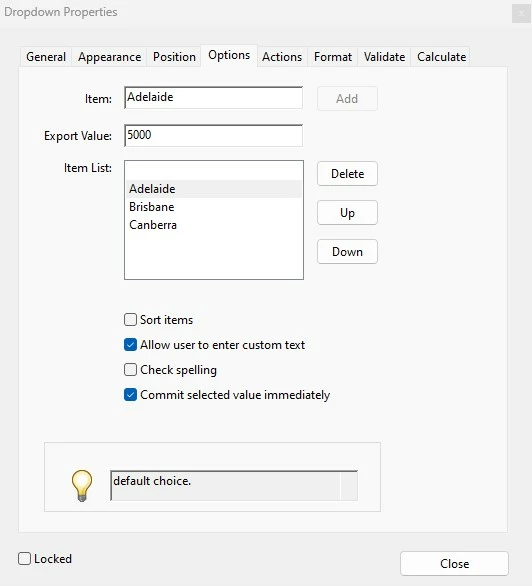
Solution 2 seems to be the way I should go but I have no idea of the code that I would need to make it happen. Any advice/example would be greatly apreciated.
Cheers Paul
Unfortunately entries in a list field can't be acquired or searched with a single function. Each item is acquired individually with field.getItemAt() function as you've already seen. The solution is to loop over all the items.
Here's a function that will do the trick.
function IsItemInListField(oLstFld, cTestItem, bExport){
    var bRtn = false;
    if((oLstFld.type == "list") || (oLstFld.type == "combobox")){
       for(var i=0;i<oLstFld.numItems;i++){
           if(cTestItem == oLstFld.getItemAt(i,bExport)){
                bRtn = true;
                break;
           }
       }
    }
    return bRtn;
}
Use this function in the Format Script for the dropdown
var oPostFld = this.getField("Text3aa");
if(IsItemInListField(event.target, event.value, false))
{// dropdown contains item, so set post code to export
     oPostFld.readonly = true;
     oPostFld.fillColor = ["G",.8]; // a little color help to que the user
     oPostFld .value = event.target.getItemAt(event.target.currentValueIndices,true);
}
else
{// dropdown does not contain item, so clear post code and make editable
     oPostFld.readonly = false;
     oPostFld.fillColor = ["G",1]; // a little color help to que the user
     oPostFld .value = "";
}



 AdChoices