


New Participant
November 13, 2022
Question

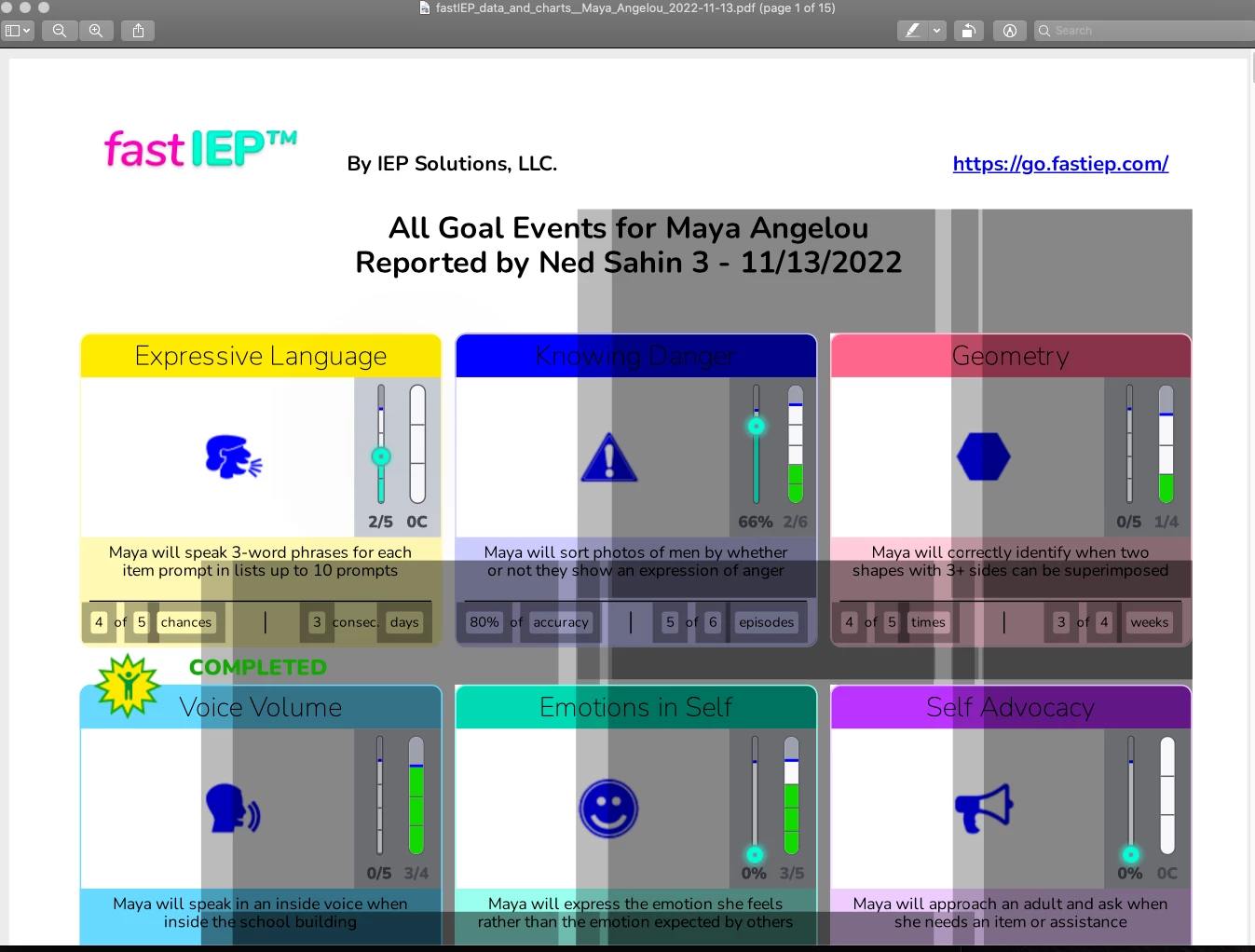
Error with Preview App (macOS) PDF generated by API and showing unwanting gray boxes

  • November 13, 2022
  • 2 replies
  • 1393 views

Hi,

We are using the API services to generate PDF documents from our web app.

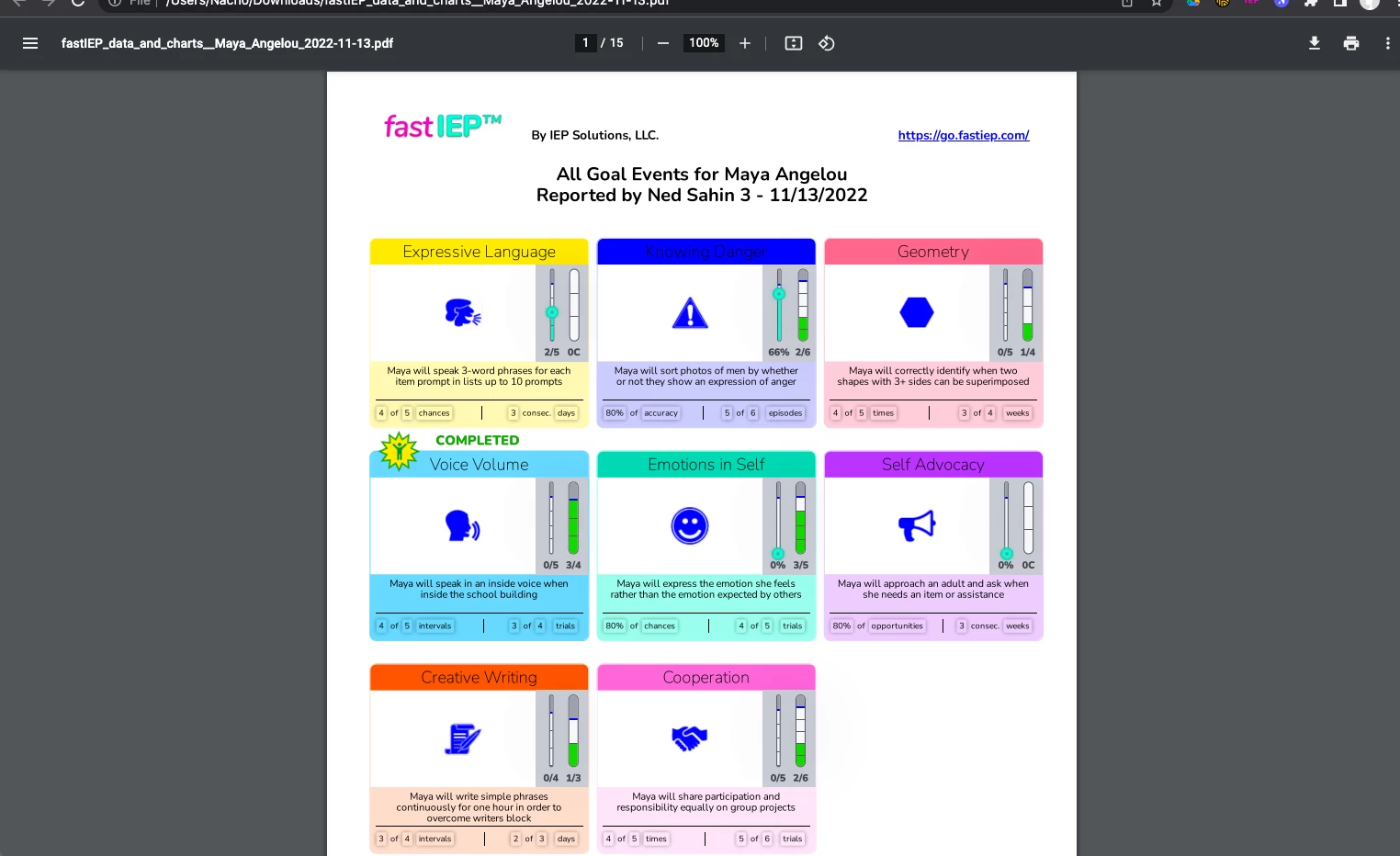
With some mac users that are using previewApp, the PDF shows some gray boxes (that we couldn't reproduce in chrome visualization on Mac) or Windows users.

Is there a parameter or something to configure that can solve this issue? we are exporting many images (check attachment).

Can anyone help?

Thanks!!

cC
This topic has been closed for replies.

2 replies

Brainiac
November 15, 2022

Well, I had an excellent and detailed reply about Preview versions but I do not now dare to reply. Good luck with your problem solving strategy.

Thom Parker
Adobe Expert
November 15, 2022

Andy! I'd love to hear anything you had to say about Preview.  If Gilad or I were off base then we certainly need to be corrected. 


Thom Parker - Software Developer at PDFScriptingUse the Acrobat JavaScript Reference early and often
try67
Adobe Expert
November 15, 2022

(I think this was in reply to the accusations hurled at Bernd earlier. If one is not willing to accept that as a valid response, who knows how they will respond to something more scathing to their PDF app of choice by the infallible Apple...)

Bernd Alheit
Adobe Expert
November 13, 2022

They should not use Apple Preview.

They should use Adobe Acrobat or Acrobat Reader.

New Participant
November 14, 2022

Please if you are going to answer a non-professional and rude response, do not reply.

Thank you

try67
Adobe Expert
November 14, 2022

It was neither unprofessional nor rude. It was a bit short, though. What's missing is the fact that Apple Preview is known to be a very buggy application, which corrupts PDF files just by opening them. If you want the files to be displayed properly you should advice your users to avoid it.
If you want to complain about the issues in it, you should do so to Apple, who developed it.