rikkifav
Participant
April 23, 2019
Answered

How can I stamp multiple pages of the same PDF with a batch stamp?

  • April 23, 2019
  • 2 replies
  • 88263 views

I used to have batch stamp on my Adobe Reader but I recently got a new computer. I need to apply stamps to PDFs daily, sometimes up to 300 pages for one document. Applying the stamp to each page manually just doesn't make sense. I did have a javascript that was on my old computer but now I cannot find the page I got it from.

How can I do this? I have Acrobat X

Please help.

Thank you.

Correct answer JR Boulay

Hi.

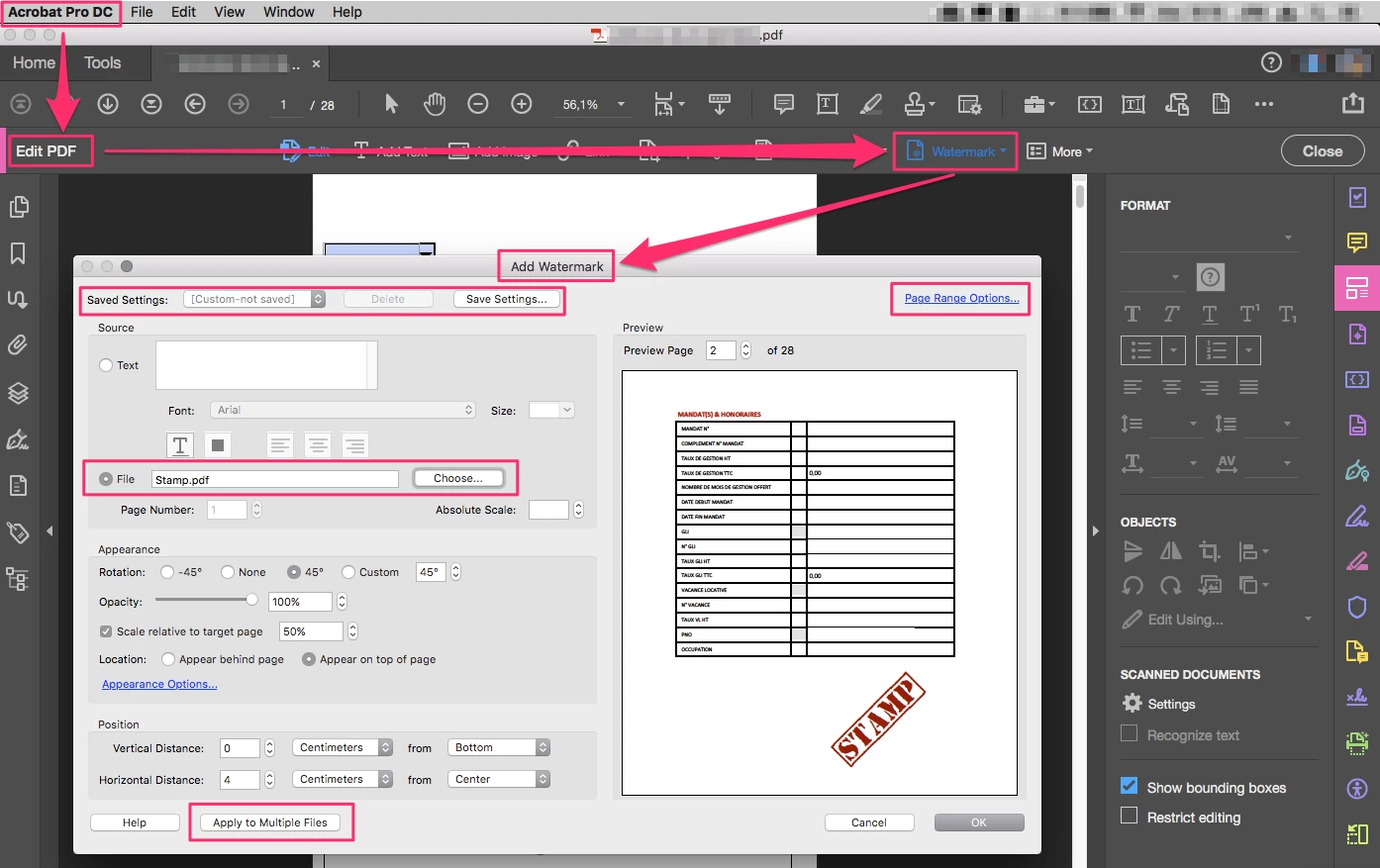
You can apply a stamp on a 500 pages PDF in a wink using Acrobat Pro and without using JavaScript with the Watermark function.

In addition, it allows to save settings and to apply to multiple files.

2 replies

JR Boulay
Community Expert
JR BoulayCommunity ExpertCorrect answer
Community Expert
April 23, 2019

Hi.

You can apply a stamp on a 500 pages PDF in a wink using Acrobat Pro and without using JavaScript with the Watermark function.

In addition, it allows to save settings and to apply to multiple files.

Acrobate du PDF, InDesigner et Photoshopographe
Participant
April 28, 2021

What if the pdf is signed?  The watermark feature doesn't seem to work.

Bernd Alheit
Community Expert
Community Expert
April 28, 2021

You can't change signed documents.

try67
Community Expert
Community Expert
April 23, 2019

Yes, this requires using a script. It's not a built-in feature of Acrobat.

One such script is this (paid-for) tool I've developed, which allows you to duplicate one (or more) comments to multiple pages in your file with ease: Custom-made Adobe Scripts: Acrobat/Reader -- Duplicate Annotations to Multiple Pages

rikkifav
rikkifavAuthor
Participant
April 23, 2019

Thank you. This is for my work and unfortunately I am not approved to buy anything to do this

Thom Parker
Community Expert
Community Expert
April 23, 2019

You really should have copied that script off your old system.

There are a couple of ways to go about writing such a script. One way is to create a script that adds the stamp to each page. The second is to write a script to copy a stamp to all pages. You'd have to add the first stamp and select it. The second script is easier because it doesn't require writing placement code, the stamp is just copied as is. 

If you are interested in learning how to do this, then we can help. However, the scripts Try67 makes are very inexpensive. If you don't want to do this yourself, then spend the money. I'm sure you get paid to work. So it would be very unfair to suggest that we should do your job for free. 

Thom Parker - Software Developer at PDFScriptingUse the Acrobat JavaScript Reference early and often