


How do I set up tabbed pages to print correctly?
Hi -
The most complex pdf I've ever encountered (and the most difficult search I've ever done on this forum) contains TABS. By tabs I don't mean window tabs, tab indexes, tab indents, tabs on preference setting dialogs, menu tabs or browser tabs.
The tabs I am asking about are those labeled "flap" found protruding along the right edge of a printed document to facilitate locating specific sections within the printed document. Text is printed on tabs rotated 90 degrees. The paper on which tabs are printed is usually a heavier stock and, by necessity, is WIDER THAN TYPICAL 8.5" - so that the tab juts out of the right edge of the printed document. The rotated text (the tab caption) must be printed beyond the 8.5" width in order to be visible on the tab when the book is bound.
I hope I haven't insulted anyone with my description but I felt it necessary because "tabs" yields so many irrelevant search results. Now to my situation and question.
The PDF I'm wrestling with has 300 total pages and 12 of these are tabs - to be printed on tab stock. The tab caption is already rotated correctly and positioned on the page APPROXIMATELY where the tab should be - except for one key problem. The problem is that the widths of the PDF pages that will be tabs are 8.5" wide on the screen and the tab stock to be printed on is 9" wide. The question is how do I get the caption to print beyond that 8.5" wide page?
I'm using a Canon varioPrint 135. It's a pretty hefty production machine with trays for many different sized media. So I put the plain paper in tray 1 and the tabbed stock in tray 2. The outcome is that the tabbed stock is inserted where it should be among the plain pages but the tab caption is not printed in position on the tab but about .35" to the left. In other words - the printer has correctly interpreted that the width of the PDF's page is 8.5" and printed within that width even though it was instructed to use, and correctly inserted, a paper stock that is 9" wide.
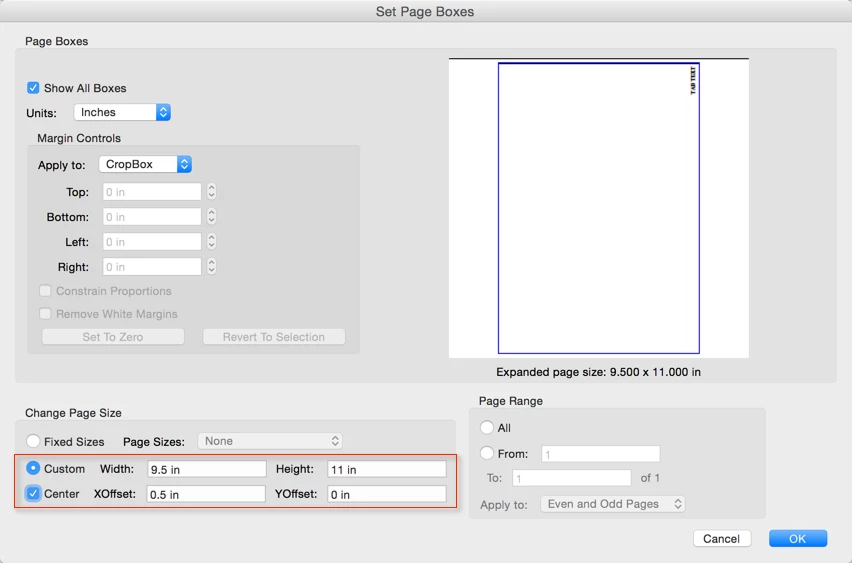
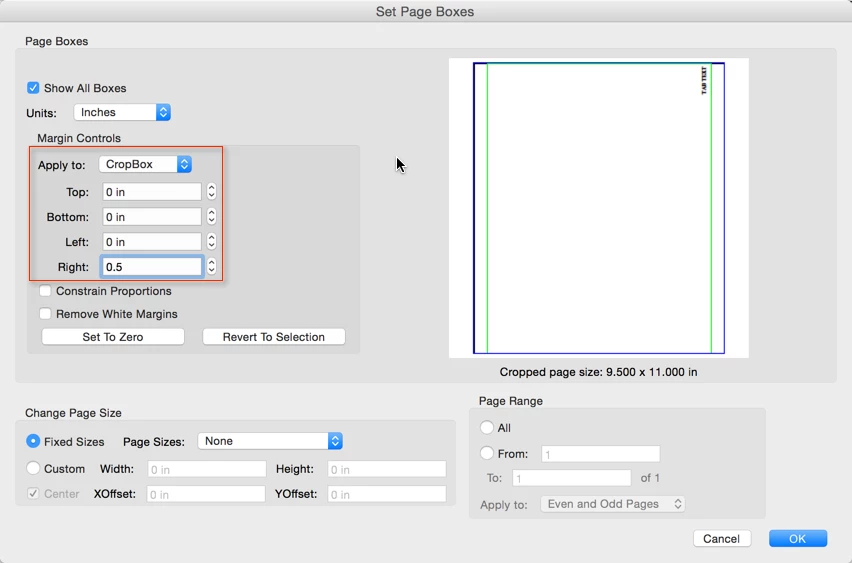
As I see it - the solution is to widen those tab pages in the PDF document so that the printer sees a 9" width and prints the tab caption accordingly on the 9" media. Is this a correct assessment?
What Acrobat tool, feature, software, plug-in, or adjustment can I use to change the width of specific pages within a PDF? Is this even possible to do with Acrobat?
Thank you in advance for your input.
Josh
 AdChoices